.png)

Microsoft Windows includes security features such as Microsoft Defender Antivirus, Smart App Control, and Windows Hello to help protect users from malware, phishing attacks, ransomware, and other cyber threats.
Keeping Windows updated, using strong passwords, enabling biometric authentication, securing Wi-Fi networks, and regularly backing up data significantly improve overall PC security.
While antivirus software can detect and block many threats, users must still be cautious of scams, phishing attempts, suspicious downloads, and social engineering attacks that rely on human error rather than software vulnerabilities.
A typical day on a PC involves work, gaming, shopping, and staying in touch: all activities that quietly expand your exposure to online threats. These threats have become bigger over time, with malware, phishing, ransomware, and cybercrime now targeting everyday users as readily as large organizations.
Windows addresses this through a set of built-in defenses, with Microsoft Defender Antivirus at the centre. Here is how these security features work and what they do to keep your system protected.
The internet makes many things easy, from shopping and banking to work and entertainment. However, the risks that come along with it include fraudulent emails, phishing websites, and even the downloading of malicious software. All it takes is one single click of a dubious website or program for the system to be at risk.
The purpose of antivirus software is to keep users safe from these risks. An antivirus application operates in the background, scanning programs for malware and alerting users to it.
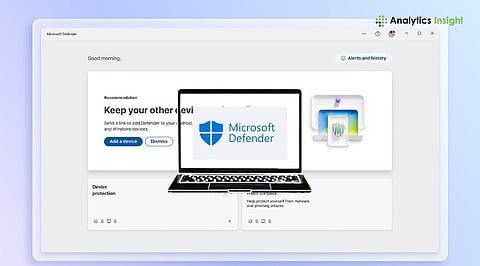
One of the biggest advantages of Microsoft Windows is that security starts working immediately after setup. Microsoft Defender Antivirus is included at no additional cost and provides real-time protection against a wide range of threats. Users do not need to install separate antivirus software to receive basic protection.
Real-time threat detection and monitoring
Automatic scanning of files and applications
Cloud-powered security intelligence
Protection against viruses and malware
Integration with Windows Firewall
Alerts for unsafe websites and downloads
Ransomware protection through Controlled Folder Access
Family safety tools for child accounts
For many households and everyday users, Defender provides sufficient protection without requiring a paid subscription.
Also Read: Top 10 Best Antivirus Software for Windows 11 in 2026
Beyond antivirus protection, Windows includes several advanced security technologies that work behind the scenes to strengthen device protection.
Smart App Control uses artificial intelligence and cloud-based intelligence to evaluate applications before they run. If an app is considered untrusted or potentially harmful, the feature can block it automatically. This reduces the risk of malware entering the system through unknown software.
Passwords remain a common target for cybercriminals. Windows Hello offers a more secure alternative through biometric authentication. Since credentials are still tied to the device, they are generally more difficult for attackers to steal.
Users can sign in using:
Facial recognition
Fingerprint authentication
Secure PIN verification
Some newer Windows PCs come with extra security features built into the hardware itself. As these protections are built into the device's hardware, they add an extra layer of security and make it harder for cybercriminals to access important information. Features like Microsoft Pluton and Secured-core PC technology help protect sensitive information, including:
Passwords
Login details
Personal information
Security and encryption of data
These protections help safeguard personal files, login credentials, financial information, and everyday online activities.
Here are several simple things that can help protect one's device from becoming a target of cybercrime.
Upgrading involves fixing security weaknesses and making the device safer against attacks. Windows 11 will update your device automatically.
Create complex passwords that cannot be guessed. You should use digits, special characters, letters, and signs.
Authenticating your device with facial recognition, fingerprints, or a PIN makes your accounts extra secure.
Create a strong password for your Wi-Fi. You should ensure that no strangers will use your Wi-Fi connection.
A firewall helps prevent unauthorized access and serves as an extra layer of security for your computer.
Save your documents in cloud storage or on an external hard drive.
Antivirus software can block many online threats, but it cannot stop every type of attack. Some scams are designed to trick people rather than target the computer itself. In these situations, staying alert is just as important as having antivirus protection.
Scams that trick people into sharing personal or financial information
New ransomware threats that have not yet been identified
Security flaws that are discovered before a fix is available
Fake customer support calls, emails, or messages
Downloading apps or files from untrusted sources
Ignoring browser or security warnings
A simple rule to follow is to be cautious before clicking unknown links, downloading unfamiliar apps, or sharing personal information online. Taking a moment to double-check can help you avoid many common scams and security risks.
Antivirus software often comes with additional features besides just offering protection against viruses and malware. They might offer:
VPN for private internet browsing
Identity theft monitoring
Password manager
Dark web monitoring
Enhanced parental controls
It is up to individual preferences which antivirus is best suited for your PC and usage patterns.
Online threats are not going away; malware, phishing, and data breaches have grown more targeted and harder to avoid. The good news is that Windows does not leave you to figure this out on your own. Built-in tools such as Microsoft Defender Antivirus, Smart App Control, and Windows Hello form a strong first line of defense, and keeping them up to date through regular updates matters as much as having them in the first place.
Pair these with strong passwords and careful browsing habits, and your PC has a reasonable defense against the threats most users will actually encounter.
Yes. Windows includes Microsoft Defender Antivirus, which provides real-time protection against malware, viruses, phishing attempts, and other security threats. It is enabled by default and receives regular updates through Windows Update.
For most users, Microsoft Defender offers strong protection against common cyber threats. Combined with Windows Firewall, regular updates, and safe browsing habits, it provides reliable security without requiring additional antivirus software.
Smart App Control uses artificial intelligence and cloud-based security intelligence to assess applications before they run. It can automatically block untrusted or potentially harmful software, reducing the risk of malware infections.
No. Antivirus software can detect and block many threats, but it cannot fully prevent scams, phishing attacks, social engineering, or users accidentally sharing sensitive information with cybercriminals.
A firewall and antivirus work together to create layered protection. Antivirus software detects malicious files, while a firewall helps block unauthorized network access, improving overall security for your PC and personal data.
