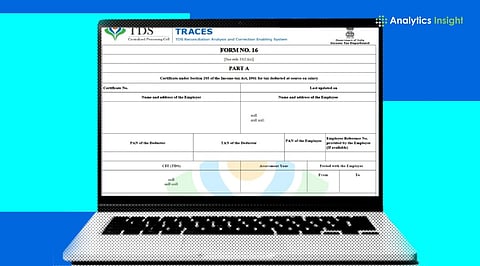
.png)

Income tax rules mandate that all legitimate non-salary TDS proofs must be downloaded solely with the government's official TRACES system.
Certificates can only be requested after a user's submitted Form 26Q or 27Q for the quarter has completed processing, either as completed or with a default flagged.
The first files received are locked ZIP archives needing special software and uppercase TAN codes to unlock.
Managing operational tax compliance can be very stressful. In addition to the standard salary certificates at the end of each financial quarter. Income Tax Form 16A is a document that shows the tax that has been deducted on non-salary transactions like professional fees, contract work, interest payments, and rents.
To help companies fulfill this legal requirement effectively, the Income Tax Department has designed a structured process for downloading Form 16A on its secure portal. Following the download protocol, which is a part of a verified process, will help your business to be free from penalties caused by structural non-compliance and also provide your contractors and clients with legally valid tax credit documentation.
Also Read: Smart Ways to Save Tax in FY 2026-27
Navigating to the TRACES Core Login Portal
First, click on the TRACES portal to log in as a Deductor with your User ID, password, TAN and captcha. Once verified, you will be able to reach your organisation's dashboard.
Selecting Your Financial Year and Search Scope
Navigate to the Downloads section and select Form 16A. Set the FY 2025-26 quarter form type and download mode, individual PAN search or bulk PAN download.
Validating Authorized Details and Completing KYC
Remember to verify the authorized signatory details on the screen. Utilize a Digital Signature Certificate for KYC or proceed with normal KYC, providing token number, challan details and PAN deduction values.
Tracking and Executing the Compressed File Download
Once KYC is approved, make a note of the request number. Later on, check the status in Requested Downloads and retrieve the ZIP file when its status changes from Submitted to Available.
Running the Utility for PDF Generation and Signing
You have to get the TRACES PDF Converter Utility to open the ZIP file through it. Then, enter TAN as the password, select a folder and create secure PDF Form 16A certificates.
Also Read: How to Check PAN - Aadhaar Linking Status Using Income Tax Portal
Navigating the Form 16a traces extraction ecosystem allows business administrators to handle non-salary tax compliance smoothly and accurately. By organizing your quarterly filing data, passing the KYC checks and using the official PDF conversion utilities, you can easily distribute valid certificates to your business network.
Staying on top of these digital steps ensures your business avoids unexpected tax penalties while maintaining strong, transparent professional relationships.
Is it possible for an individual contractor to download Form 16A on their own from TRACES?
Unfortunately, deductees and individual contractors cannot directly obtain this certificate from the site. It is necessary to either request the document from your respective deductor or check the tax credits available through Form 26AS on the e-filing portal.
What should be done if the deductor has provided a Form 16A printed certificate created outside the system?
Any paper made outside the portal is non-compliant with Central Board of Direct Taxes rules, and given this, a nullity in the eyes of the law. Deductors should use the recognized portal system to avoid compliance penalties.
What is the correct password to open the secured PDF document?
The password to unlock the encrypted PDF certificate is the company's TAN, typed in UPPERCASE (e. g., ABCD12345E).
Why is my download status continuously showing as Failed or Disabled?
A failed status means that the information you provided during KYC verification did not match the original return records. Please verify your token numbers and challan amounts before trying again.
Should digital signing of the resulting PDFs after conversion be enforced?
Embedding a Digital Signature Certificate (DSC) through the converter utility itself makes bulk signing very efficient, but it is not compulsory; you can sign the hard copies manually as well.
