.png)

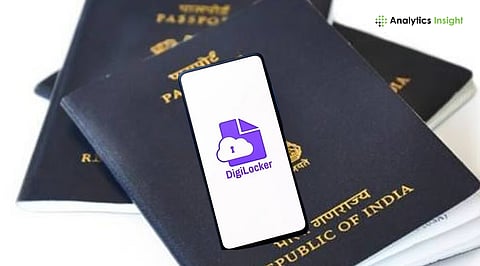
DigiLocker now allows citizens to access their Passport Verification Record (PVR) instantly after police verification is complete. This update makes it easier for people who need verified documents for travel, visa applications, jobs, and compliance checks.
Recently, the Ministry of External Affairs added PVR access to DigiLocker, ensuring that passport holders get a secure, government-issued digital record without paperwork or delays.
Passport verification is often time-sensitive, and misplacing physical documents can create unnecessary stress. With this new digital update, accessing your PVR is now effortless, secure, and available anytime.
Passport-related paperwork is both sensitive and essential. Losing access to key documents can result in delays in travel, job onboarding cancellations, or complicated compliance processes.
In recent years, the Indian government has made significant strides toward digitizing essential identity services. The most recent development, the Passport Verification Record in DigiLocker, represents a major advancement in this effort.
According to official statements and recent reports, users can now view and download their Passport Verification Record (PVR) once the passport police verification is complete. This process is automatic and requires no manual help. It’s completely paperless, which helps millions of passport holders avoid delays and unnecessary trouble.
With technological advancements, features like PVR in DigiLocker are transforming how citizens manage their identity records. If you’re still unaware of how to manage, here’s the entire process to access your Passport Verification Record smoothly.
The passport verification process is generally complicated and time-consuming. There are multiple steps before you finally get your passport, and one of the most important among them is the police verification.
Once the police verification is done, the Passport Verification Record becomes one of the most important documents you may need. These documents will help you in every step in the future, whether you’re applying for a visa, joining a new job, or completing background verification. Without a PVR, none of them is possible.
The new GigiLocker feature has brought a digital solution to all physical troubles. Furthermore, this feature is well-suited to India’s growing digital infrastructure. Instead of waiting for physical documents or worrying about losing verification papers, passport holders will receive a secure, government-issued digital document on their phones.
The Ministry of External Affairs and DigiLocker have combinedly to make this system to ensure that once verification is completed, your PVR is automatically saved to your DigiLocker ‘Issued Documents’ section. Therefore, you don’t need to be worried about carrying papers or losing them.
Indeed, this process saves time, but more than that, it increases trust and transparency. DigiLocker documents are digitally signed, completely tamper-proof, and accepted by government agencies and major employers.
Now, whether you are a frequent traveller or preparing your first passport, understanding your PVR is essential for smooth, stress-free documentation.
Also Read: New UIDAI Aadhaar App: Will the Latest Format Drop Address & DoB? Check What’s Changing
Initially, listening may seem troublesome. However, it’s not the case. The process for accessing your PVR is much simpler than you might have expected. You don’t need to upload any documents or request the PVR manually. Your DigiLocker will automatically retrieve it from official systems. For detailed information, follow the steps below:
First, go to the DigiLocker website and open the mobile app on your phone. Next, use your Aadhaar-linked mobile number or username to sign in.
Once you are logged in, you have to tap on ‘Issued Documents.’
Here, DigiLocker automatically stores all documents it receives from government departments. If your passport police verification is done, the PVR will be visible here.
The next step is to download the PVR. For that, click Passport Verification Record. Once you view it, save it as a PDF. Alternatively, you can share the document with any organization that accepts DigiLocker documents. It will be a digitally signed document and considered valid across departments.
If you are opting for a visa or any job outside India, you have to share the PVR with visa agents or employers. For that, you have to use DigiLocker, which allows consent-based digital sharing. You can share the document securely without any printed copies.
Apart from the DigiLocker thing, you will also receive an email confirmation or SMS confirmation. It is better to keep a copy of that mail for quick access during travel or background checks.
Also Read: How to Apply for a Newborn Baby’s Aadhaar Online: Complete Step-by-Step Process
To avoid unnecessary complications, accessing your PVR through DigiLocker is highly recommended. This method can save you from delays, misplaced documents, and verification issues. Unlike physical copies, which can be easily lost, digital copies are safe and secure. Even if your device gets lost, your documents will still be securely stored in your DigiLocker.
Additionally, it will remove last-minute documentation issues. You don’t need to worry about whether you have the necessary documents. You will have them with you every time. Most importantly, you can securely share it for job or visa applications. Therefore, the issue will be resolved once you understand how to access PVR from DigiLocker.
Where will I find my Passport Verification Record in DigiLocker?
Ans: The PVR will appear in the Issued Documents section automatically after police verification is complete. You don't need to do anything manually.
Do I need to request my PVR manually?
Ans: No, there's nothing you have to do manually. Once the police verification is complete, DigiLocker automatically fetches it from government systems.
Do employers and visa offices accept the DigiLocker PVR?
Ans: Yes, it is. The PVR documents stored in DigiLocker will be digitally signed. Therefore, employers will accept it across countries.
Why is my PVR not showing in DigiLocker?
Ans: If verification is still pending, the document will not appear. It only becomes available once police verification is completed.
Can I share my PVR digitally?
Ans: Yes, you can share it from DigiLocker itself. DigiLocker supports secure, consent-based document sharing.
