.png)

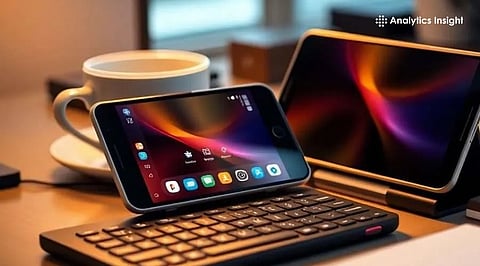
Modern Android smartphones feature desktop modes that let users turn their phones into compact workstation setups.
Connecting a monitor, keyboard, and mouse enables multitasking, document editing, and web productivity on phones.
Hardware limits and fragmented support still prevent desktop mode from fully replacing traditional laptops today.
Smartphones today carry computing power that rivals entry-level laptops. Modern Android devices offer desktop-mode features, which marks the beginning of a shift in usage patterns. A user can transform their phone into a small office setup by connecting it to a monitor, keyboard, and mouse. The idea represents a change in personal computer usage.
The latest flagship phones have processors that can run with the help of large amounts of RAM and storage. These components of the system can handle resource-demanding tasks such as video games, video streaming, and artificial intelligence. The desktop mode feature uses the phone's hardware components to let users access the standard computing system interface.
The phone displays the desktop mode on the connected screen rather than the normal phone interface. The system enables users to open the applications in separate windows, allowing them to access the tasks through the taskbar.
For professionals who travel frequently, the appeal is obvious. A phone that doubles as a workstation eliminates the need to carry a separate laptop for basic tasks.
Installation is a three-step process. The steps include an Android phone connected to an external monitor via a USB-C cable or a wireless casting method. The Android phone is used as a primary computing device after it is connected to an external monitor as a display.
The interface shifts to a desktop-style layout. Users can operate applications running in window mode using drag-and-resize functionality while switching between them more efficiently. A keyboard and mouse, usually connected through Bluetooth, complete the experience.
Some users also add USB hubs, which allow wired peripherals, flash drives, and external storage to work alongside the phone. At that point, the smartphone effectively performs the role of a compact CPU.
Also Read: WhatsApp Web Introduces Voice and Video Calling, Reducing Need for Desktop Apps
Support varies across manufacturers, but several brands already offer mature desktop-style environments.
Samsung remains the most prominent player with its DeX platform. Available on many Galaxy flagship devices, DeX provides a polished desktop interface with keyboard shortcuts, window management, and file handling features.
Motorola offers a similar system called Ready For, which connects phones to monitors or TVs for productivity tasks and media streaming.
Google is also exploring native desktop capabilities in newer versions of Android. The goal is to bring improved multitasking, window controls, and taskbar features to more Android devices over time.
Still, full functionality requires hardware support, especially USB-C video output, which means many budget phones cannot run desktop mode.
For everyday productivity, desktop mode works surprisingly well. One can have multiple apps open at the same time, browse the internet with desktop versions of websites, and even use office apps.
The most common activities that one may need to perform are:
Writing documents and editing spreadsheets
Email and messaging apps
Video conferencing
Streaming media on a bigger screen
File organization and cloud storage
Cloud-based productivity apps help to narrow down the gap between phones and regular computers.
Services like Google Docs and web-based office suites run smoothly in this setup.
For students, freelancers, and remote workers, the system can function as a portable workstation that fits in a pocket.
Despite its potential, desktop computing on smartphones still has limitations.
Many mobile applications operate exclusively on compact displays and lack proper functionality for windowed display environments. The interface occasionally produces unpredictable results because of its design.
Users who attempt to complete complex activities will face performance difficulties. Users who conduct advanced video editing work, handle large design projects, or develop software must manage mobile processors that exceed their operational limits.
Another challenge lies in fragmentation. Each smartphone manufacturer approaches desktop mode differently, which slows the development of a unified ecosystem.
Also Read: Best Mini Desktop PCs for 2025: Fast, Compact & Budget-Friendly Options
Even with its current constraints, desktop mode highlights an important trend in technology. The line separating smartphones and traditional computers is gradually fading.
The development of mobile processors and better software for large screens has brought us to a point where we can use phones to run complete workstation systems without any experimental limitations.
Users may experience a future where they can use a single device that fits into their pocket and provides them with complete computing capabilities when they connect to appropriate display hardware.
What is Android desktop mode, and how does it work?
Android desktop mode allows a smartphone to display a desktop-style interface on an external monitor, letting users open apps in windows and control them using keyboard and mouse.
What equipment is needed to convert an Android phone into a mini computer?
You need an Android phone with desktop mode support, a monitor, a USB-C cable or wireless casting, plus a Bluetooth keyboard and mouse.
Which Android phones support desktop mode features today?
Several flagship phones support desktop environments, including Samsung Galaxy devices with DeX, Motorola phones with Ready For, and some newer Android devices exploring native desktop features.
Can a smartphone fully replace a laptop using desktop mode?
Desktop mode can handle everyday productivity tasks like documents, email, browsing, and video calls, but heavy tasks like advanced editing or software development remain challenging.
Why do some Android phones not support desktop mode?
Desktop mode requires specific hardware capabilities such as USB-C video output and stronger processors, which many budget smartphones lack, limiting compatibility across devices.
