.png)

Steam and Nintendo offer clear sharing systems that allow broad access within trusted groups.
GameShare, GameChat, and virtual cards expand sharing on the Switch 2 to feel like borrowing real games.
Digital sharing helps more players try new titles while reducing repeated purchases across devices.
Game sharing has become a normal part of digital gaming. As online libraries grow, many players look for simple ways to try new titles without buying extra copies. Each platform follows its own rules, but the idea stays clear. One account owns the game, and another gets temporary access. This guide explains how major platforms handle game sharing and how players usually make it work.
Steam’s Family Sharing system allows approved accounts to access a library on another device. After a device is authorized, another account on that device can download and launch supported games. Friends and families often rely on this setup when they want to explore different titles without purchasing them again.
• Only one person can play from the shared library at a time
• If the owner starts playing a game, the other session ends
• Some games block sharing because of publisher rules
• Shared libraries work best when players use them at different times
Even with these limits, Steam remains one of the most flexible systems for sharing large digital collections.
Also Read: How to Set Up Xbox Cloud Gaming on Steam Deck Easily
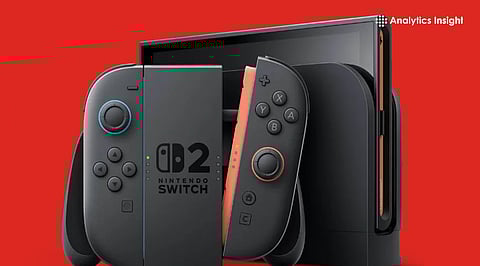
Nintendo approaches sharing differently. On the original Nintendo Switch, digital games connect to the Nintendo Account that bought them. The same account can appear on more than one console, but only one console can be set as the primary device. Any user on that primary Switch can open the digital games linked to the account. On non-primary consoles, only the account holder can launch them. The Switch 2 added new ways to share games and made the process smoother.
This feature lets a host console share supported games with another Switch.
Key points include:
Only selected titles support the feature
The host opens the game, and another Switch joins without owning a copy
Works for both local and online sessions
Some games allow online streaming from the host console. This helps when someone wants to join quickly without buying the game.
Important details:
• Needs a stable internet connection
• Some titles may require a Switch Online plan
• Works only with supported games
Also Read: Nintendo Switch 2 vs Steam Deck: The Handheld Battle Heats Up
These digital cards act like real cartridges that can be borrowed. Once the game is loaned, the owner cannot open it until it returns. Many players use this feature the same way they once shared physical game cards.
Cross-play and cross-save often get mixed up with actual game sharing, but they help players in different ways.
• Cross-play connects players on different platforms in the same match
• Cross-save moves progress from one system to another
• Both still require each player to own the game
• Store pages explain if a game blocks sharing
• Strong internet helps with streaming features like GameChat
• Virtual lending works well for short trials
• Shared libraries are easiest to manage when players have different schedules
Game sharing has become an important part of digital gaming. Steam offers a clear and dependable way to share PC libraries. Nintendo continues to add features that feel similar to sharing physical cartridges.
With more platforms experimenting and improving these systems, sharing becomes easier and more flexible. This helps more players discover new titles and keeps group gaming active even when not everyone owns the same game.
1. How does Steam Family Sharing work for people using different devices?
Steam Family Sharing lets approved accounts access one library, though only one player can use it at a time.
2. What features on Switch 2 help players share digital games easily
GameShare, GameChat, and virtual cards allow shared access, quick sessions, and temporary lending of digital titles.
3. Can a Nintendo Account run digital games across more than one console?
Yes, but only the primary console allows all users to open games while non-primary consoles limit access.
4. Is cross-play the same as sharing a digital game across platforms?
No, cross-play only connects players in matches, while each person still needs a purchased copy to play.
5. Why do some games block sharing on certain platforms or devices
Publishers sometimes restrict sharing to follow licensing rules, which limit access even when the platform supports it.
