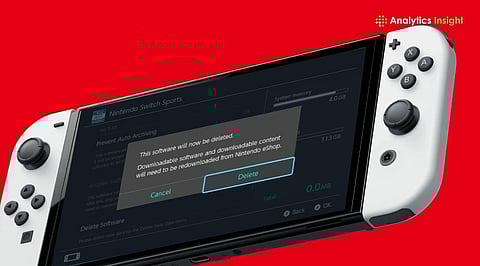
.png)

Factory reset wipes all user data, settings, and local game progress permanently.
Backup saves and unlink accounts before resetting to avoid irreversible losses later.
Use reset only for persistent issues or before selling or transferring ownership.
A factory reset sits at the intersection of necessity and caution. Users turn to it when performance drops, storage fills up, or ownership changes hands. A sluggish interface, persistent software glitches, or failed updates often push the decision. Selling or gifting the console adds urgency. Personal data, purchase history, and saved credentials cannot remain exposed.
A reset offers a clean slate. It removes digital clutter and restores the system to its original state. That simplicity comes with consequences. Every piece of data stored locally disappears.
It is important to ensure clarity before clicking on ‘Initialize’. A complete restore removes:
User information, as well as Nintendo accounts connected to the console
Games installed and saved data within the system
Screenshots and videos
System information and settings
However, any cloud backups will be retained unless the user has previously opted out of this functionality. Unconnected users may lose all their progress forever. Purchased games cannot be restored without an account.
This method mirrors the company’s simple design approach. It involves the following:
System Settings > System > Formatting Options > Initialize Console
There are prompts at each stage. The Nintendo system creates obstacles to prevent unintentional formatting. Multiple warnings will be given to the user. After confirming the operation, the console restarts and starts the deletion process. It usually takes only a few minutes to finish.
Recovery mode is another option for users. With certain hardware button combinations, recovery mode can be accessed when the system fails to start properly.
Security remains a central concern. A factory reset removes user data from accessible storage. Casual access becomes impossible. The next user encounters a device that behaves like new.
Absolute data destruction, however, depends on technical interpretation. Consumer-grade resets focus on usability and protection against standard access. They do not aim to meet forensic-level data erasure standards. For most users, the built-in reset provides sufficient protection.
Logging out of accounts before resetting adds an extra layer of security. It ensures clean disassociation from digital services.
Proper preparation distinguishes between a secure reset and an expensive error. The following precautions are taken to avoid any errors:
Save a backup of your save data on cloud-based systems
Disable the console from being the main console if connected to a gaming network
Account credentials must be kept available
Move valuable screenshots and video clips
While taking only a few minutes, these precautions can save you from a lot of trouble later on. Users rarely realize how much information is stored on the console until its contents are gone.
Also Read: Nintendo and LEGO Announce Super Mario Minifigures for 2027
A reset often improves performance, though not always dramatically. Over time, cached data, fragmented storage, and software conflicts affect responsiveness. A clean system removes those variables.
Expect smoother navigation, faster loading times, and fewer glitches after a reset. Hardware limitations remain unchanged. Older consoles will not suddenly match newer models. A reset fixes software-level inefficiencies, not physical constraints.
The reset process cannot be considered the first step. Small problems may be solved by:
Rebooting the console
Updating software systems
Deleting cache
A reset is needed only when persistent errors occur or when ownership is transferred.
Also Read: Nintendo Stock Rises as Pokémon Pokopia Boosts Switch 2 Demand
The reset process highlights a broader shift in gaming. Ownership now extends beyond hardware. Purchases live in accounts, not devices. Progress depends on cloud systems, subscriptions, and connectivity.
A factory reset does not erase ownership, but it disrupts continuity. It forces users to rebuild their environment from scratch. That dynamic reflects the evolving nature of digital ecosystems, where access matters more than possession.
A factory reset on the Nintendo Switch delivers control, security, and a fresh start. It also demands awareness. Data loss remains permanent without preparation. Users who approach the process methodically avoid regret.
The decision to reset reflects intent. Some seek performance gains. Others prepare the console for a new owner. Each case leads to the same outcome: a device stripped back to its origin, ready to begin again.
1. Will a factory reset delete all my games?
Yes, it removes all downloaded games from the console, but you can re-download your purchased titles later using your Nintendo account.
2. Does a reset delete save data permanently?
Yes, unless backed up to cloud storage earlier, all local save data gets permanently deleted and cannot be recovered afterward.
3. Can I reset without losing game progress?
Only if you use cloud save backup or select reset options that preserve save data, if available on your system.
4. Do I need the internet before resetting?
The Internet helps unlink accounts properly, but it is not mandatory. Resetting offline still deletes all local content and settings.
5. How long does a Nintendo Switch reset take?
The process usually takes five to ten minutes, depending on the amount of stored data, after which the console restarts as if it were a new device.
