.png)

You can use an external hard drive or SSD to store more games on your Xbox Series X, but next-gen games must be moved back to internal storage or an expansion card to play.
Setting up external storage is simple. Just plug in a USB 3.0 drive, format it through settings, and start using it within minutes.
External HDDs and SSDs are great for extra space, while the official Storage Expansion Card is the only option that lets you play Series X games directly without moving them.
Xbox has been a pillar of the gaming community ever since its inception. Several consoles have come out, proving themselves as elite models that can handle several premium titles without any hardware or software overload.
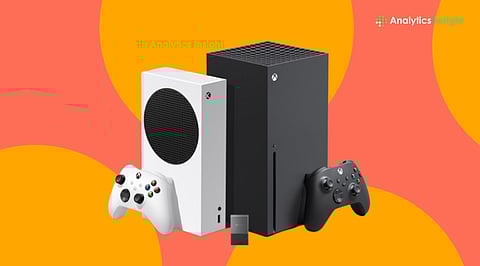
Although many models are impressive, the Series X has achieved iconic status through its reliability and versatility. The console provides players with many benefits and is equipped with several upgrades that allow it to install and run flagship games without exerting a major toll on itself. The model’s only drawback is its limited storage capacity.
Let’s take a look at how users can set up external storage on an Xbox Series X and the various techniques and tools they can use to do so.
Before starting, ensure the drive meets the following requirements:
USB 3.0 or later (fast connection is required).
Minimum 128 GB capacity (smaller drives won’t work for Xbox storage).
Can be an external SSD or HDD. SSDs are faster, and HDDs usually offer more space at a budget-friendly price.
Xbox Series X|S games can be saved on a USB drive, but they can’t be actively played through it. To play these games without moving them, a ‘Storage Expansion Card’ is required.
Turn on the Xbox Series X.
Plug the external drive into a USB port on the console's back.
A setup prompt will appear asking how the drive should be used.
Select ‘Format storage device’ to prepare the drive for Xbox use.
• A name can be assigned to the drive.
• Formatting will erase all existing data.
To set the drive as the default install location, select “Install new things here.”
Wait for the formatting process to finish. The drive will then be ready for use.
Also Read: Xbox Series S vs Xbox Series X: Best Gaming Console for 2025
Xbox Series X|S games can be stored on the drive, but they must be moved to internal storage or a Storage Expansion Card to be played.
Backward-compatible Xbox One, Xbox 360, and original Xbox titles can be played directly from an external USB drive.
Go to ‘Settings’ and select ‘System’. Then click on the ‘Storage devices’ option.
Select internal storage or the external drive.
Choose games & apps.
Highlight a game, press the menu button, and select Move or copy.
Pick the target drive and confirm.
This helps free up internal space or store older games safely.
Series X|S-optimised games need to be installed on the console’s internal storage or an official Storage Expansion Card to run. A USB drive can be used only to store these games, not play them. When it’s time to launch a Series X game, the file must be moved back to internal storage or the expansion card.
Microsoft’s storage expansion card works differently because it functions like the console’s built-in storage, allowing Series X games to run directly from it.
Also Read: Console Wars: Switch 2 vs PS5 vs Xbox Series: Full Tech Comparison
Running out of storage on the Xbox Series X can interrupt the gaming experience. Adding external storage helps keep more games available without constant deletion. The setup process is quick, and game management becomes easier afterward.
USB drives work well for extra space, while storage expansion cards allow games to run at full performance. With the right storage option, game libraries stay organized and ready to play.
Can Xbox Series X use an external hard drive?
Yes. USB 3.0 external hard drives and SSDs can be used to store games, apps, and media.
Can Xbox Series X games run from an external drive?
No. Xbox Series X|S optimized games must be moved to internal storage or a storage expansion card to run.
What can be played directly from an external drive?
Xbox One, Xbox 360, and original Xbox games can be played directly from external storage.
What is the minimum size for an external drive?
The drive must be at least 128 GB to work with Xbox Series X.
Does the drive need to be formatted?Yes. The drive must be formatted
through Xbox settings before use.
