.png)

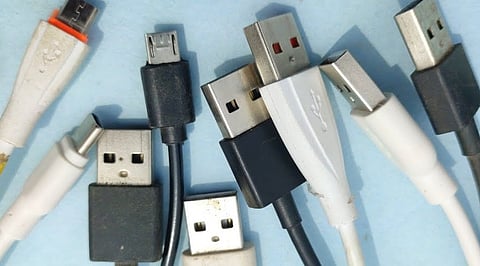
Old USB charging cables often end up in a drawer when we upgrade our phones, tablets, or other gadgets. Some no longer fit our devices, while others are simply forgotten. However, if a cable is still in good condition, it may have a useful second life at home or in the workspace.
Before throwing one away, consider whether it can help with another device, tidy up your desk, or support a small DIY project. Just remember that not every USB cable offers the same charging speed or data-transfer capabilities. Check its compatibility before putting it to work.
One of the easiest ways to reuse an old cable is to keep it as a backup for compatible devices. A spare can come in handy when your main cable is misplaced, left at the office or packed away in luggage.
You could keep one near your desk, in a travel pouch, or beside your bed. Before relying on it, check that the connector fits your device and that the cable supports its charging requirements. Older cables may not support the fast-charging speeds available on newer phones and tablets.
Some USB cables support data transfer in addition to charging. If the cable supports this, you can use it to move photos, documents, videos, and other files between a compatible phone, computer, or tablet.
A wired connection can be useful when Wi-Fi is unreliable or when transferring large files. However, some cables are designed for charging only, so they will not work for this purpose. Check the cable's specifications and make sure both connected devices support the required connection.
Old USB cables can also connect accessories such as keyboards, computer mice, webcams, audio devices, and other peripherals, as long as the connectors and supported functions match.
For example, a cable that came with an older accessory might still work with the same device or another compatible model. This can save you from buying an unnecessary replacement.
Keep in mind that some USB cables carry power but do not support data, while others have different transfer speeds or power limits. The connector's shape alone does not guarantee compatibility.
A cable you no longer need for charging can still help keep your workspace tidy. Use an intact cable as a simple guide to route other wires behind a desk, around a monitor stand, or along a shelf.
You can also bundle loose cables using reusable cable ties or clips, keeping them away from walkways and areas where they might get pulled. Avoid tying cables too tightly or bending them sharply, as this can damage their insulation. This is a practical option for cables that are still structurally sound but no longer useful for your current devices.
Also Read: Best Cable Organizers, Tech Storage Gadgets to Declutter Your Setup in 2026
If you enjoy experimenting with electronics, an old USB cable may be useful for a beginner project. Depending on its specifications, it could help connect a compatible development board, microcontroller, or other low-voltage device to a computer or suitable power source.
Before using it, check the project's power requirements and the cable's wiring and ratings. Avoid cutting into a cable or modifying its connections unless you understand the electrical risks. Incorrect wiring can damage equipment or create a safety hazard.
For beginners, using an intact cable with a supported device is a safer starting point than attempting electrical modifications.
A known-working spare cable can help you determine why a phone, tablet, or accessory won't charge or connect properly. If a device fails to respond, test it with another compatible cable to see whether the original cable is the problem.
You can also use a suitable data cable to check whether a computer recognizes a connected device. This simple test may save time before you replace an accessory or seek technical support. Keep a cable for troubleshooting only if it works reliably and has no visible damage.
Not every old cable deserves a second life. If the outer covering is split, wires are exposed, connectors are bent or charging becomes intermittent, stop using it. A damaged cable can affect connected devices and may create electrical risks.
Instead of putting unwanted cables in general household waste, look for an authorized electronic-waste collection point, an electronics retailer's take-back program or a local recycling facility that accepts cables. Proper recycling helps recover useful materials and reduces electronic waste. Before discarding a cable, check local collection rules, as recycling options vary by location.
Reusing an old USB cable can be as simple as keeping a reliable spare or using it to connect a compatible accessory. Check its condition, capabilities, and power requirements rather than assuming every cable works with every device.
A little sorting can reduce clutter, avoid unnecessary purchases, and help keep electronic waste out of landfills. And when a cable is damaged beyond safe use, responsible recycling is the better choice.
You can keep them as spare charging cables, use compatible data cables to transfer files, connect supported accessories, organise desk cables, work on suitable electronics projects or troubleshoot device connection problems. Damaged cables should be recycled responsibly.
Yes, provided the connector and cable specifications are compatible with the phone. However, an older cable may not support the fast-charging speeds or power requirements of a newer device.
No. Some USB cables are designed for charging only and do not support data transfer. Check the cable's specifications before using it to transfer photos, videos or documents.
Yes, if the cable supports the required data connection and its connectors match the accessory and computer. Compatibility also depends on the device's requirements.
Yes. Testing a device with a known-working, compatible cable can help determine whether the original cable is causing the problem. A faulty charger, port or device battery could also be responsible.
