.png)

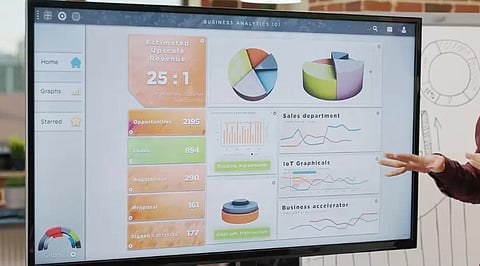
Digital whiteboard displays improve collaboration by combining touch interaction, cloud storage, wireless sharing, and video conferencing into one business-ready solution.
Leading models cater to different business needs, from Microsoft-based enterprises and security-focused organisations to budget-conscious teams and hybrid workplaces.
Choosing the right display depends on screen size, operating system, conferencing features, software compatibility, mobility, warranty, and long-term ownership costs.
Digital whiteboard displays are now a common sight in modern offices. Companies are moving away from plain whiteboards and projectors, and choosing interactive screens that make teamwork, presentations, and brainstorming easier. These displays bring together touch controls, video calls, wireless screen sharing, and cloud storage in a single device.
A digital whiteboard allows employees to write notes, sketch ideas, edit documents, and even share content with colleagues working remotely. Many models are also compatible with popular office apps that ensure meetings stay organized and easy to follow.
This guide outlines what these displays offer, which models stand out, and what a buyer should check before placing an order.
A traditional whiteboard has a major limitation: Once erased, the ideas it contains are lost unless someone photographs it beforehand. A digital whiteboard overcomes this limitation automatically. Every note, sketch, and diagram can be saved without manual effort and can be retrieved for a future meeting or shared with anyone unable to attend.
These screens also allow a team to combine multiple elements such as a slide deck, spreadsheet, product photo, and live video call on a single surface. This makes the presentation an interactive work session.
Also Read: Why Tech Giants are Investing in a Screen-Free Future
Samsung Flip Pro is known for its sharp UHD picture and a screen that can rotate between landscape and portrait mode. It suits teams that switch between presentations and long lists or notes.
Microsoft Surface Hub is built around Microsoft 365. This board accommodates offices that use apps like Teams, Outlook, and OneNote. Its security features and management tools appeal to larger enterprises.
Cisco Webex Board’s strength lies in video conferencing and encrypted storage. This display suits security-conscious industries such as finance and legal services.
ViewSonic ViewBoard is a budget-friendly option with solid warranty coverage and a straightforward Android interface. It is popular among mid-sized businesses.
NearHub S Series is an all-in-one board offering 4K resolution across multiple screen sizes, with native integration for Zoom, Teams, and Google Meet.
Not every display is suitable for office workflows. Here are some points worth checking:
Size and Resolution of the Screen: For smaller huddle rooms, a 55-inch screen works well, but boardrooms require a 65-inch display. 4K resolution is now common, and clearer text improves the overall experience.
Touch Technology: The capacitive touch screen gives a similar experience to writing on a piece of glass with a thin pen. Infrared boards offer multiple touch points simultaneously, which are useful when several people are using the board.
OS of the Board: Boards with Windows OS make it easier to incorporate Microsoft 365 software into office spaces, while Android operating boards give access to a larger application store. Some manufacturers also have their own OS system.
Conferencing Capabilities: Camera, microphone, and speaker components in the board are necessary for hybrid teams. A lack of these accessories requires connecting an external computer or conferencing kit to the board.
Applications and Software: Support from the boards for Zoom, Microsoft Teams, and Google Meet applications is becoming almost mandatory.
Mobility of the Display: A rolling stand can help move the display from one room to another. On the other hand, a wall-mounted board offers a permanent setup for meeting rooms.
Price should not be the only factor for consideration. Many boards carry an annual software or storage fee in addition to the purchase cost, and a heavy 55-inch or larger display often requires a wall bracket or wheeled stand, which must be purchased separately. Warranty periods also vary considerably, ranging from 90 days to 3 years, so it is advisable to carefully review the terms and conditions.
Staff training on the new system also requires time and consideration. A board that appears impressive during a showroom demonstration can prove cumbersome on the first day of use if the interface is not intuitive for non-technical employees.
Digital whiteboard displays are not cheap, but the decision depends heavily on the company’s scope and use case. If the office environment is dominated by Microsoft tools, Surface Hub is a great option, while a security-focused company might want to consider Cisco's Webex Board.
For a modestly-sized team with a limited budget, ViewSonic or NearHub are decent choices. Teams should focus on ensuring compatibility with their needs and existing technology stack, rather than the specs sheet.
1. Which digital whiteboard display is best for business collaboration
The ideal digital whiteboard depends on your business requirements. Microsoft Surface Hub suits Microsoft-centric organisations, Cisco Webex Board prioritises security, while Samsung Flip Pro, ViewSonic ViewBoard, and NearHub offer excellent collaboration for different budgets.
2. What features should businesses consider before buying a digital whiteboard?
Businesses should evaluate screen size, 4K resolution, touch technology, operating system, built-in conferencing tools, application compatibility, mobility options, warranty coverage, and any recurring software or cloud subscription costs before purchasing.
3. Are digital whiteboard displays suitable for hybrid work environments?
Yes. Most modern digital whiteboard displays support Zoom, Microsoft Teams, and Google Meet, allowing in-office and remote employees to collaborate, annotate documents, share screens, and participate in meetings seamlessly.
4. Do digital whiteboards require additional software subscriptions?
Some digital whiteboards include free collaboration tools, while others charge annual fees for cloud storage, advanced collaboration software, device management, or premium conferencing features. Always review the total ownership cost before purchasing.
5. Which screen size is recommended for office meeting rooms?
A 55-inch display works well for smaller huddle spaces, while 65-inch or larger screens are better suited for boardrooms and larger meeting rooms, ensuring clear visibility and comfortable collaboration for every participant.
