.png)

Abstract consolidating accounts (Ensures that all past contributions are transferred to the current member ID)
One live account can keep benefits/interests complicated.
The whole merger takes place online in the UC Member Portal
Managing EPF accounts during a job change is another area where employees often act too late. Each organization assigns a separate Member ID, even though the UAN remains the same across all employers. When those multiple PF accounts are left unmerged, the balance becomes fragmented and the final settlement gets complicated. Merging all accounts linked to a single UAN is not optional; it is essential now.
Combining the accounts is not just about staying organized; it is also a financial necessity with long-term benefits.
When switching jobs, a new employer usually creates a fresh PF account. If the transfer process is not initiated, the previous PF balance remains in the old account.
Although the amount may continue earning interest for a certain period, managing multiple accounts later becomes more complicated. Keeping PF accounts merged makes it easier to track the total retirement corpus and simplifies documentation during PF withdrawals or loan applications.
Also Read: How to Withdraw PF Amount Online: Step-by-Step Guide
Before the digital transfer, the user/employee will be prompted to validate their profile against these criteria for technical rejections.
UAN Activation: The user should have their Unique Account Number activated and also their login details for the EPFO portal.
KYC Verification: Aadhaar, PAN, and bank details should be seeded with the current employer and then verified.
One Mobile Number: The mobile number linked to the Aadhaar should be active to receive OTPs.
Date of Exit: Have the old employers update the Date of Exit on the portal. The system won't allow the user to transfer unless and until it is done.
Use the 'what comes next' method to transfer funds from the older IDs to the current one.
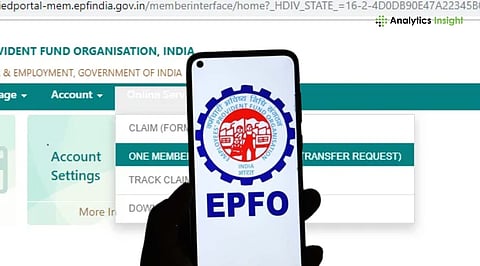
Go to the United Members Portal. Enter the UAN and password, then click the CAPTCHA code. Log in and on the dashboard, click on the 'Online Services' tab.
Click on 'Online Services' and then select the option of account transfer, which is under this menu, to get the account transfer page. This page will show details of the existing PF account and the destination for the transfer.
Check the information displayed on the screen. It is important to verify that the bank account and personal info provided are valid, as this is where the consolidated balance will ultimately be added.
Click on the 'Get Details' icon to see the list of previous PF accounts with the UAN. The user will be prompted to choose either the previous or current employer to approve the claim. So they may select the current employer to expedite the approval process.
Also Read: How to Calculate and Check Your PF Balance Without Logging In
After selecting the member IDs to be merged, click on 'Get OTP.' An OTP will be sent to the mobile number linked with Aadhaar. Once the OTP is entered and verified, the system generates a tracking ID for the request.
Once the user has submitted the request, it goes through multiple stages of approval. They can check the update by heading over to 'Online Services' and then clicking on 'Track Claim Status'. First, the request is sent to the employer for digital signature verification.
After the approval of the employer, the request is entered in the regional EPFO office. The officers verify all the records and transfer the balance from the old Member ID to the new Member ID. The entire process takes about 10-15 days.
Even with a digital system, some obstacles could prevent the transfer of money. The most typical problem would be a discrepancy between the name and the birthday date on PF accounts. If the former employer has entered the name differently on the occasion of a PF transfer through online, the system will stop transferring the money to the new account.
In this case, fill out the 'Joint Declaration' form and send it to the EPFO office to modify the data. Another known problem is that there is no 'Date of Exit' for the previous jobs. But now, EPFO allows people to change their exit date themselves if the time gap is more than 2 months.
The distinction between the PF contribution and the Employee Pension Scheme (EPS) is very important in this account-merging process. When users merge accounts, the PF balance is moved to the activated account, but only the service history with respect to the pension scheme, not the cash balance, is moved.
EPFO allows employees to combine service records from multiple employers, helping maintain a complete employment history under one account. This consolidated service history is important for calculating pension eligibility and benefits after the age of 58. Merging PF accounts ensures that total years of service are accurately credited, making future pension claims smoother and more reliable.
Retirement funds are easier to grow when they are easy to track. Switching jobs should not mean losing visibility over hard-earned savings. Learning how to merge multiple PF accounts into a single account keeps the balance intact and ensures interest continues to accumulate without interruption. The online transfer process makes this straightforward: no paperwork and no office visits. The sooner the transfer is initiated, the better protected those savings are.
1. Can I merge two UANs into one?
Yes, if there are two separate UANs, the details of the older UAN must be shared with the current employer or updated through EPFO. The PF balance from the old UAN is then transferred to the active UAN, after which the previous UAN gets deactivated.
2. How long does it take to merge PF accounts online?
The duration usually ranges from 7 to 20 days, depending on how quickly your employer accepts your digital request (step 2) and the regional PF office's processing time.
3. Is it mandatory to merge multiple PF accounts?
Although this isn't the law, it is really advised. Combining accounts helps you manage your money better, maintains interest, and makes removing the money a whole lot easier.
4. What should I do if my previous employer has closed down?
Choosing the former company? If your former company has been closed, then select 'Current Employer' to sign the verification of your transfer. It can check your identity and papers for the move.
5. Does the interest stop if I don't merge my accounts?
PF accounts become 'inoperative' if 36 months of no contribution have elapsed and the member is 55 years of age or more. But for employees of a fresher age, interest will accrue, but having too many accounts will make the final settlement very complicated.
