.png)

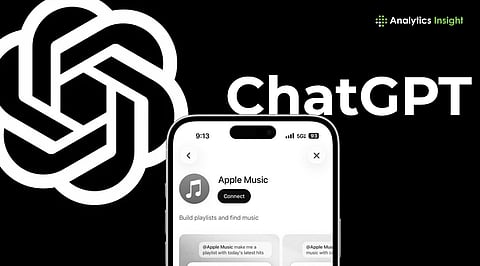
ChatGPT integrates Apple Music into its platform in both the web and mobile versions.
The new update will allow users to mix music and create their own new versions.
ChatGPT will search Apple Music's catalog and create playlists without accessing users’ song history and personal playlists.
Apple Music is now available in ChatGPT, giving subscribers a surprisingly new way to discover music and build playlists through conversation. Instead of hunting through menus or typing into a search bar, you can now just ask and let the AI do the curation. Here's how to set it up and get started.
Also read: Apple Music’s iOS 26 Upgrade Brings Lyrics Translation, Karaoke Mode, AutoMix, and More
With AI making inroads into different aspects of our lives every day, it is no big surprise that it is now stepping in to enhance our music experience. Apple Music can now be accessed through ChatGPT's apps on mobile and desktop. The easiest way is to use it online. Just ask ChatGPT for some new music.
This collaboration between ChatGPT and Apple Music has the potential to change how listeners discover new music. With ChatGPT, listeners can describe what they desire in natural language. All you need to do is ask the chatbot for ‘upbeat 80s songs for a road trip’ or ‘calm instrumental music for studying,’ instead of typing specific search terms. ChatGPT will even mix two different songs for you if you select the songs and enter the prompt.
This is not the first time AI has integrated into a music app. Spotify also offers AI-powered suggestions that let users listen to music based on their tastes and favorite genres.
How do we use Apple Music in ChatGPT? Let’s take a look at the detailed step-by-step guide:
Open ChatGPT on your device; both the web and app versions work
Go to the App Store section in the tools menu.
Tap on the ‘Account’ option
Under ‘Account’ settings, find the option ‘Apps’
Click on Browse Apps
Choose Apple Music from the extensions library
Tap on Connect and choose Connect to Apple Music
Receive on-screen prompts on how to sign into the Apple account.
Follow the directions and allow permission for the access request
For Apple desktop users, the same steps need to be followed in the ChatGPT app on Mac:
Go to the official ChatGPT website on the browser
Open ‘Apps’ section
Tap on the Apple Music extension
Connect with the extension plug-in
Once connected, the extension remains active on all devices signed in to the same ChatGPT account.
Also read: How to Detect AI-Generated Music Using Audio Clues and Tools
ChatGPT can only search Apple Music's catalog and create playlists. It cannot access users’ song history and personal playlists. The plug-in will only have permission to add songs to the library. AI has always faced debates on data privacy. This new feature helps users maintain data privacy.
1. What is Apple Music?
Ans: Apple Music is a music streaming app for Apple users.
2. What is ChatGPT?
Ans: ChatGPT is an advanced AI chatbot developed by OpenAI. This tool is designed to create human-like conversation and answer questions. It can also generate code, text, and creative content.
3. How to subscribe to Apple Music?
Ans: You can choose an individual, student, or family subscription. The family plan can be shared with up to six people.
4. How does Apple Music use AI?
Ans: Apple Music allows you to create “unique transitions” between many tracks, just like a DJ.
5. Which is better? Apple Music or Spotify?
Ans: Both the apps are good. Calling one ‘better’ depends on the listeners’ purpose.
