.png)

Trello is a visual task management tool that simplifies personal and team workflows.
Users can start fast with a quick Trello login and flexible board layouts.
Trello now builds AI tools directly into paid plans, from auto-generated boards to AI checklists.
Trello's drag-and-drop system, Power-Ups, and new AI features make it one of the easiest project tools to start with.
Most teams have no shortage of tasks. What they lack is a clear view of where each task stands. Trello was built to close that gap. In 2026, it adds AI help, scheduling, and automation to a simple card-based system. That mix has made Trello Project Management a practical choice for solo users and growing teams alike.
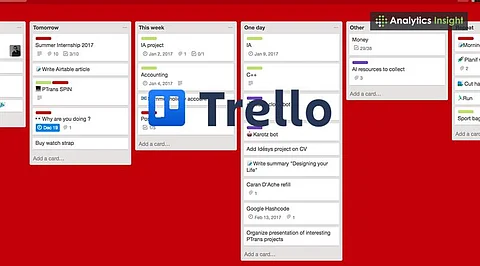
Trello is a visual project management tool developed by Atlassian. It displays work on boards made of lists and cards. Each card moves from one stage to the next as the task progresses.
A content team can create a board with four lists: Research, Writing, Editing, and Published. Every article becomes a card. The card holds the deadline, the assigned writer, a checklist, and supporting files. One glance at the board shows the status of every piece.
Trello runs in web browsers and on mobile apps, serving personal, education, marketing, and business needs.
Setting up a first board takes only a few steps.
Create an account. Register on the official Trello website.
Create a board. Pick a name that fits the project, such as Marketing Campaign" or "Exam Preparation."
Add lists. Use workflow stages such as To Do, In Progress, Under Review, and Done.
Create cards. Add each task, assign an owner, set a deadline, and attach files or checklists.
Track progress. Move cards across lists as work advances, and update their status often.
A writer can follow this process for one article. The writer creates a card, adds research links, and assigns an editor. The card then moves from writing to editing to published.
Boards now sit alongside AI tools, automation, and scheduling.
Inbox and Planner: Inbox collects tasks, notes, and ideas before they reach a board. Planner links tasks to a calendar so users can set aside time for upcoming work.
AI-powered boards: Eligible paid users can describe a project in plain words. Trello then drafts a starting board with suggested lists and cards.
AI-generated checklists: Trello can suggest smaller steps based on a card's context. This cuts the effort needed to organize routine assignments.
Card merging: AI-assisted tools help combine related cards. They also merge the task details into one place.
AI scheduling: Eligible users receive focus-time slots suggested from tasks and connected calendars.
Natural-language due dates: Trello reads supported date phrases in card titles and sets deadlines.
AI-generated images: Where available, text prompts create board backgrounds and card covers.
Automation: Rules and scheduled actions handle repetitive work. One example is moving a card when set conditions are met.
AI availability depends on the plan. Standard, Premium, and Enterprise include some tools. Certain writing and summarization tools need a higher tier. Atlassian's AI documentation lists current eligibility.
Trello connects with outside apps such as Slack and Google Drive. Power-Ups add extra functions to boards. Additional views let users examine tasks by schedule or project stage.
Trello also supports Model Context Protocol (MCP). Compatible AI assistants can work with supported Trello resources once permissions are granted.
The mobile apps allow quick access to boards and task updates. Changes made offline need a check of the sync status afterward.
Trello offers four plans. The prices below are in US dollars. The official pricing page should be checked before any purchase.
Content planning: Articles and social posts move from research to publication.
Sales management: Leads pass through stages such as New Lead, Contacted, Follow-Up, and Closed.
Education: Students track assignments, revision schedules, exam preparation, and deadlines.
Personal projects: Holidays, home renovations, and purchases fit neatly into cards and checklists.
Complex sales operations or large projects with advanced reporting needs may still call for dedicated business software.
The main advantage is a simple visual interface. Users organize work quickly, assign tasks, attach documents, and monitor progress without separate task records. Automation, integrations, and AI features add flexibility.
Large boards turn messy without regular updates. Complex projects may need dependency tracking, resource allocation, or reporting that Trello does not fully provide alone. Teams should also review AI-generated content and automated actions before using them in active workflows.
Trello offers a straightforward way to organize projects, track deadlines, and share responsibilities. Beginners can start with the free plan and one board. Upgrades add collaboration, planning, and AI options as projects grow.
The next phase of Trello Project Management may depend on how well AI assistants understand context. A board that knows deadlines, calendars, and workloads could suggest priorities before a team asks. The tools that learn this well will shape how everyday work gets planned.