.png)

WhatsApp now allows users to send a voice or video message immediately after a missed call.
The feature works like voicemail but stays within the WhatsApp chat interface.
Users can instantly record and send a message without reopening the chat window.
Communication is evolving rapidly, with quick, efficient ways to stay connected, even when calls go unanswered. Users looking for an uninterrupted way to keep conversations going can use WhatsApp's Missed Call Message feature to send a short voice or video message if the receiver fails to pick up a call. This feature is expected to bridge the gap between missed calls and delayed replies.
Instead of calling repeatedly or typing long texts, users can now leave a customized voice or video note to send their message across. Whether you’re contacting family, colleagues, or friends, this feature provides a more human and direct way to communicate after missed calls.
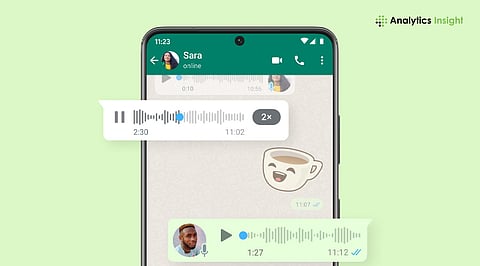
WhatsApp's new Missed Call Messages feature is designed to streamline communication when a video or voice call goes unanswered. This feature replaces the requirement for a separate voicemail and allows users to record and send a message immediately after a call. The type of note you leave depends on the call you’ve placed. If it’s a voice call, you can add a voice note. Similarly, for a missed video call, there will be an option to send a video note.
This feature ensures you don't miss conveying any important message during the busiest times of the day. Just tap into WhatsApp’s existing voice and video messaging capabilities, and the app will ensure the recipient will get your message in the most personal form possible, with either your voice or your face.
Unlike traditional voicemail systems, which store messages outside the messaging interface, WhatsApp stores everything in the app. Therefore, users can access those notes anytime without any hassle. The feature is currently rolling out globally. Thus, make sure your app is up to date to access it.
Also Read: Russia Threatens Nationwide WhatsApp Ban Over Law Violations, Crackdown Intensifies
While it may seem complex, the process is simple. Even newcomers can enable this in a few seconds if their app is up to date. Here are the steps to follow to leave a voice or video note after a WhatsApp call:
The first step to enable this feature is to update the WhatsApp application. Go to Google PlayStore or Apple App Store to install the latest app version. Older versions may not support the feature.
Now, to check whether the feature is activated, you have to initiate a normal WhatsApp voice or video call. If the recipient doesn’t answer, the call will end as a missed call, and you will get the option that you are looking for.
As soon as the call disconnects, WhatsApp will display an option to let you leave a message instantly, without switching screens.
Tap the microphone to record a voice note. If it is a video call, tap the camera icon to record a short video note. Keep your message clear and to the point.
Once you complete recording, the message will automatically be attached to the missed call notification and delivered to the recipient’s inbox. They can listen to or watch it anytime.
These steps aren’t complicated, but this feature effectively bridges the communication gap, especially when the message is urgent.
Also Read: How to Transfer WhatsApp to a New Phone Without Losing Chat History
If you’re wondering whether you can use this feature on WhatsApp, the confusion is valid. WhatsApp is currently rolling out the feature as part of a broader update. While a significant number of users have been seeing it on both Android and iOS, this may vary by region. Even app versions may affect the feature. If you don’t see the feature yet, check your app store for a pending update and install it.
The new feature aligns with WhatsApp's consistent commitment to providing better communication tools. By sending personalized voice or video notes right after missed calls, the platform makes it easier to follow up on conversations. Most importantly, since the messages are part of the chat thread, they remain organized in one place.
1. What is the WhatsApp Missed Call Message feature?
Ans: The WhatsApp missed call message feature lets users send a short audio or video message directly after a missed audio or video call, instead of sending another message or calling again.
2. Do I need to update WhatsApp to use this feature?
Ans: The missed call message feature is only available on the latest versions of WhatsApp. If the option does not appear to be available in your application, ensure your version is the latest available in the Google Play Store or the Apple App Store.
3. Is the feature available for both Android and iOS users?
Ans: The missed call message feature is being made available to both Android and iOS users. The timing of this feature, or when it becomes available, will vary by the user's geographic location and mobile device type.
4. Can I choose between sending a voice message and a video message?
Ans: Yes, without a doubt. Once you receive a missed call, WhatsApp lets you either record a voice note or send a video message, whichever you prefer.
5. Where does the message appear for the receiver?
Ans: The message appears right in the WhatsApp chat thread, just as usual voice notes or video clips. The recipient is free to open the chat and listen to or watch it whenever they want.
