.png)

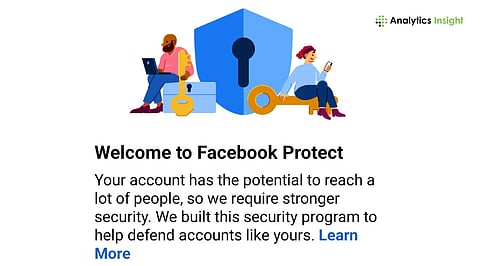
Facebook Protect is an advanced security feature designed to protect high-risk accounts from hacking and unauthorized access.
Enabling Facebook Protect adds extra layers of verification and login security through two-factor authentication and other stronger security measures.
Facebook Protect enhances account safety by monitoring suspicious activity, strengthening login security, and reducing the risk of cyberattacks.
The increasing digitization has made online security more important than ever. The rise in cybercrime, particularly on platforms like Facebook, where personal data, messages, and digital identities are stored, highlights the need for enhanced digital protection.
Cybercriminals usually try to steal data or scam users through social media accounts. Meta has introduced Facebook Protect to handle this threat. If you receive a notification that asks you to enable Facebook Protect, don’t ignore it. Instead, complete the setup to stay safe online.
Enabling Facebook Protect is simple; however, users should first understand the benefits of this feature and why it is needed. Facebook Protect lets users avoid unauthorized access and hacking attempts. It ensures that the social media account follows strict security standards.
The two-factor authentication is the most important part of Facebook Protect. 2FA prevents strangers from logging in to your account from any other device, even if they have your password. Facebook will send a verification code to your registered mobile number or email address to cross-check the account holder’s identity. Without the code, the login process won’t be completed.
Facebook can make this feature mandatory for certain public-facing users, such as journalists, activists, or political figures. If Facebook Protect is not activated within a specific time, these users may temporarily lose access to their accounts.
Also Read: Facebook Rolls Out Meta AI Photo Suggestion Feature for Personalized Photo Edits
The Facebook Protect activation process is simple. Users can follow the steps as listed below:
Log in to your Facebook account. You can use the app or log in through the browser.
Tap your profile icon
Navigate Settings & Privacy
Select Settings
Scroll to find Password and Security
Go to Facebook Protect or Advanced Protection
Click on Get Started
Once you have completed the above steps, Facebook will scan your account for security risks. After activation, your account will be secured with enhanced protection.
Once the feature is enabled, the accounts will be continuously monitored with stronger login checks. Facebook may alert you if suspicious activity is detected. Login attempts from an unknown device may trigger additional verifications. The platform will also encourage the use of secure passwords and trusted login devices.
With strict monitoring, the risk of phishing attacks and the spreading of misinformation will be reduced. While the extra security steps may seem inconvenient at first, they provide long-term protection and digital privacy.
Also Read: How to Link Instagram with Facebook Business Account: Quick Guide
The feature was first promoted to protect the accounts of celebrities, public figures, content creators, and journalists. Securing their accounts against scams is necessary, as their posts influence millions of followers.
However, regular users can now use Facebook Protect to avoid phishing attacks and other online threats. With growing cases of hacking and identity theft, advanced protection features help users stay safe in the digital space.
What is Facebook Protect?
Ans: Facebook Protect is a security program that implements two-factor authentication and other security improvements to enhance account security.
Is Facebook Protect mandatory?
Ans: It is mandatory for those users who are recognized as high-risk. If necessary, any user can turn it on to keep using their accounts safely
Does Facebook Protect cost anything?
Ans: No, Facebook Protect is free and an integral part of Facebook's security system.
Can I turn off Facebook Protect later?
Ans: It's possible that there are scenarios where Facebook demands it on your profile, and you can't remove this feature from your account. For now, it seems to be possible to turn it off.
Does Facebook Protect work on mobile devices?
Ans: Facebook Protect can be accessed via both mobile applications and desktop browsers.
