.png)

Each tool serves different needs, from simplicity to speed and SQL-based analytics workflows.
Performance differences matter most, with Polars and DuckDB outperforming Pandas on large datasets.
Modern data science workflows combine Pandas, Polars, and DuckDB for flexibility and efficiency.
For a long time, being a data scientist in Python meant knowing Pandas. The program served as the most powerful tool in the entire ecosystem.
This situation has changed as our current work involves processing data that exceeds "Excel-sized" dimensions as we handle millions and sometimes billions of CSV rows on our computers.
While Pandas remains a necessary tool, it often struggles under the weight of modern data volumes, leading to "Out of Memory" errors. This has paved the way for two more libraries: Polars and DuckDB. If you want to keep your workflows efficient, understanding when to switch tools is the most important skill you can learn this year.
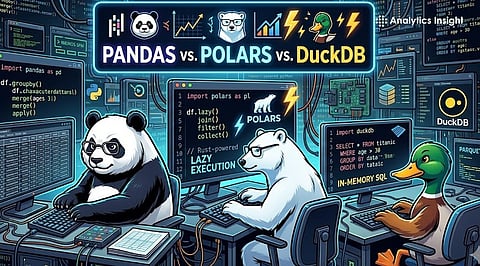
To choose the right tool, you first have to understand the purpose of each library:
Pandas: Pandas has built its system around its fundamental principle of providing users with complete operational flexibility. The software functions as a complete guide to all available machine learning tools because it works seamlessly with nearly every visualization library. The system operates primarily through one processing thread while executing all tasks at once, which results in excessive memory consumption.
Polars: This library is written in Rust and built from the ground up for the multi-core era. It is a "parallel-first" DataFrame tool. Polars optimizes your logic before you start coding.
DuckDB: This library plays the role of an analytical database that lives inside your Python script. It is SQL-first and vectorized. The tool’s most powerful feature is "out-of-core" processing; it can analyze datasets much larger than your RAM by smartly swapping data to your disk.
Performance is a requirement for modern libraries. In recent benchmarks, performing a GroupBy operation on 100 million rows shows a clear pattern:
Pandas might take over 100 seconds (or simply crash).
Polars and DuckDB often finish the same task in under 30 seconds.
Polars uses all CPU cores by default. While Pandas is busy using one module, Polars is utilizing all eight. DuckDB, on the other hand, excels at "Data Loading."
It can query a Parquet or CSV file directly without even fully "loading" it into your environment, making the startup time near-instant.
Pandas uses the familiar df[df['col'] > 5] style. It’s expressive but can get messy with complex operations.
Polars introduces "Expression Chaining." You build a pipeline of logic: .filter(), then .select(), then .group_by(). It’s incredibly readable and prevents the "spaghetti code" that often haunts large Pandas projects.
DuckDB is a dream if you already know SQL. Instead of learning a new Python API, you can simply write SELECT * FROM 'data.csv' WHERE amount > 100.
Also Read: Weekend Project Guide: 10 Pandas Ideas for Beginners in 2025
Pandas loads the whole file into memory. If your file is 10GB and you have 8GB of RAM, operations might fail.
Polars uses projection pruning and saves massive amounts of memory.
DuckDB automatically uses the hard drive as a temporary workspace if the data is too big for the user’s RAM. It is slower but infinitely better than a crash.
The most experienced data scientists use a hybrid workflow:
DuckDB to "crunch" and filter massive raw files sitting on a disk.
Polars to perform high-speed, complex transformations on that filtered data.
Pandas at the very end to format the small, final result for a Scikit-Learn model or a Seaborn plot.
As all three tools now support Apache Arrow, you can move data between them with "zero-copy" cost, meaning no extra time or memory is wasted during the handoff.
Also Read: 10 Best Open-Source NoSQL Databases for 2025
Pandas works best for users who are new to the field and need to work with datasets that do not exceed one gigabyte and require machine learning operations that need tight integration.
Polars serves as the ideal solution for users who create production data pipelines and need to achieve maximum processing performance on their single computer systems.
Users who want to use SQL and need to access large files from S3 or local storage and operate on computers with memory constraints should use DuckDB.
1. Which tool is best for beginners in data science?
Pandas feels the most natural if you are a beginner. It is simple, widely taught, and has plenty of tutorials to help build confidence quickly.
2 .Why are developers switching from Pandas to Polars?
Polars is gaining attention because it processes large datasets faster and uses system resources more efficiently, which makes everyday data tasks noticeably smoother.
3. When should I use DuckDB instead of other tools?
DuckDB is perfect when working with large files or running SQL queries directly without loading everything into memory, saving both time and effort.
4. Can these tools be used together in one workflow?
Yes, many developers combine Pandas, Polars, and DuckDB to balance ease, speed, and powerful querying in real projects.
5. Is Pandas still relevant in 2026?
Absolutely. Pandas remains useful for smaller datasets, quick analysis, and learning fundamentals, even as faster tools continue gaining popularity.
