.png)

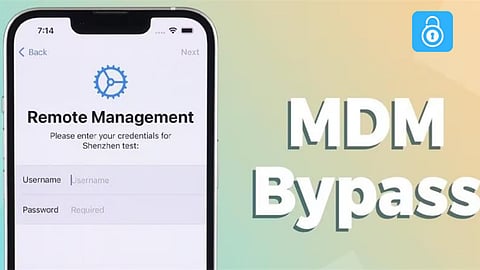
Have you ever purchased a used iPhone to discover that some limited functionalities exist? Or did your employer give you an iPhone that records your usage and restricts the number of apps you can download? Mobile Device Management (MDM) is to blame for this. By following this article, you may learn more about MDM, the best MDM removal software, and how to remove MDM from an iPhone without a password.
A technology called Mobile Device Management (MDM) for iPhone enables a company to remotely control and keep an eye on an iPhone. In reality, the iPhone is linked to the company's MDM server through the installation of a unique configuration profile. The administrator can use this profile to restlessly transmit settings and commands to the phone.
It monitors the device and ensures it complies with the security guidelines set out by the business.
It restricts the user's ability to perform things like installing programs, going to websites, and adjusting settings.
Because it can be controlled remotely, the business may upgrade, lock, or erase the device at any moment.
Most people who can't remember their password jailbreak their iPhones in order to disable MDM. However, this has some disadvantages, like as getting rid of some of Apple's security safeguards and breaking the law. What is the safest way to disable MDM on my iPhone? This iPhone unlocker is called TunesKit.
Strong and knowledgeable, TunesKit iPhone Unlocker is designed to let you quickly and easily remove MDM from your iPhone without the need for a password. You won't have to be concerned about security since it will just turn off MDM on your iPhone, safeguarding the data, system, and operation of your device.On an iPad, iPod, or iPhone, it may also remove the screen lock, screen time limit, and Apple ID without requiring a password or other identification verification.
Use TunesKit iPhone Unlocker and follow the video below to find out how to uninstall MDM on an iPhone without a password.
Open TunesKit iPhone Unlocker after downloading it. The next step is to connect your iPhone and PC via USB. Choose Remove MDM from the TunesKit interface, then click Start.
Make sure your smartphone is in the Settings stage before choosing Unlock.
When the process meter stops, your iPhone's MDM has been properly erased. After that, your iPhone's MDM restrictions are removed.
One common technique among iPhone users is to remove MDM from Settings. If you follow the steps below, you can make it. You need to know the MDM account and passcode in order to utilize this method.
Step 1: On your iPhone, select General from the Settings menu.
Step 2: Scroll down to find the VPN & Device Management option.
Step 3: Select the MDM profile from the list.
Step 4: Select the Remove Management option to remove the MDM profile from your device.
The process of deleting MDM on an iPhone without a password is now clear to you. Selecting the appropriate technique is crucial since removing MDM from an iPhone may be a challenging procedure. One excellent method for swiftly, simply, and password-free removing MDM from an iPhone is TunesKit iPhone Unlocker. It is the go-to option for anybody wishing to uninstall MDM from their iPhone because to its dependability and ease of use, giving users more autonomy and control over their device.
