.png)

Copying and pasting text on an Android phone could soon become a little more convenient. Google is testing a new Gboard shortcut that allows users to retain the original formatting of copied text, including bold, italics and other styling, when pasting it into another app.
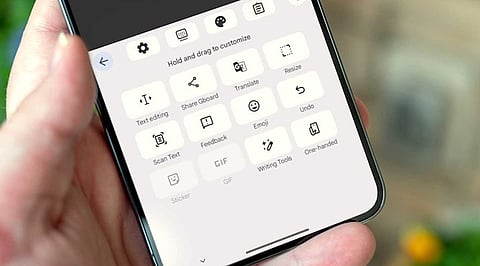
The feature was spotted in Gboard version 18.8.0.10 beta during an APK teardown by Android Authority. It adds another option to the keyboard's toolbar, giving users more control over how copied content appears after pasting.
Currently, Gboard's clipboard shortcut makes it easy to paste recently copied text, but it does not offer a dedicated way to switch between formatted text and plain text directly from the toolbar. The new option could address that gap.
The updated toolbar appears to offer two separate choices. One lets users paste text while keeping its original formatting, while the other removes styling and inserts the content as plain text.
The formatting-preserving option is particularly useful when copying content from websites, documents or emails. Instead of losing bold text and other formatting, users can retain the original appearance when moving content between supported apps.
The plain-text option, on the other hand, can help when users want clean text without unwanted styling.
Android already supports these choices through its text-field context menu. Users can long-press a text box to find options such as Paste and Paste as plain text. Gboard's proposed shortcut would simply make the process quicker by bringing the controls into the keyboard toolbar.
Also Read: Google Expands Gemini's AI Agent Features with Mac Computer Control
Early testing suggests the formatting-preserving option works only with the most recently copied text. Older entries stored in the clipboard may still paste as plain text.
It is also worth remembering that this feature is still under development. Since the discovery comes from beta app code, Google has not confirmed a public release or rollout timeline.
If it makes it into the stable version, the change may be small, but it could save Android users a few extra taps every time they move formatted text between apps.