.png)

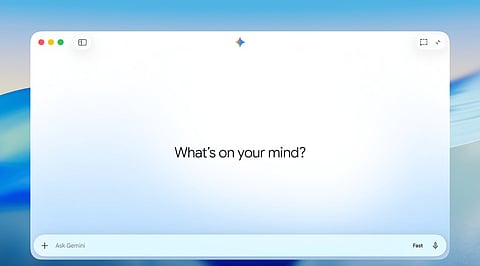
Google introduced a computer-use feature for its Gemini app on Mac, allowing the AI assistant to operate desktop applications, access local files and navigate websites to complete multi-step tasks.
The update is another step in Google's effort to turn Gemini from a conversational chatbot into an AI agent that can handle everyday computer tasks.
Announced on November 19, the feature allows users to describe a task in natural language and let Gemini carry out the required actions.
The new computer-use capability is designed to reduce the time spent on repetitive digital work. Users can ask Gemini to perform activities that involve multiple applications, local documents and online services.
Another suggested use involves collecting information and screenshots from live dashboards across different regions before assembling a presentation in Google Slides.
The feature operates through a separate background window. A live preview appears within the Gemini chat interface, allowing users to monitor the AI's actions without losing control of their primary screen or cursor.
These include clicking buttons, typing information, navigating menus and filling out online forms. Users can continue working on their Mac while Gemini handles tasks in the background.
Google included several safeguards to address concerns about giving an AI assistant access to desktop applications and personal files. Users can select which applications Gemini can access and monitor its activity through the live preview.
They can also pause or stop the process at any point. The assistant requires user approval for key actions, while sensitive tasks such as logging in and making payments require further user input.
Google is rolling out computer use in English to users in the United States through its Gemini app for Mac. The feature requires an Apple Silicon-powered Mac running macOS Sequoia 15.0 or later.
Also Read: Google Launches Gemini 4 Neon to Speed up Complex AI Tasks