.png)

Modern laptops under $1,000 now deliver strong everyday performance, long battery life, and capable hardware for work, study, gaming, and browser-based tasks.
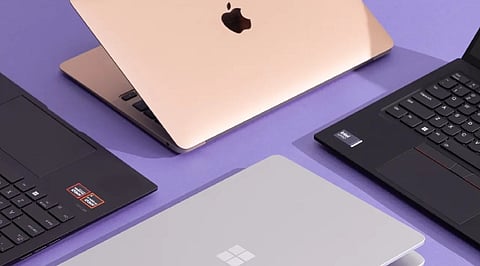
The featured models include the Apple MacBook Air M4, HP OmniBook 5, Acer Swift Go 14, Acer Chromebook Plus Spin 714, and Lenovo LOQ 15, each suited to a different type of user.
Performance, display quality, battery life, pricing, and practical trade-offs distinguish these laptops, showing how different workloads demand different strengths rather than the highest specifications.
A thousand dollars once meant settling for less. Slower chips, tight RAM, a battery that gave out before the workday ended. That compromise has mostly disappeared. The laptops below were checked against current retailer listings rather than pulled from a spec sheet, and each one earns its place for a specific kind of buyer rather than a vague claim of being great at everything.
Every pick came from a live retailer or manufacturer listing. The selection considered each laptop's processor, RAM, display quality, battery performance, and price, evaluating how well those features matched its intended workload. Each entry also carries one real limitation instead of a wall of praise.
Prices come from manufacturer and retailer listings and move often. It helps to confirm the current figure before checkout, especially for the Lenovo LOQ, which climbs back above $1,000 outside sale windows.
The M4 Air is now the previous-generation model, since Apple's M5 version has moved past $1,000, and that shift is exactly what makes it worth a look. It still handles daily multitasking, light photo editing, and video calls without fan noise, and the battery stretches through a full workday without trouble.
The limit shows up in graphics: there is no dedicated GPU, so gaming or heavier video export work will hit a ceiling fast. It fits browser-heavy research, office apps, and video calls far better than GPU-dependent creative work.
Built around a Snapdragon X chip, the OmniBook 5 gives up some raw processing speed in exchange for battery stamina and a sharp 2K OLED screen. HP claims up to 34 hours under ideal conditions, and real-world use still tends to land well past a full day.
The catch is Windows-on-ARM: most mainstream apps run fine through emulation, but some older or specialized Windows software still struggles. It suits commuters and travelers who need a full day of email, browsing, and document work without hunting for an outlet.
This is the balanced pick for anyone who wants a fast, solidly built Windows laptop without paying extra for features they will not use. The Ryzen 7 8845HS handles spreadsheets, dozens of browser tabs, and light creative work with room to spare, and 1TB of storage is generous at this price.
The display caps out at 60Hz and leans matte rather than vivid, so it favors productivity over media viewing. It works well for anyone running office software and heavy multitasking side by side.
Also Read: Best Virtual Reality Gaming Deals on Walmart & Amazon Weekend Sale
For anyone whose work lives mostly in a browser, the Spin 714 punches above its price. The aluminum build, 2-in-1 hinge, and QHD webcam feel closer to a $1,000 Windows laptop than a typical Chromebook.
The weak spot is memory: 8GB of RAM works fine for ChromeOS but shows its limit once tabs and Android apps pile up together. Students and note-takers living in Google Docs, Gmail, and a few Android apps will find it more than capable.
The LOQ 15 is a rare budget laptop that can run modern games at 1080p on medium-to-high settings, helped by the RTX 5050 and DLSS support. Build quality is plastic rather than premium, and the display and webcam are unremarkable, but the gaming performance for the price is hard to beat. This model's list price sits at $1,129, and it dips below $1,000 during recurring sales at Lenovo and Best Buy, so timing matters.
Independent tests of the RTX 5060 sibling in the same chassis recorded 91 fps in Cyberpunk 2077 at 1080p Ultra without ray tracing and 105 fps in Shadow of the Tomb Raider at 1080p, giving a fair sense of what the RTX 5050 tier can deliver at slightly lower settings.
The sub-$1,000 laptop market has quietly turned into the most competitive tier in computing, and matching the laptop to the actual workload beats chasing the longest spec sheet every time.
Also Read: Weekend Deals: Save Big on HP AI Laptops & Pavilion Series.
Next year's models will likely push even more of these compromises out of the picture entirely, narrowing the gap between budget and premium machines further. The real differences between these five show up in daily use, not in a benchmark chart, and that is where the decision should be made.
1. What should I look for when buying a laptop under $1,000 in 2026?
Focus on a recent Intel Core, AMD Ryzen, or Apple Silicon processor, at least 16GB of RAM, a fast SSD, a quality display, and long battery life. Matching the laptop to your primary use case is just as important as comparing specifications.
Yes. Many laptops in this price range offer reliable performance for studying, remote work, web browsing, video conferencing, and productivity tasks while providing good portability and battery life.
Yes. Several budget gaming laptops under $1,000 include dedicated graphics, making them suitable for smooth 1080p gaming and entry-level creative workloads, though battery life may be shorter than thin-and-light laptops.
The best choice depends on your needs. MacBooks are known for battery life and ecosystem integration, while Windows laptops offer a wider variety of hardware options, upgrade possibilities, and gaming support.
Start by identifying your primary use, such as studying, business, gaming, or content creation. Then compare laptops based on performance, memory, storage, display quality, battery life, and overall value rather than price alone.