.png)

Compare AI PCs and traditional laptops across performance, battery life, AI capabilities, software compatibility, and pricing to determine which offers the best value.
Learn how dedicated NPUs power on-device AI features such as live captions, image generation, and intelligent productivity tools without relying on the cloud.
Discover which type of laptop is best suited for students, professionals, creators, developers, and everyday users based on real-world workloads.
Walk into any laptop section and you will notice a new label appearing on premium models: Copilot+ PC. It is Microsoft's branding for a new class of Windows machine built around a dedicated AI chip called an NPU or Neural Processing Unit. The marketing is loud, but the actual question most buyers face is quieter and more practical: does an AI PC make a meaningful difference to your daily work, or is it a specification upgrade looking for a problem to solve?
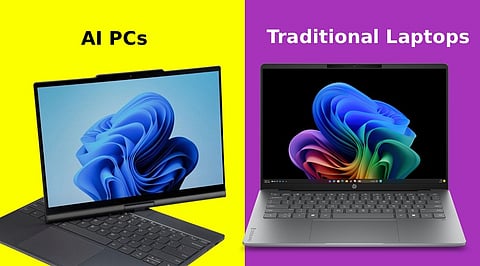
The defining difference is hardware. Traditional laptops process AI tasks; think real-time transcription, background removal in video calls, or AI writing tools through their CPU or GPU. These chips were designed for general computation and graphics respectively, not specifically for the matrix multiplication operations that AI workloads require. They get the job done, but inefficiently, drawing more power and producing more heat than necessary.
An AI PC adds a third dedicated chip: an NPU purpose-built for AI workloads. Microsoft's Copilot+ PC standard requires a minimum of 40 TOPS (Trillion Operations Per Second) of NPU performance. Current chips from Qualcomm (Snapdragon X Elite), AMD (Ryzen AI 300), and Intel (Core Ultra 200V) all meet or exceed this threshold. The NPU handles AI tasks locally on the device itself, rather than routing them to cloud servers, which matters for both privacy and performance.
The NPU's efficiency advantage is most visible in battery life. Because AI tasks running on a dedicated NPU consume significantly less power than when processed by a CPU or GPU, Copilot+ machines, particularly those built on Qualcomm's Snapdragon architecture have delivered battery life figures that regularly surprise reviewers.
The first wave of Snapdragon X Elite laptops routinely delivered 15 to 20 hours in mixed productivity use. Intel and AMD x86 Copilot+ alternatives offer meaningful improvements over prior generations but typically fall 30 to 40% short of Snapdragon equivalents in comparable thin-and-light designs. Traditional laptops doing equivalent AI-assisted work drain considerably faster.
The features that currently benefit most from on-device NPU processing include live captions and real-time transcription, background noise cancellation in video calls, AI image generation in creative tools like Adobe Firefly and Stable Diffusion, Windows Recall (semantic search across your entire PC history), and local AI agents that perform multi-step tasks without cloud calls. The privacy dimension is also real: processing that happens on-device means sensitive documents, conversations, and images never leave the machine.
ARM-based Copilot+ PCs; the Snapdragon models carry one limitation worth understanding: software compatibility. Most major applications have been updated for ARM, but a meaningful number of legacy enterprise tools, specialist drivers, older games, and industrial software still require x86 architecture. If your workflow depends on specific software, checking ARM compatibility before buying a Snapdragon machine is not optional. Intel and AMD x86 Copilot+ alternatives avoid this entirely while still delivering NPU acceleration, at a battery life cost.
The honest answer depends on what you actually do. If you spend significant time in video calls, use AI writing or image tools regularly, work in environments with unreliable connectivity, or simply want the longest possible battery life, an AI PC is worth the premium. The feature set is no longer a promise of things to come it is functional and improving with every Windows update.
If you are budget-constrained, depend on specific legacy software, or your primary use is web browsing and standard Office productivity, a well-specified traditional laptop or an x86 Copilot+ model makes more practical sense. The NPU is a meaningful addition, but it does not change the basics of buying a good laptop. Build quality, display, RAM (16GB minimum), and storage still matter first.
Why this Matters
AI is quickly becoming a standard feature in modern computing, but not every user needs an AI PC today. In my view, understanding where dedicated AI hardware delivers meaningful benefits and where a traditional laptop remains the smarter investment helps buyers make a decision based on their actual needs rather than marketing claims.
What is an AI PC?
An AI PC is a computer equipped with a dedicated Neural Processing Unit (NPU) that accelerates AI workloads such as live transcription, image generation, background noise removal, and on-device AI assistants while improving power efficiency.
Traditional laptops rely primarily on the CPU and GPU for AI tasks, whereas AI PCs include an NPU specifically designed to process AI workloads faster and more efficiently with lower power consumption.
A Copilot+ PC is Microsoft's new category of Windows AI PCs that meet minimum hardware requirements, including an NPU capable of at least 40 TOPS (Trillion Operations Per Second) to support advanced on-device AI features.
Yes. AI PCs generally offer better battery efficiency because AI tasks are processed by the dedicated NPU instead of the CPU or GPU. Snapdragon-based Copilot+ PCs, in particular, are known for their long battery life.
Major AI PC platforms include Qualcomm Snapdragon X Elite, Intel Core Ultra, and AMD Ryzen AI processors, each featuring dedicated NPUs for AI acceleration.