.png)

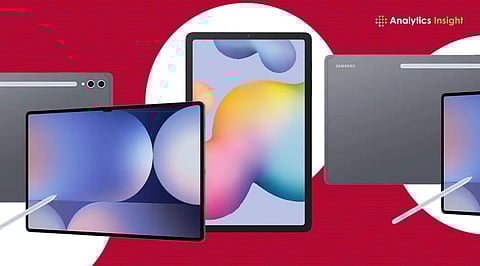
Samsung tablets now prioritise productivity tools like DeX and S Pen for modern workflows.
Devices cater to varied needs, from heavy multitasking to basic everyday productivity tasks.
Choice depends on workflow, portability needs, and how often tablets replace laptops entirely.
Samsung’s tablet lineup has steadily shifted toward productivity, with features like DeX, S Pen support, and larger displays making them viable work devices rather than just entertainment screens.
Tablets now function as part of a multi-device setup, complementing smartphones and laptops. This broader role makes even mid-range models more practical, as users increasingly prioritise flexibility and on-the-go efficiency over standalone performance or media consumption.
The real question you have to ask is which tablet matches your working style better?
Tab S11 Ultra makes a strong case as a laptop alternative. The large display gives enough room to run three apps without feeling cramped. DeX mode feels closer to a desktop than before. Long writing sessions, editing documents, or handling multiple tabs come naturally here. The size, though, demands a desk more than a lap.
The standard Tab S11 strikes a more practical balance. It keeps the performance intact but trims the size to something easier to carry. Writers and students will find this more comfortable for daily use. Multitasking works smoothly, and switching between notes, browser tabs, and documents rarely feels like a compromise.
Also Read: Samsung Fast-Tracks One UI 8.5 Rollout for Galaxy S25 Series
Samsung Galaxy Tab S10 Plus falls into a typical mid-point position. It avoids extremities and manages to do everything correctly. The screen size is just right for work. Using office applications, like creating PowerPoint presentations or participating in meetings, feels effortless.
S10 FE Plus leans into affordability without dropping core features. It includes S Pen support, which still feels essential for note-taking and quick edits. Performance handles everyday apps without friction. This device may be unsuitable for extensive editing, but in terms of efficiency in productivity, it performs quite satisfactorily.
Tab S9 is relevant for those who prefer a compact device. It does not try to replace a laptop entirely, yet it delivers enough power for serious work. The smaller form factor helps during commutes or tight workspaces. It suits users who prioritise mobility but still expect reliable multitasking.
Tab A9+ keeps things simple. It is not built for heavy multitasking, and it does not pretend to be. Emails, browsing, and light document work run without issues. It works best as a secondary device or for users who need a straightforward tablet for occasional productivity tasks.
Also Read: OnePlus vs Samsung 5G Tablets: Which Brand Is Better for Students?
Samsung’s lineup shows how workflows have changed with the increasing demand for practicality. Some people may find their laptops easily replaced by a larger tablet, while others may prefer compact devices.
Choice depends on routine rather than specifications. Someone working long hours on documents or editing will lean towards the Ultra. A student or writer moving between classes or meetings may prefer the standard S11. Budget users often settle for the FE series, trading peak performance for reliability.
Samsung’s strength lies in offering a range without forcing a single answer. The real decision comes down to your requirements.
Which Samsung tablet is best for productivity in 2026?
The Galaxy Tab S11 Ultra suits heavy workloads with its large display, DeX mode, and strong performance, making it ideal for multitasking, editing, and long working sessions.
Are Samsung tablets good laptop replacements?
High-end models like the Tab S11 Ultra can replace laptops for many users, especially for writing, browsing, and multitasking, though heavy professional software may still need a laptop.
Which Samsung tablet is best for students?
The Galaxy Tab S11 offers a balance of performance and portability, making it ideal for students handling notes, assignments, and multitasking without the bulk of larger devices.
Do Samsung tablets support multitasking features?
Samsung tablets support multitasking through split-screen, pop-up windows, and DeX mode, allowing users to run multiple apps simultaneously and switch between tasks efficiently.
Is the S Pen useful for productivity tasks?
The S Pen enhances productivity by enabling precise note-taking, annotations, and quick edits, making it especially useful for students, professionals, and users who prefer handwritten input.
