.png)

Key Takeaways:
Video editors do not need a green screen anymore. AI tools can remove backgrounds anywhere.
These tools are fast and easy to use. Thus, even beginners can use them for their content.
Picking the right tool depends on what the user needs. Tools feature various aspects of editing, from speed to better quality.
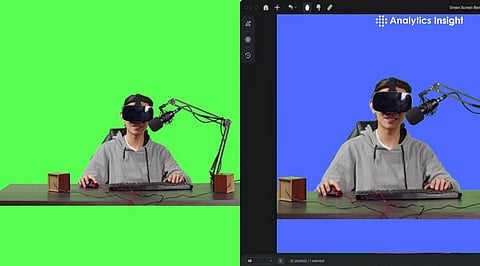
Content creators no longer need a green screen to make high-quality videos. Modern tools powered by artificial intelligence can remove backgrounds accurately on their own. Thus, users can film at any location without a complicated setup. The key to getting the best video is picking the best tool for the specific project. Here are five top AI tools for 2026.
Runway ML is designed for high-quality and detailed creative video projects. AI features track moving subjects while keeping them clearly separated from the background. Thus, the edges of the subject stay sharp even with fast movement. The tool is also good at preserving fine details like hair. It allows users to replace the background with images, videos, or AI-generated scenes. The platform is easy to control and is not too technical.
Unscreen is a tool that is built for speed. It removes backgrounds automatically as soon as a video is uploaded. The tool works best with clear subjects and simple backgrounds. The tool has no complicated settings and requires no extra editing steps. This makes it ideal for quick projects and basic video editing.
CapCut combines video editing and background removal in one app. Users can remove backgrounds with a single click, which makes the process very fast. It lets them replace backgrounds with their own images or offer built-in presets. The quality is consistent, making it a top choice for everyday projects. It is much favored by creators who work with reels, shorts, and other social media videos. The tool also offers various built-in effects that can help improve the quality of videos.
Also Read: How to Create Animated Videos Without Any Design Experience
Adobe Premiere Pro uses advanced AI to offer professional tools for editing. Users can remove backgrounds with great precision using masking and tracking features. It allows them to adjust lighting, edges, and motion. This level of control helps give high-quality results. This is one of the tools that offers the most control, though it takes time and experience to use it well. The tool works best for projects where accuracy is the key focus.
Canva makes background removal quick and easy. The interface is simple, and the process requires very little effort. Users can place their subject into a new scene without any complex editing. It works well for marketing videos and basic projects. The tool is a reliable option for straightforward edits. It also comes with ready-made templates to help editors create content faster.
Each of the above-mentioned tools is built for a different purpose. Some focus on speed, while others offer more control and better detail. Simple tools work best for fast projects. Advanced tools are better for professional editing. Choosing the right one depends on the quality and control that an editor needs. The evolution of artificial intelligence has made green screens unnecessary. Thus, video creation has become more flexible and accessible for everyone.
Also Read: How to Convert Photos to Videos Using a Free AI Image-to-Video Generator
Yes, modern AI tools can remove backgrounds without a green screen. They analyze the subject and scene to create a clean cut automatically.
Yes, tools like Unscreen and Canva provide free versions with basic features.
It works well in most cases, but complex scenes with overlapping objects or fast motion may require advanced tools for better accuracy.
Yes, most tools allow background replacement with images, videos, or effects, making it useful for creative and professional content.
Many tools like Unscreen and Canva work online, while software like Adobe Premiere Pro can be used offline after installation.
