.png)

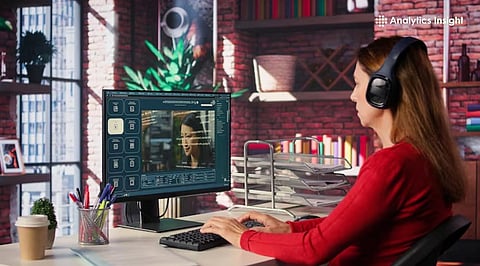
Most creators use image-to-video apps powered by AI for their content. These apps come with dynamic animation features.
The apps work with textual prompts. They manipulate the pixels in an image to create motion of objects in the image.
Advanced features include adjusting motion strength. The apps deliver realistic and high-quality videos.
Static images pause a moment in time, video makes it breathe. As motion content increasingly dominates how people share and experience stories online, AI video tools have quietly removed the biggest barrier to creating it: technical expertise.
These tools work by analyzing the pixels in a photograph to predict how objects in the scene would naturally move, generating smooth animation from a single still image. The results can be striking: ocean waves that roll and shimmer, portrait subjects that subtly shift, and illustrated characters that come alive.
What once required a professional studio and specialist software now takes seconds. Whether you're animating a holiday snapshot or building a character for a story, the process demands nothing more than an image and a few clicks.
Modern platforms rely on diffusion models and neural networks to understand the context of a photograph. When a file is uploaded onto an image-to-video AI tool, the system identifies the foreground and background elements. It then simulates camera movements like panning, zooming, or tilting.
Advanced users can also manipulate the "motion strength" using simple sliders. This ensures that the resulting AI image video does not look distorted. Instead of simple transitions, the AI generates entirely new frames that preserve the original lighting and texture. This level of precision makes these generators a critical part of digital marketing and personal branding.
Also Read: The Ultimate Guide to Image-to-Video AI: Creating Engaging Visual Content
Selecting the right platform depends on specific creative needs and the desired output style.
Adobe has a powerful, free AI image-to-video conversion tool in its creative software ecosystem. It is particularly good at keeping the main subject of the photo unchanged but adding a bit of cinematic motion. Users can upload a photo and use text to describe what they want done. For example, "hair flowing gently in the wind" or "rain falling on the window". Professional designers highly favor it for its emphasis on brand safety and commercial use.
As one of the leading platforms of its kind, Runway offers a robust AI video generator that provides granular control. Its "Motion Brush" feature allows users to paint over specific areas of a photo to indicate where movement should occur. This prevents the entire image from warping and keeps stationary objects solid. It is particularly effective for architectural visualizations where only the clouds or streetlights need movement.
Luma Dream Machine is one of the most popular tools for generating realistic five-second videos, either from a single text prompt or image. It is also capable of simulating highly complex physical scenarios, such as how a piece of fabric folds or how light reflects on water. For users seeking a fast, straightforward AI video creator, the platform offers high-speed rendering that produces high-quality results in minutes.
The best way to get a good outcome is to have a plan in place so that the AI can recognize what you want.
Select a High-Quality Base: Choose a sharp, high-resolution image to be used as the base.
Upload and Analyze: Drop the file into the chosen free AI image-to-video generator. Let the tool process the image's layers.
Define the Motion: Use the prompt box to add context. If the image is a mountain range, the user could suggest a "cinematic drone flyover."
Adjust Settings: Set the duration and motion intensity. Lower intensity could deliver more realistic, less "trippy" visuals.
Generate and Refine: Review the first iteration. Most platforms allow users to "extend" the video or tweak the seed number to get a different variation of the movement.
Businesses are no longer limited by the high costs of traditional video production. Video content to lead an entire social media campaign can be designed and produced by a single photographer using an AI-enabled photo-to-video workflow.
The technology is also used for better storytelling in presentations. An AI video generator can turn art into a living storyboard rather than creating boring slide decks. Business content in this format can engage the audience more effectively and convey a sense of innovation. As these models evolve, the line between filmed reality and AI-generated motion will blur.
AI-enabled image-to-video generator applications include animation settings that transform frozen moments in photos into an amazing story in motion. Using these platforms requires no advanced technical knowledge or expensive hardware.
AI video generators are becoming increasingly sophisticated, with app developers focusing on user-friendliness and high-quality production. These are the two main advantages users seek.
1. Is there a truly free AI image-to-video generator available?
A few of these include Adobe Firefly, Runway, and Luma, which offer free daily points or credits or a limited trial period. Usually, if you want to produce unlimited content, you would have to subscribe, but as a casual user, you can generate a good number of quality clips for free.
2. How long does it take to generate an AI image video?
It depends largely on how busy the server is and how complex the desired movement is, but generally, most clips will take about 1 to 3 minutes to render. If you choose to export at 4K resolution, it may take a little longer.
3. Can I use these videos for commercial purposes?
That depends on the platform's terms of service. For example, Adobe Firefly is very commercially friendly, while some other free trials might only allow you to use the content for personal projects.
4. Do I need a powerful computer to run an AI video maker?
Not really. Nowadays, most generators are cloud-based. All the heavy lifting is done by the company's servers, so you just need a good internet connection and a web browser.
5. Why does my image look distorted after conversion?
Distortion usually occurs when the motion strength is set too high or when the prompt contradicts the image's physics. Try reducing the motion intensity and using a more specific prompt to guide the AI.
