.png)

Gemini makes it easier to verify AI-generated photos and videos using invisible digital watermarks.
SynthID helps identify AI-created content even after everyday edits like cropping or resizing.
Results should be used as guidance, especially for media created outside Google’s AI tools.
AI-generated photographs and videos are spreading rapidly, making it crucial to distinguish between truth and deception. The line between what is real and what is fake has become so blurred that it is often difficult to find the appropriate terms to describe these instances.
Google’s Gemini aims to address this issue. This AI-powered tool helps everyday users quickly verify content, whether it’s a photo or a short video. Gemini allows users to identify the specific parts of their media that may have been created or altered using AI.
Gemini isn’t just another Artificial intelligence app; it’s part of Google’s integrated products, like Gmail, Docs, and its smartphone app. The core focus of the technology is to expose AI-created or AI-modified media by unmasking the concealed digital watermarks placed in media. The watermarks, named SynthID, are not shown to the human eye but can be detected by AI.
Gemini thoroughly checks the markers in images and videos. This provides a clear signal as to whether the content was created or modified by artificial intelligence.
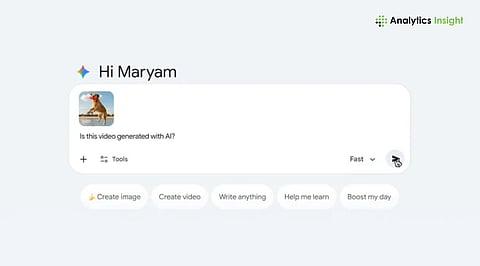
The process for verifying AI-generated photos with Gemini is simple. You need to update the Gemini app and log in using your Google account. Select the "+" or image icon in the chat box to upload your picture or video. It is important to note that video files should not exceed 100 MB and 90 seconds.
Once your media is uploaded, type a verification question like:
“Was this generated using Google AI?”
“Is this photo AI-generated?”
Gemini provides context, such as highlighting which sections of a video were likely AI-generated or if audio segments contain watermarks.
This makes it easy not only to determine whether a piece of media is AI-created, but also to identify where the artificial intelligence’s contribution appears.
SynthID is the hidden factor that reinforces Gemini detection. It integrates a sturdy, invisible watermark directly into the pixels of still images, video frames, and sounds. Unlike traditional metadata, this watermark is resistant to changes such as cropping, resizing, or applying filters.
Google has partnered with other organizations to use SynthID in a wider context, so that, globally, billions of AI-generated media pieces are watermarked. This implies that while providing a degree of transparency that was difficult to achieve before, Gemini can be trusted to raise an AI content flag consistently.
Gemini is also incorporating C2PA, and this metadata includes not only technical details and the creator's name but also the license, which references the original file across different layers. C2PA allows the industry to acknowledge the new digital worlds and the rights of new creators.
Although Gemini is a great tool, it is primarily implemented to uncover the content generated by Google, for example, Imagen 3, or Gemini itself. Content from other suppliers might not be detected at all times, but Gemini can still provide clues by using odd lighting, repeating patterns, or even degrading parts of the image. These methods are not accurate, but can at least lead a user to form a qualified guess.
Consider the output of Gemini as a hint, not a tenet, and support it with your own perception.
As AI-generated content becomes increasingly sophisticated, tools like Gemini are essential for anyone looking to verify what they see online. Users who use the Gemini tool for trustworthy verification are more confident in the media's authenticity, whether it is synthetic photo verification or video detection.
Google's move emphasizes the importance of transparency and responsible AI use, which allows synthetic media to be recognized and trusted by the public as the technology and skills to comprehend it improve concurrently.
1. How can I verify if a photo is AI-generated using Google’s Gemini?
Upload the image in Gemini app and ask it directly whether AI generated it. Gemini checks for hidden watermarks and visual clues.
2. Can Gemini check if a video is AI-generated?
Yes. You can check if a video is AI-generated with Gemini by uploading it, as long as it’s under 100MB and 90 seconds.
3. What is SynthID and why does it matter?
SynthID is Google’s invisible watermark that helps detect AI-created content, even if the media has been edited.
4. Does Gemini detect AI content made with all tools?
Not always. Gemini works best with content created using Google’s AI tools and may give limited results for others.
5. Should I trust Gemini’s results completely?
Use Gemini’s findings as helpful guidance, not absolute proof, especially when the content comes from unknown or third-party sources.
