.png)

Gemini 3 Pro and Gemini 1.5 Pro deliver deeper reasoning and large-context coding support.
Gemini strengthens debugging, code explanation, and script automation.
Gemini replaces older code assist tools with more advanced, agent-based workflows.
Gemini has become an important tool for developers, especially after Gemini 3, which introduced stronger reasoning capabilities and more advanced coding support. Along with the huge context window introduced earlier in Gemini 1.5 Pro, the system can now read huge codebases, understand complex project structures, and help create or fix scripts in a way that feels closer to having an experienced engineer working alongside development teams.
In late 2025, Gemini’s role in software development expanded through several major updates. Gemini 3 Pro introduced deeper reasoning abilities and a new “agent-like” behavior, enabling the model to follow multi-step tasks. This includes reading logs, suggesting fixes, and adjusting code based on additional feedback. A new mode called “Deep Think” also focuses on long, detailed reasoning, which helps when a developer needs architectural guidance or multi-step debugging.
Gemini 1.5 Pro, with its huge context window of up to two million tokens, allows entire repositories to be loaded into a single session. This means large projects, multi-file systems, and complicated frameworks can be understood and analyzed in one go. The lighter Gemini 1.5 Flash variant delivers faster response times while still handling large workloads efficiently.
Another important change is the transition from Gemini Code Assist tools to an updated agent mode. The older tools were officially deprecated in October 2025. The new agent mode uses the Model Context Protocol to communicate with external tools. This allows the model to perform tasks such as editing files, running commands, and analyzing logs more smoothly and flexibly.
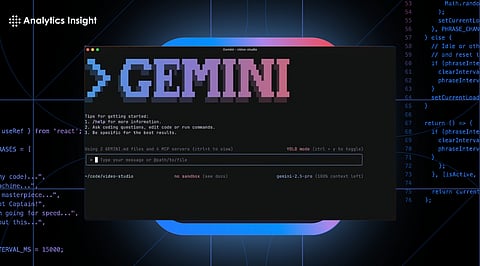
Gemini also expanded into the terminal through the Gemini CLI and into development pipelines through GitHub Actions. These tools allow Gemini to act like an automated reviewer, scanning pull requests, identifying issues, and suggesting improvements directly within CI systems.
Together, these updates show that Gemini is evolving from an autocomplete tool into an intelligent assistant capable of understanding entire projects and helping throughout the development cycle.
Debugging is one of the areas where Gemini shows strong performance and immediate usefulness.
In Android Studio, Gemini has a dedicated space for analyzing code and logs. When a crash occurs, developers can open the Logcat window to view crash details and then ask Gemini to identify the cause. The model examines the stack trace and related code, then proposes repairs. It can also interpret build errors, analyze Gradle problems, and fix Compose UI issues.
The benefit of the long-context models is apparent here. Gemini can examine multiple connected files simultaneously. For example, when a bug involves a ViewModel, Repository, and API layer, the model can study all related sections together, making its explanation and fix far more accurate.
The Gemini CLI brings these capabilities to the terminal, helping debug projects written in any programming language. The model can scan entire folders, describe why tests are failing, and propose patches. In some cases, it can walk through the debugging process step by step by reading new test results or additional logs and updating its recommendations.
When integrated with GitHub Actions, Gemini becomes part of the development workflow. It can automatically analyze pull requests, identify issues, and leave comments with recommended changes. This makes it function like an additional teammate who reviews every change.
Also Read - Gemini CLI Hack Exposes Critical Security Flaw in Coding Tool
Code explanation is another important use case, especially when working with inherited or complex codebases that lack proper documentation.
In environments like Android Studio or Cloud Workstations, a developer can highlight a piece of code and ask Gemini to explain it. The model describes the method's purpose, how inputs and outputs behave, and any potential edge cases. It often highlights hidden issues such as unhandled exceptions, inefficient loops, and unsafe assumptions.
This feature helps new team members onboard quickly and assists experienced developers when revisiting old code they may have forgotten.
The giant context window in Gemini 1.5 Pro and Gemini 3 Pro allows loading entire services at once. This allows Gemini to explain complex workflows such as how a request travels from an HTTP controller to the data layer, how authentication logic works across files, or what side effects a specific feature flag causes.
Gemini can also summarize architecture, produce diagram-like text explanations, and highlight possible performance or security risks. This is especially helpful in large-scale enterprise systems where understanding the whole picture can be challenging.
Gemini is also widely used for generating and updating automation scripts.
When given a plain-language request, Gemini can produce scripts in Bash, Python, or other languages. For example, if a developer needs a script that backs up a database every night or automates log analysis, Gemini can write the initial version, refine it after testing, and adjust it based on error messages.
The latest updates also allow specific models to execute code via the Gemini API, which helps the system run a script, observe the result, and correct mistakes. This feedback loop makes the generated scripts more accurate and reliable.
Gemini can review existing automation files such as CI/CD pipelines, Kubernetes manifests, or Terraform configurations. It identifies outdated settings, security risks, or inefficiencies and suggests improvements. Through GitHub Actions, these suggestions can be added directly as comments to pull requests, automatically guiding developers during reviews.
Also Read - How to Use Gemini for Gmail & Google Workspace
Competition among AI coding assistants has increased significantly. Reports in recent months show that major companies are pushing rapid upgrades after Gemini 3 demonstrated strong reasoning and advanced coding capabilities. This marks a shift from earlier years, when other AI tools dominated the coding scene.
Google is now also integrating Gemini into broader platforms like Workspace Studio, allowing non-developers to create automated workflows across Gmail, Drive, and third-party tools without writing complete scripts. This means the boundaries between traditional coding, scripting, and AI-guided automation are becoming less distinct.
Gemini now plays a strategic role in development teams by combining advanced reasoning, deep context understanding, and strong integration across IDEs, terminals, and cloud environments. It is becoming a partner in debugging, code explanation, and script generation, making development faster, more transparent, and more efficient.
FAQs
1. What makes Gemini 3 Pro useful for coding?
The Gemini 3 Pro offers advanced reasoning and can handle multi-step debugging, code analysis, and script generation tasks with higher accuracy.
2. How is Gemini 1.5 Pro different from earlier versions?
Gemini 1.5 Pro includes one of the largest context windows available, allowing it to read and understand entire repositories or long project files at once.
3. Can Gemini help fix bugs in real projects?
Yes, Gemini can analyze logs, detect code issues, and propose detailed fixes, whether used in IDEs, terminals, or CI pipelines.
4. Are the old Gemini Code Assist Tools still available?
The older tools have been officially deprecated and replaced by more advanced agent-based workflows that offer smoother integration with development environments.
5. Can Gemini generate and maintain automation scripts?
Yes, Gemini can create new scripts, update existing ones, and optimize automation workflows across CI/CD systems and infrastructure setups.
