.png)

Google AI Studio removes guesswork from Gemini API setup. Prompt testing, safety controls, and code export in one place speed up real development.
A secure API key setup is the backbone of stable Gemini projects. Clean environment-based key management prevents leaks, failures, and production risks.
Gemini 2.5 Flash delivers a balance of speed, cost, and output for most real apps. It fits chat tools, automation, content systems, and live user features with ease.
Gemini API opens a direct path to intelligent features inside web platforms, mobile products, internal tools, and backend systems. Clean documentation and flexible model options turn modified capabilities into practical AI foundations. The process begins in Google AI Studio and continues through key-based integration into real-world applications.
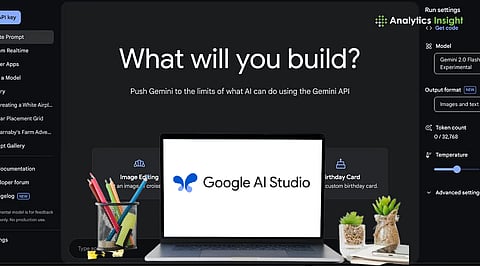
Google AI Studio is a browser-based tool for testing Gemini models. No installation or local setup is required, making it ideal for quick trials before moving to production systems. The interface allows users to work directly with prompts, tune behavior, and test responses. Temperature controls creativity, and token limits manage output length.
Safety filters guide responsible results. All changes run in real time, making refinement fast and smooth. This keeps the same behavior from testing to development. A free tier also makes it easy to start learning or build serious prototypes.
Also Read: How to Fix Gemini API Not Working: Complete Troubleshooting Guide
The API key is the access identity for all Gemini requests. It links usage to a Google Cloud project and controls access. In Google AI Studio, the option to create a key starts a guided setup. A new project can be created, you can use an existing one.
Upon accepting the required terms, the key is generated instantly, which must be kept private. It should never appear in public code, screenshots, shared files, or browser-based apps. Safe storage includes environment variables for development, password vaults for personal use, and secret managers for production systems. Proper key protection helps prevent misuse, unexpected charges, and service outages.
Gemini API does not require direct coding knowledge to understand how it functions inside an application. Every integration follows the same core path:
A user interacts with an app or platform.
The app securely sends that request to Gemini.
Gemini processes the input using a selected model.
A structured response returns to the app.
The app presents or acts on that response.
This flow applies equally to websites, mobile apps, and other systems. Whether the implementation is automated through platforms, connectors, or development teams, the logical structure is the same.
Prompt design shapes how well Gemini performs in real use. Google AI Studio offers a simple visual space to build and test prompts before they go live. A system instruction sets the model’s role, such as travel expert, coding helper, support agent, or research assistant. User messages are then tested against this role.
Settings for creativity, safety, and response length control how focused or open the answers become. This helps fix issues before users ever interact with the feature. Once the results feel reliable, the same setup can be moved straight into applications without changing behavior.
Gemini can process text and images together. This allows for the usage of features such as:
Product recognition
Visual search
Accessibility descriptions
Educational content analysis
Document scanning
Users can submit a photo with a question and receive context-aware explanations, unlocking advanced use cases without adding interface complexity for the user.
Function calling allows Gemini to trigger real system operations. Besides replying with texts, the model can also decide when to call predefined tools, which enables scenarios like:
Fetching flight results
Pulling booking prices
Checking availability
Updating records
Triggering workflows
This turns Gemini into an intelligent control layer instead of just a text generator.
Tokens represent both the size of the input and the length of the output. Larger prompts and longer responses consume more tokens. Token visibility allows teams to:
Control cost
Optimize performance
Prevent runaway usage
Split large tasks into smaller units
Smart token management is one of the most important skills for long-term scaling.
The free tier is ideal for testing ideas, building demos, and running internal experiments. It comes with rate limits, just enough to validate real use cases. As usage increases, paid tiers offer higher limits and stable performance. Pricing is based on token usage, so costs grow only with actual demand and not through fixed plans. Fast models like Gemini 2.5 Flash remain the most cost-effective choice for most production needs. Monitoring dashboards help track usage, control spending, and plan for future growth.
Also Read: How to Get Your Gemini API Key Fast (Step-by-Step Guide for Beginners)
Gemini API and Google AI Studio remove friction from building intelligent systems. They convert complex language and multimodal technology into reliable services that fit directly inside modern digital products.
With thoughtful planning around prompts, security, cost, and monitoring, teams gain a powerful intelligence layer without sacrificing control, stability, or performance.
1. What is the Gemini API used for?
Gemini API is used to add intelligent features to apps, websites, and internal tools. It supports tasks such as chat assistance, content generation, analysis, automation, image understanding, and decision support.
2. What is Google AI Studio, and why is it important?
Google AI Studio is a browser-based workspace where prompts can be tested, refined, and shaped before being used in real applications. It removes setup friction and helps teams lock behavior early.
3. Is coding required to use the Gemini API?
Coding is required only when building full applications. However, you can understand Gemini, test prompts, select models, and design behavior without using code with Google AI Studio.
4. What is the role of the Gemini API key?
The API key acts as a secure identity that allows applications to send requests to Gemini. It connects usage to a specific project and controls access, limits, and billing.
5. Which Gemini model should be used for most projects?
Gemini 2.5 Flash is the most balanced choice for speed, cost, and everyday performance. Advanced reasoning or long documents are better suited for Gemini 1.5 Pro.
