.png)

AI tools now make creating Christmas AI portraits fast, fun, and user-friendly.
Multiple platforms let users upload a selfie for an AI Christmas selfie transformation.
Holiday-themed AI portrait styles range from Santa looks to cozy winter scenes.
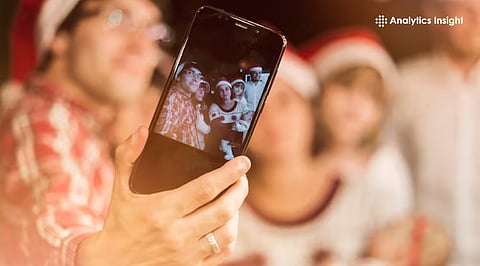
Artificial intelligence is changing how festive memories are created and shared during holiday seasons. Christmas AI portrait tools have simplified photo editing by turning standard selfies into colorful, holiday-themed pictures in a short time.
Digital portraits feature seasonal lighting, winter backgrounds, and festive outfits on canvas, making creative expression available to a wider audience through social media and personal celebrations.
This trend is interesting for the blend of technology and festive joy. One picture can instantly become a cheerful selfie that radiates warmth and seasonal beauty. As social media holiday sharing intensifies, AI-powered portraits are quickly becoming a festive favorite worth exploring.
Also Read: 10 Must-Try Gemini AI Prompts to Create 4K Retro Selfie Portraits
Converting a selfie into a Christmas photo consists of three steps. The user should upload a clear, front-facing photo to the chosen AI generator. Next, a theme template is selected, or a short text prompt is given to AI, such as “Christmas atmosphere with snow and lights.”
The model takes the input and turns it into a Christmas portrait ready for download and sharing on social networks or greeting cards.
Numerous tools offer a Christmas AI portrait option, each with unique features. Holiday AI specializes in ready-to-use festive templates, such as elf and Santa looks. Clipfly’s generator adds high-resolution festive art and decorations.
Pixlio lets users choose a subtle or festive style for Christmas images, preserving facial identity while adding holiday imagery. The mentioned tools operate entirely online, do not require any advanced editing skills, and support popular photo formats such as JPG and PNG.
AI professionals claim that these platforms rely on sophisticated models based on image-to-image and prompt-based generation that can identify facial features and smoothly introduce new festive items.
This year’s holiday trend shows the growing acceptance of AI in creative and social media applications, as many people seek custom visual experiences during festive seasons.
Tech industry commentators say tools like Media.io’s Santa Yourself deliver realistic Christmas portrait transformations with simple prompts, leading to increased user interaction and social network sharing.
Also Read: Diwali 2025 Special: Create Retro AI Portraits with Diyas, Rangoli & Lights
The growing popularity of AI portrait tools for Christmas suggests that even simple technologies make a festival more creative. Easy workflows, multiple styles, and realistic outputs make holiday-themed images more accessible than traditional editing. These applications encourage digital sharing due to their convenience and the strong visuals.
The transformation of selfies into Christmas images becomes more refined and personalized as AI image generation advances. With better realism, faster processing, and richer designs, making AI Christmas portraits might just become the simplest part of modern festive expression.
1. What is a Christmas-themed AI portrait?
A Christmas-themed AI portrait is a digitally generated image of yourself with festive elements, such as Santa hats, snowy backgrounds, holiday lights, or winter attire, created using artificial intelligence.
2. Which apps or tools can turn a selfie into a Christmas-themed AI portrait?
Popular options include AI art generators like MidJourney, DALL·E, Wonder AI, Fotor, and Lensa, all of which allow you to upload a selfie and add holiday-themed prompts or filters.
3. How do I prepare my selfie for the best results?
Use a clear, high-resolution photo with good lighting and a neutral background. This ensures the AI can accurately capture your features and blend them seamlessly with festive elements.
4. Can I customize the Christmas elements in my AI portrait?
Yes, most AI tools let you specify details like wearing a Santa hat, holding gifts, standing in a snowy scene, or adding Christmas decorations, so your portrait reflects your preferred holiday style.
5. Are AI-generated Christmas portraits safe to share on social media?
Generally, yes, but make sure the app’s privacy policy allows image use. Avoid platforms that retain your photos for other purposes if you prefer to keep your selfies private.
