.png)

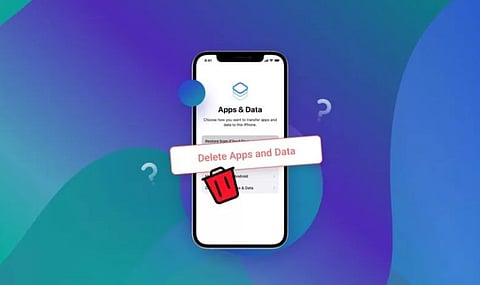
Uninstalling an app does not automatically delete the account associated with it. Personal information may remain stored on the company's servers.
Account deletion is a separate process from removing an application. Some information may be retained for legal, financial or security reasons.
Cloud backups and third-party services may hold copies of certain data. Users should check account deletion settings before uninstalling apps permanently.
How many apps have you deleted from your phone because you stopped using them? Perhaps it was a shopping app you downloaded for one purchase, a food delivery service you tried while traveling, or a social media platform that no longer interested you.
Deleting these apps takes only a few seconds, but have you ever wondered what happens to the information you shared while using them?
Your account details, email address, order history, and other personal information may still be sitting on the company's servers. The app is gone from your phone, but the digital trail it left behind may not be.
This is probably the biggest misunderstanding about uninstalling apps. When you remove an application, your phone deletes the software and usually clears its locally stored files. It does not necessarily send a request to the company to close your account.
Take a shopping app as an example. You may have used it once, entered your home address, saved your phone number, and completed a purchase. Months later, you uninstall it. The company may still have your account details and order history because it stores those records on its servers, not just on your phone.
The same thing happens with many social networking, banking, travel, and entertainment apps.
Also Read: Best Android Antivirus Apps in 2026: Features, Security Protection
Apps collect different kinds of information depending on what they do. A social media platform may hold profile details and activity records. A shopping service may keep order information, while a navigation app may process location-related data.
Uninstalling the application does not automatically erase these records. Companies may retain some information to manage transactions, prevent fraudulent activity or meet legal requirements.
There is another detail worth considering. Some services use external companies for analytics, advertising or cloud storage. Information may have been shared with these providers while you were using the app. Deleting the original application does not automatically remove every copy held elsewhere.
If you want to stop a company from keeping information associated with your account, look for an actual account deletion option.
Apple and Google have introduced requirements for apps that allow users to create accounts. These include providing ways to request account deletion. However, the process and the information covered can vary between services.
Even after submitting a request, some records may remain for a period of time. For example, a company might need to preserve financial transaction records or information connected with an ongoing legal requirement. This does not mean it can retain everything indefinitely without a valid reason.
Another place information can remain is cloud storage. Suppose you used an app to save photographs or documents. Removing the app may not affect files already uploaded to a cloud account. They could still be available through a browser or another connected device.
The same applies to certain synced information and backup systems. Some services retain backup copies for a limited time, even after they process a deletion request.
This is why it is worth checking where an app actually stores your information before assuming everything has disappeared.
If you are planning to remove an app permanently, start by checking its account settings. Look for options related to privacy, personal information or account deletion. If you cannot find them, visit the company's website or contact its support team.
Before closing an account, download anything you might need later and check whether you have an active subscription. You can then submit the deletion request and uninstall the application.
It may seem like unnecessary work for an app you no longer use. However, our phones have become part of almost everything we do, from shopping and payments to communication and entertainment. Over time, these services collect a surprising amount of information.
Deleting an app clears space on your phone. Taking a moment to close the account can help you take better control of what happens to your personal data.
1.Does deleting an app permanently delete your data?
No. Uninstalling an app usually removes the application and its locally stored information, but personal data saved on the company's servers may remain.
2.What happens to your account when you uninstall an app?
Your account generally remains active unless you separately request account deletion through the app or its website.
3.How can I permanently delete my data from an app?
Open the app's account or privacy settings and look for the account deletion option. Follow the instructions and review the company's data retention policy.
4.Can apps still collect information after being uninstalled?
An uninstalled app generally cannot continue collecting information directly from that device. However, the company may still retain previously collected information or process data through other services.
5.Does deleting an app remove my personal information from company servers?
Not necessarily. Information stored on company servers may remain until you submit a deletion request or the company's retention period expires.