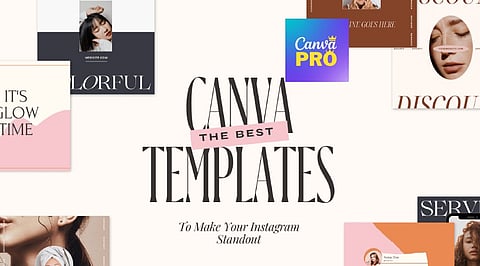
.png)

Brand consistency depends on reusable template families, standardized typography, and shared visual elements that keep designs aligned across every platform.
Brand Kit, Magic Resize, and locked elements reduce repetitive design work while helping teams produce faster, more consistent marketing assets.
Social media graphics, business documents, marketing materials, and presentations become more efficient and recognizable when built around a structured Canva Pro template system.
Every brand looks sharp for the first few posts. The real test starts once content has to go out daily, across several platforms, made by different people. That is usually where consistency starts to slip. Canva Pro templates turn that scattered process into a repeatable system, keeping every post, presentation, and marketing asset looking like they came from the same place.
Canva's free plan already ships a huge template library. Pro adds the machinery that turns a template into something reusable at scale. Brand Kit locks in colors and fonts automatically. Magic Resize adapts a single design into ten formats without a rebuild.
Locked elements stop a teammate from nudging a layout out of shape mid-edit. None of this replaces good design judgment. It just removes the repetitive work standing between a decision and a finished asset.
Also Read: What is Canva Pro? Features, Benefits, and Everything You Need to Know
On social media, the Instagram Carousel Post leads the pack. Metricool's 2026 Instagram study, covering more than 24 million posts, found carousels pulling nine times more saves than single images, well ahead of any other format.
Magic Resize turns one carousel into a Story and a Pin without extra design hours. LinkedIn thought-leadership posts follow close behind, where Brand Kit keeps every post visually traceable back to the same person before a reader finishes the caption.
On the business side, a Proposal Template with a brand kit auto-apply shortens the back-and-forth before a client signs. A locked Brand Guidelines template prevents the slow drift that happens once more than one person touches design work.
For marketing, a Lead Magnet paired with premium layout elements raises opt-in rates far more reliably than a plain PDF, and a resized Landing Page and Ad Banner set keeps the click and the page visually matched, which is one of the quieter reasons paid traffic underperforms.
Presentations round out the set. A locked Pitch Deck template keeps a founder focused on the argument instead of fighting slide alignment the night before a raise. Shared team templates, available through Canva Teams rather than individual Pro, keep client reports consistent across an entire account team.
Also Read: Canva Pro vs Canva Free: Which Plan Is Worth It in 2027?
A handful of rules separate a working template system from a folder of disconnected files. Match a template to the platform before falling for the aesthetic, since a design built for a static post often breaks the moment it becomes a Story.
Favor template families over single graphics, since one carousel plus a matching Story and Reel cover holds a brand together far better than any one design on its own.
Keep typography to two fonts run through Brand Kit rather than five chosen for variety. And treat heavy edits as a signal to pick a different template, not a reason to keep forcing one to fit.
Smaller categories, newsletters, invoices, business cards, and thumbnails still deserve a spot in the same Brand Kit, even without a dedicated system built around them. A business looking to start should pick three template families first: one for social, one for client communication, and one for marketing. Everything else, presentations included, gets easier to standardize once that foundation is set.
The templates that earn a spot in a real workflow are rarely the most decorative ones in the library. They are the ones a team reaches for without thinking twice, resized in seconds, locked against accidental damage, and instantly recognizable as belonging to one brand rather than three.
1. What are the best Canva Pro templates for social media?
The best Canva Pro templates for social media include Instagram post and story templates, carousel layouts, Reel covers, LinkedIn posts, Facebook banners, and YouTube thumbnails. Using template families helps maintain a consistent brand identity across platforms.
Small businesses benefit most from Canva Pro templates for social media, business proposals, presentations, email newsletters, business cards, invoices, and marketing materials. These templates save time while creating professional, on-brand content.
Yes. Canva Pro templates can be fully customized with your brand colors, fonts, logos, and images. Using Canva Pro's Brand Kit makes it easy to apply consistent branding across all templates and marketing assets.
Canva Pro offers marketing templates for lead magnets, ebooks, product catalogs, sales one-pagers, flyers, brochures, email headers, web banners, advertisements, and promotional social media graphics. These templates support both digital and print marketing campaigns.
Choose a Canva Pro template that matches your brand style, marketing goal, and target platform. Prioritize templates with flexible layouts, clear typography, and reusable design elements so they can be adapted for multiple campaigns while maintaining visual consistency.