.png)

Canva has transformed how people create visual content, making professional-looking designs accessible to everyone. Although the free version has an extensive suite of tools, Canva Pro offers advanced features that will be useful for professionals, businesses, teachers, marketers, and other content creators. If you make presentations, graphics for social media, marketing material, or videos, Canva Pro will make your work easier.
Here is all you need to know about Canva Pro – features, advantages, price, and whether it's worth upgrading.
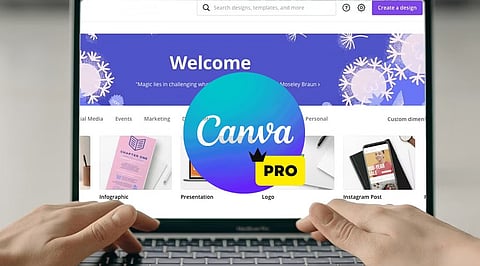
Canva Pro is Canva's premium subscription service, giving users access to advanced design tools, millions of premium resources, AI technologies, brand management tools, and collaboration features.
Unlike the free version, Canva Pro is aimed at regular content creators. Whether you are a freelancer, a small business owner, a social media manager, or a student with multiple projects, Canva Pro can make your work easier and faster while still producing quality designs.
There are millions of professionally made templates that Canva Pro offers you, which include the following categories:
Instagram posts and Reels
YouTube thumbnails
Presentations
Proposals
Flyers
Posters
Brochures
Resumes
Invitations
Infographics
These templates are editable and always updated.
The subscribers have access to a wide range of content such as:
Stock photos
Videos
Audio tracks
Icons
Illustrations
Stickers
Animations
This way, you can avoid purchasing separate stock content from stock websites.
Among the most important features offered by Canva Pro are the AI-enabled Magic Studio tools, which include:
Magic Write (AI content generator)
Magic Design
Magic Edit
Magic Eraser
Magic Expand
Magic Animate
Background Generator
AI Image generation
AI Presentations creation
Background Remover is one of the most used tools in Canva Pro.
A user can remove image backgrounds without using any other editing tool simply by clicking once. The feature is very helpful in:
Product Photography
Profile Pictures
Marketing Materials
YouTube Thumbnail
Companies can have consistent branding through Brand Kit. Users can save logos, brand colors, font styles, templates, and guidelines in this tool to make sure every design meets the same branding requirements.
Using Magic Resize, users can instantly convert a design into different designs.
For instance, if someone wants to convert an Instagram post into:
Facebook Post
LinkedIn Graphic
Pinterest Pin
Story
Presentation Slide
The Content Planner tool within Canva Pro enables users to schedule posts on social media channels.
Such social media channels include:
X (formerly Twitter)
This makes Canva both a design and a publishing platform.
Canva Pro offers larger storage compared to its free counterpart, where users can store all their:
Pictures
Video clips
Brand materials
Templates
Design files
All stored files are accessible from any device.
The user can:
Collaborate on projects
Comment on them
Assign tasks
Work on designs collaboratively
Set permissions
It is especially useful for marketing teams and businesses.
With Canva Pro, you can undo your previous design changes to recover from unintentional changes.
Templates, AI, and one-click editing allow for faster creation of professional graphics.
With the Brand Kit, it becomes easy for companies to maintain consistency of their visual branding across all channels.
It becomes unnecessary to purchase:
Stock images
Graphic design templates
Tools for removing backgrounds
Designing software
separately, as Canva Pro offers a subscription package of all.
No prior experience with graphic design is required. Even beginners can use the drag-and-drop interface to create professional graphics.
For a small business, there is a possibility to create:
marketing strategies
business cards
social media content
presentations
product catalogues
advertising material
without hiring professional graphic designers for every project.
Canva Pro would be best used by:
Content creators
YouTubers
Blogger
Digital marketers
Small business owners
Freelancers
Teachers
Students
Startups
Social media managers
Anyone producing visual content regularly is likely to benefit from the additional features.
If you rarely create graphics, the free option may suffice. However, Canva Pro is beneficial if you:
Design content weekly
Run multiple social media accounts
Need premium stock assets
Use AI technology in design
Collaborate with a team
Develop your brand identity
Make presentations, videos, or marketing content
Time saved through automation, templates, and premium assets could soon compensate for the cost of a subscription.
Canva Pro isn’t simply an upgrade of Canva; it’s a complete creative ecosystem offering all the tools you need for graphic design, AI-powered content creation, branding, collaboration, and social media posting.
Several templates, premium assets, sophisticated editing tools, and productivity features make Canva Pro valuable for people and businesses that regularly create visual content. If you’re building your personal brand, running a business, or making presentations, Canva Pro will give you everything you need to design quality graphics efficiently.
1. What is Canva Pro?
Canva Pro is Canva's premium subscription offering advanced design tools, AI features, premium assets, and branding capabilities for creators.
2. Is Canva Pro better than the free version?
Yes, Canva Pro includes premium templates, AI tools, Brand Kit, background remover, and advanced collaboration unavailable in the free version.
3. Who should use Canva Pro?
Content creators, marketers, businesses, students, educators, freelancers, and designers benefit most from Canva Pro's advanced productivity features and assets.
4. Does Canva Pro include AI tools?
Yes, Canva Pro offers AI-powered Magic Studio, including Magic Write, Magic Design, Magic Edit, image generation, and automated design features.
5. Is Canva Pro worth the subscription cost?
If you create visual content regularly, Canva Pro saves time, improves quality, and provides valuable premium resources worth the investment.