.png)

Many PS5 owners unknowingly miss advanced gaming features through incorrect connections.
HDMI 2.1 ports unlock smoother visuals, faster response times, and performance.
Correct settings and cables help maximize the console's capabilities without extra expense.
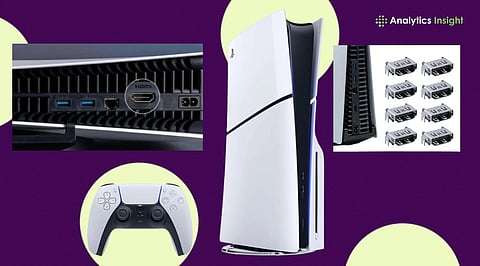
The PlayStation 5 was built to deliver a next-generation gaming experience, offering features such as 4K resolution at 120Hz, Variable Refresh Rate (VRR), and reduced input lag. However, there is one group of users who could be missing out on all that a gaming console offers due to a minor technical issue involving the incorrect use of the HDMI port on their television set.
Although this may seem like a small problem, professionals have noted that it can significantly affect gaming performance, especially for people who purchased expensive TVs in anticipation of improved performance
It is now common for most modern television sets to have more than one HDMI port, but not all of them are the same. At the same time, almost every company ships TV models with one or two HDMI 2.1 ports, while the rest use different HDMI versions.
HDMI 2.1 is basically a must for PS5 gamers, since it supports features like 4K gaming at up to 120 FPS, variable refresh rate, and auto low-latency mode, which adjusts the TV to what the game needs.
These can be restricted when connected to a regular HDMI port.
Also Read: Black Ops PlayStation Prices: Activision Hints $39.99 for Black Ops 1 & 2 PS5 Ports
There is no clear way to know what the consequences would be of connecting to the wrong HDMI port. The regular player continues gaming without noticing anything wrong. But for the competitive or performance-oriented players, the fact that something is wrong becomes quite evident.
The absence of HDMI 2.1 prevents the PlayStation 5 from achieving the desired refresh rate for better gaming. This will result in higher input lag on the device.
Those games that can benefit from high frame rates, such as shooters, racing, and sports simulations, are the ones most affected by the problem.
This leads to a subpar gaming experience for the user.
This particular topic raises another general issue in consumer technology: consumers pay close attention when purchasing expensive gadgets, but do not consider installation conditions.
Gamers who buy expensive PS5 consoles, high-refresh-rate monitors, and accessories can lose valuable performance due to the lack of a single connection point.
One should admit that television manufacturers have also contributed to this confusion. The thing is, HDMI port labels vary by brand, making it quite challenging for people to determine which port supports specific gaming features.
Labels like ‘4K 120Hz,’ ‘Game,’ ‘eARC,’ and ‘HDMI 2.1’ vary by manufacturer.
Also Read: Long-Awaited Call of Duty: Black Ops and Black Ops 2 Heading to PS5, Treyarch Confirms
The HDMI port alone does not determine the situation. Some TVs require manual activation of features such as enhanced format, HDMI deep color, or game mode. Failure to activate these will mean the bandwidth for gaming functionality will remain locked.
This means that certain gamers might still experience poor performance even when the console is connected to the correct port.
According to technology experts, it is necessary to check both the hardware connection and the software setup to improve gaming performance.
Fortunately, the answer is quite simple. The user only needs to consult their TV’s manual, identify the HDMI 2.1-compatible port, and ensure that the gaming modes are enabled. This, along with Sony’s own Ultra High-Speed HDMI cable, would also ensure compatibility.
This case shows that the gaming experience depends not only on the console but also on the environment in which it operates.
With the evolution of display technology, understanding certain technical information has become essential. For PS5 owners, checking the HDMI connection can be the simplest upgrade they undertake all year without investing another rupee.
1. Why does the HDMI port matter for PS5 performance?
Using the correct HDMI 2.1 port enables 4K 120Hz, VRR, and lower input lag for smoother gameplay overall.
2. How can I identify an HDMI 2.1 port on my TV?
Check labels like HDMI 2.1, 4K 120Hz, or Game Port, or consult your television manual for details.
3. Will using the wrong HDMI port damage my PS5?
No, the console remains safe, but important gaming features and performance enhancements may not function properly.
4. What settings should I enable for the best PS5 experience?
Activate Game Mode, Enhanced Format, or HDMI Deep Color settings to unlock advanced gaming features and performance.
5. Do I need a special HDMI cable for PS5?
Use Sony’s included Ultra High-Speed HDMI cable to ensure compatibility with 4K 120Hz and HDMI 2.1 features.
