.png)

Choosing the right Python IDE can significantly impact your coding speed, productivity, and learning experience.
Discover the key differences between PyCharm’s powerful features and IDLE’s simplicity in this quick comparison.
Whether you're a beginner or a pro developer, find out which tool best fits your coding needs instantly.
Python is one of the crucial programming languages widely used in areas like data science, AI, web development, and automation. However, implementing code with efficacy requires the right tool. PyCharm and IDLE are two popular IDEs used to write and execute Python. Understanding the characteristics of both software can help you learn which tool would suit your project requirements.
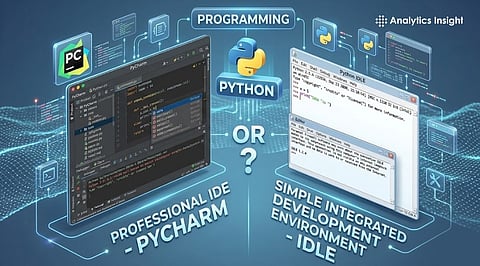
Let's take a comparative look at PyCharm and Python IDLE.
JetBrains developed PyCharm software to simplify Python programming. It is an Integrated Development Environment (IDE) that features intelligent code completion, error detection, and debugging tools. The software is built to accommodate frameworks like Django and Flask, streamlining web development processes. It's a good fit for seasoned developers, particularly those working on complex projects.
There are two versions of PyCharm: a free-to-use community edition and a paid professional edition.
IDLE is the default development environment included in the Python installation. This lightweight and simple package has a basic code editor and an interactive shell for executing Python scripts. Although IDLE is a decent IDE for small projects, it is quite restrictive when programming larger applications.
PyCharm has an advanced, feature-rich environment and many advanced code writing, debugging, and testing tools; whereas IDLE is simple and easy to use.
From a usability standpoint, IDLE is beginner-friendly for its minimalist interface, while PyCharm contains many features. The latter has a steeper learning curve. Performance-wise, IDLE is a lightweight tool that functions well on low-end computer systems, whereas PyCharm requires more system resources.
IDLE can be used to create small scripts for learning purposes, while PyCharm is better suited for large-scale projects. Overall, PyCharm offers more functionality, but IDLE excels in simplicity.
The choice between Python IDLE and PyCharm depends on your personal experience and project requirements. IDLE would be an excellent choice for beginners since it is easy to use and helps understand major concepts.
PyCharm provides better support for advanced coding tasks and professional development goals. Its high-end features can improve productivity and quality of the program. PyCharm also requires more processing resources compared to IDLE.
The ultimate decision depends on your skill level and the complexity of programming. Testing out both environments can help you determine the most appropriate tool for your project.
Also Read: Top 10 Must-Know Python Libraries for Data Science in 2026
1. What is the main difference between PyCharm and Python IDLE?
PyCharm is a full-featured IDE with advanced tools like debugging, code completion, and project management, while Python IDLE is a simple editor mainly used for learning and running basic scripts.
2. Which IDE is faster: PyCharm or Python IDLE?
Python IDLE is faster to launch and uses fewer system resources. PyCharm, on the other hand, is heavier due to its advanced features, making it slightly slower on low-end systems.
3. Is PyCharm free to use?
Yes, PyCharm offers a free Community Edition with essential features. There is also a paid Professional Edition that includes advanced tools for web development and data science.
4. Is PyCharm suitable for low-end computers?
PyCharm can run on low-end systems, but performance may not be optimal. Python IDLE is a better choice for such systems due to its lightweight nature.
5. Which IDE should I choose in 2026?
Your choice depends on your needs. Beginners can start with Python IDLE, while professionals and developers working on large projects should opt for PyCharm.
