.png)

Spotify has rolled out an update that lets users access lyrics, song previews, and translations even in offline mode. The new feature is expected to improve the app’s usability during travel or poor connectivity. Let’s take a look at how you can use it effectively.
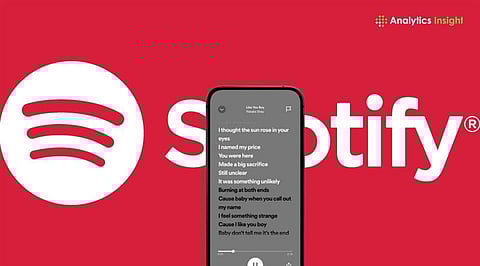
Spotify has announced three upgrades to its lyrics feature, including worldwide translations, offline lyric availability for downloaded tracks, and a new preview layout that places lyrics beneath album artwork. These upgrades are aimed at improving how listeners understand and engage with songs across languages. It will help users connect to the songs and their artists.
Once users download songs for offline listening, lyrics will automatically download alongside them. Premium subscribers are eligible for this feature. It will be useful to commuters, travellers, and users in low-connectivity regions. Here are the steps to enjoy offline lyrics:
Download songs or playlists as usual.
Open downloaded tracks while offline.
Tap the lyrics section to view synced lyrics.
Spotify is redesigning the ‘Now Playing’ interface to provide lyric previews beneath album artwork or Canvas clips. The streaming giant stated that “Early testing suggests the layout improves lyric engagement and encourages users to revisit songs.”
The layout is rolling out globally for Free and Premium users on iOS and Android. This upgrade aligns with Apple Music’s karaoke-style lyric emphasis. Spotify users can take advantage of existing share-to-social tools to post lyric snippets directly from the Now Playing screen. The following are the steps to avail the feature.
Play a supported track on mobile or tablet.
Lyrics automatically appear beneath album art.
Tap the preview to expand the full lyrics.
Listeners can disable previews by tapping the three-dot menu and selecting the ‘Lyrics Off’ option.
Spotify is expanding lyric translations worldwide after testing the feature in select markets. Users can view translated lyrics beneath original song lyrics. This feature is useful to understand songs in foreign languages.
This feature is available for both Free and Premium users if translated lyrics exist for a particular track. If the particular track is downloaded, you can access the translations offline, too. Here is how to enjoy the lyrics:
Open any song with lyrics available.
Tap the lyrics card in the ‘Now Playing’ screen.
Tap the translate icon to view lyrics in your device’s default language.
You can switch back to the original lyrics anytime using the same icon.
Also Read: How to Disable Spotify Auto-Play Feature on Android Auto Easily
Spotify’s move to bring lyrics, previews and translations offline underscores its push to stay competitive in an increasingly feature-driven music streaming market. Apple Music has begun supporting real-time lyric translations in several languages; Spotify’s phased global rollout aims to narrow that gap while making the platform more inclusive for multilingual audiences.
While availability may differ by region due to the server-side rollout, the update signals Spotify’s broader focus on accessibility and global reach. It is expected to define the next phase of competition among major streaming platforms.
