.png)

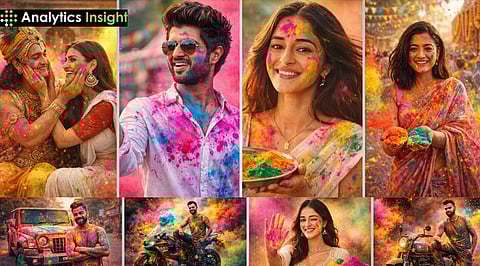
As Holi 2026 floods social media feeds with colour-splashed portraits, AI-generated festival visuals have become the season’s breakout trend. Instead of stepping into a cloud of real gulal, many users are turning to Google Gemini to create cinematic Holi looks from a single uploaded photograph.
Gemini’s multimodal image-editing capabilities allow users to transform portraits into highly stylised festival scenes while preserving facial details. The tool can simulate lens effects, track flying powder while freezing it in mid-air, and recreate professional lighting setups.
For best results, upload a clear, front-facing photo taken in natural light. The use of detailed prompts, including strict instructions for facial preservation, reduces the rate of distortion.
Open the Gemini app or web version.
Upload a high-resolution portrait.
Paste a detailed prompt describing the Holi setting, lighting, outfit, and mood.
Refine the result through follow-up edits if required.
The more technically specific your prompt, the more realistic the output.
Also Read: Valentine’s Day 2026: AI Valentine Photos Go Viral as Prompt Creators Take Over
Here are three high-impact prompts readers can copy and customise:
Recreate the uploaded image as a dynamic Rangwali Holi street scene. I am mid-stride in a narrow sunlit alley, wearing a white kurta while pink and yellow gulal explode around me. Shot at 1/8000s to freeze powder particles with a shallow depth of field. Strictly preserve my facial identity. Do not alter eyes, nose, lips, jawline, skin tone, hairstyle, or expression. Use my uploaded image as the exact base reference.
Transform the uploaded photo into a clean, high-key editorial portrait. I am wearing a tailored white tunic against a bright studio background with a single bold cyan water splash across my shoulder. Lighting is soft and shadowless. Maintain absolute facial preservation. Do not beautify or modify any facial features.
Create a dramatic Holi celebration during a light rain shower. My white shirt is realistically soaked, with streaks of pink and blue running down the fabric. Use cool cinematic lighting with sharp detail on raindrops. Preserve my exact facial identity without any alterations.
The proper prompt engineering process uses Gemini to produce extremely realistic Holi portraits that match your desired visual style, ranging from street style to high-end fashion photography.
