.png)

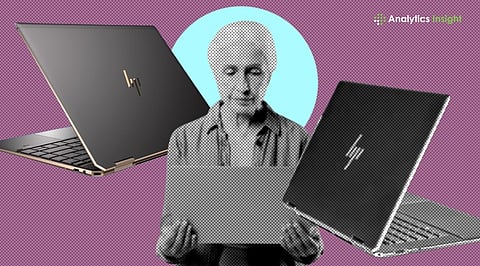
The best HP laptops for seniors in 2026 focus on ease of use, clear displays, and reliable everyday performance.
These laptops are ideal for video calls, web browsing, online shopping, watching videos, and simple office work.
Many modern HP laptops also offer larger screens, long battery life, and simple setup features that make them comfortable for older users.
Laptops have become an everyday essential not just for the younger generation but also for seniors. Whether it is managing bank accounts from home, video calling family, or simply staying connected, the right laptop can make all of this remarkably straightforward.
For older users, a few things matter most: a large screen that reduces eye strain, a comfortable keyboard, and smooth enough performance to handle video calls, streaming, and online banking without lag.
HP has long been one of the most trusted names in personal computing, with a lineup that covers everything from simple daily-use machines to more capable multitasking models. Below are the best HP laptops that seniors can pick up and use with confidence.
Whether it’s a video call to see children living abroad or completing banking tasks, nothing can beat a good laptop. However, not all models offer equally smooth performance. Below is the list of top HP models that fit the budget-friendly to premium range.
The above-mentioned models are easy to handle and cover a wide range. The keyboards are simple, and the setup doesn’t take too long. However, two of the models stand out from the rest for their performance and balanced features.
The first model is HP Omen with an Intel Core Ultra 7. This laptop comes at a premium price, but its features are extraordinary. The main attraction of the laptop involves its screen size. Fit features a 16-inch display, which offers extra viewing space and makes text, videos, and web pages easy to navigate. Seniors who spend time on video calls will appreciate this model. Even the keyboard size is comfortable for typing e-mails or browsing online.
HP 15 (2026) is another excellent option for seniors. The advanced model is simple and affordable. It is lightweight, easy to carry, and designed for basic everyday use. Seniors who mainly use emails, YouTube, social media, and video calls will find this laptop a comfortable choice.
Also Read: Top 10 Laptops with 16GB RAM Under Budget
Large-screen laptops offer multiple advantages. If you have a larger screen, it will be easier to read without straining your eyes during long sessions. Thus, seniors who frequently stare at a laptop screen for hours find the big-screen models are a practical choice.
A larger keyboard layout is another important factor. A larger laptop often has more space between keys, which improves typing comfort and reduces mistakes. Simple setups are also equally valuable. HP laptops are easy to install and offer voice assistance. These features help seniors use their laptops without needing constant technical support.
Also Read: I Tested Slim Gaming Laptops: These Models Blew My Mind on the Go (April 2026)
HP offers several reliable models for seniors. The right choice depends on comfort, budget, and daily needs. Seniors looking for a large display and an easy viewing experience can consider the larger-screen models with 16-inch displays. It provides excellent readability and comfortable everyday usage. However, if budget is the obstacle, there are even affordable, lightweight units that handle everyday tasks without unnecessary complexity.
Modern HP models are heavily focused on user-friendly features, clear displays, and smooth performance. These improvements make them suitable for elderly users who want reliable technology for communication, entertainment, and daily online activities.
1. Which HP laptop is easiest for seniors to use?
Ans: The HP 17.3-inch Laptop 17-cn4021TU is one of the easiest HP laptops for seniors for its large display, spacious keyboard, and simple everyday performance.
2. Are large-screen laptops better for elderly users?
Ans: Yes, large-screen laptops help reduce eye strain and make text easier to read. They also improve the video-watching and video-calling experiences.
3. Is the HP 15 (2026) good for basic tasks?
Ans: Yes, the HP 15 (2026) works well for browsing, email, YouTube, online shopping, and video calls. It is designed for simple everyday use.
4. Do seniors need gaming laptops like HP Omen?
Ans: Not necessarily. Gaming laptops offer strong performance, but many seniors may find standard laptops more affordable and easier to handle.
5. What features should seniors look for in a laptop?
Ans: Seniors should look for a large screen, a comfortable keyboard, long battery life, a simple setup process, and reliable everyday performance.
