.png)

Lower brightness and reduce background activity to cut unnecessary battery consumption.
Use built-in power-saving modes and make your laptop sleep sooner when idle.
Unplug unused accessories and enable battery health features to support long-term battery care.
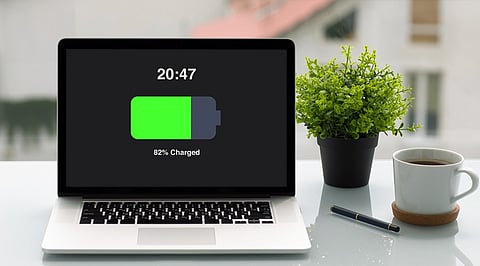
A laptop running out of battery in the middle of work is frustrating, especially when there is no charger nearby. While newer laptops generally offer better battery life, everyday habits still play a big role in how long a charge lasts.
Keeping the screen unnecessarily bright, leaving several apps open or having accessories connected can all add to power consumption. The good news is that you do not need to make major changes.
Here are a few simple adjustments you can make every day to reduce battery drain and keep your laptop running longer between charges:
The display can use a considerable amount of your laptop's power, particularly when the brightness is set high. If you are working indoors, try lowering it to a level that is comfortable for your eyes.
You do not need the screen at maximum brightness all the time. Even a small adjustment can help when you are trying to stretch the remaining battery.
When the battery starts getting low, turn on the laptop's built-in power-saving mode. Windows has an Energy Saver feature, while MacBooks include Low Power Mode.
These settings can automatically reduce certain background activities and other power-hungry processes. It is an easy option when you need the laptop to stay on for a little longer.
It is easy to leave several programs open after finishing a task. A browser with dozens of tabs, editing software, cloud applications and other programs can continue using system resources in the background.
Close anything you are not currently using, especially apps that are known to be demanding. This can also make the laptop feel less cluttered and more responsive.
Also Read: Can Telegram Be Hacked Without OTP? Check the Methods, Prevention Tips
Some applications keep working even when they are not open on your screen. They may sync files, check for updates or perform other tasks in the background.
Check which apps are allowed to run in the background and turn off permissions you do not need. This is particularly useful for apps that you rarely use but that continue consuming resources.
If you often step away from your laptop, there is little reason to keep the display running for 15 or 20 minutes.
Set the screen to switch off after a shorter period of inactivity and let the laptop enter sleep mode sooner. It is a small change, but it prevents the battery from being wasted when you are not actually using the computer.
External hard drives, USB devices and other accessories can draw power while connected. Wireless accessories can also contribute to battery use.
When you are finished with a peripheral, unplug it if you do not need it. This is especially worth doing when the battery is already running low.
Battery care matters beyond getting through a single workday. A number of modern laptops are equipped with battery care options.
Windows operating system offers the ability to use Smart charging with compatible laptops, whereas MacBooks provide Optimised Battery Charging. In case your laptop comes with such options, it might be beneficial to leave them turned on.
Also Read: Smart Speaker Buying Guide 2026: AI, Sound Quality, Privacy Tips
There is no need to monitor your laptop's battery usage constantly in order to extend its lifespan. Making such simple changes as decreasing brightness level, closing any programs and turning on the power-saving mode will help to preserve battery life.
In addition to that, you should not forget about simple actions like disconnecting extra devices and letting the laptop go into sleep mode faster.
Finally, if you intend to use the laptop for several years, the battery health tools available in your laptop will come in handy.
How can I make my laptop battery last longer every day?
Lower screen brightness, close unused apps, reduce background activity, enable battery-saving modes, unplug unnecessary accessories, and set your laptop to sleep sooner when inactive.
Does lowering screen brightness really save laptop battery?
Yes. The display can consume a significant amount of power, particularly at high brightness. Lowering it to a comfortable level can help reduce battery consumption during everyday use.
Should I use Battery Saver when my laptop battery is low?
Yes. Windows Energy Saver and MacBook Low Power Mode can reduce certain background activities and power-intensive processes, helping your laptop remain usable for longer when the battery runs low.
Do background apps drain laptop battery?
Yes. Some applications can continue syncing files, checking updates, or performing other tasks even when they are not visible. Limiting unnecessary background activity can help reduce battery drain.
How can I maintain my laptop battery health over time?
Use available battery health features, such as Smart Charging on compatible Windows laptops and Optimised Battery Charging on MacBooks, to support long-term battery care.
