.png)

Always power off and disconnect electronics before you start the cleanliness.
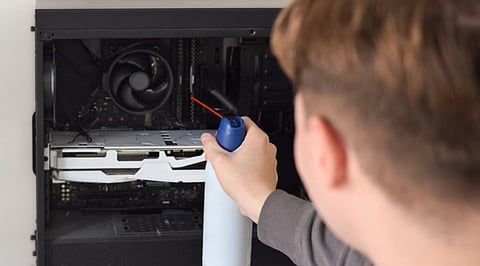
Use short air bursts and maintain a safe distance.
Prevent fans from spinning freely to protect sensitive internal components.
Dust and debris can build up inside and around electronic devices, affecting airflow, cooling, and overall performance. Compressed air can effectively remove loose dust from electronics, but using it incorrectly can also damage sensitive components.
Whether cleaning a computer, keyboard, gaming console, or other electronic device, a few basic precautions can make the process safer.
Before cleaning any electronic device, switch it off completely and disconnect it from its power source. For laptops and other battery-powered devices, remove the battery if it is removable.
Do not spray compressed air into a device while it is powered on. Disconnecting the equipment also reduces the risk of electrical problems while cleaning.
Let the device cool down before starting, especially if it has been running for an extended period.
Use an electronics-specific can of compressed air. Read the directions and keep the can upright during the process.
The can of compressed air may release liquid propellant if you tilt it or shake it inappropriately. This could leave moisture on the electronic components.
Never use the air compressor until you confirm it is suitable for electronics. Some compressors may generate too much pressure or cause moisture or oil to appear.
Also Read: Best Handheld Steam Cleaners for Chemical-Free Cleaning
Never position the nozzle directly onto the surface or component you are cleaning. Ensure that the can of compressed air remains at a safe distance from the object, and apply several bursts of air rather than continuous spraying.
Apply bursts of air gently; increase pressure only when needed. Overpressure can damage delicate components, connectors, or other electronic parts.
If you clean vents or other openings, position the airflow so dust is expelled out, not deep inside the device.
Fans inside computers, graphics cards, and other electronics can spin rapidly when hit by compressed air. This can potentially damage the fan or generate electrical current.
Hold the fan blades in place with a finger or an appropriate non-conductive object while cleaning. Then use short bursts of air to remove dust from the blades and surrounding area.
Never force a fan to spin faster than it normally would.
Compressed air can send dust particles into the surrounding air. Clean electronics in a well-ventilated location and, where possible, work outdoors or in an area with good airflow.
Keep the can away from heat, flames, and other ignition sources. Follow all safety instructions printed on the compressed-air can.
Wear eye protection if dust or debris could blow toward your face.
Also Read: Best Dyson Alternatives in India: 7 Cordless Vacuum Cleaners to Consider in 2026
Extended sprays are rarely necessary; short blasts work more effectively and reduce the risk of condensation or increased pressure. Move the nozzle around instead of pointing the airflow directly at one component for too long. For keyboards, invert the device and use short blasts of air to blow off dust and debris caught between the keys.
For desktop computers, you need to open the side panel only after turning the device off.
Do not touch circuit boards or other delicate components while cleaning the device. Static electricity may damage electronic components. Handle components carefully and follow any manufacturer instructions for cleaning, if possible.
Use compressed air only to remove dust. It is not a substitute for repairs.
After cleaning, examine the device to confirm no dirt particles or moisture remain. Ensure all parts are correctly aligned before reconnecting the device, especially if you opened it.
Afterward, connect the device and switch it on. If used properly, compressed air will work very well for cleaning electronic devices. Important: use short blasts of air, keep your distance, avoid moving fans, and keep the device switched off throughout the process.
1.Can compressed air safely clean electronics?
Yes, compressed air can safely remove dust from electronics when used correctly and according to manufacturer cleaning guidelines.
2.Should electronics be switched off before cleaning?
Always switch off and disconnect electronics before cleaning to reduce electrical risks and protect internal components from potential damage.
3.How should compressed air be sprayed?
Use short bursts from a safe distance, keeping the nozzle away from sensitive components and avoiding excessive pressure.
4.Can compressed air damage electronic fans?
Yes, rapidly spinning fans can be damaged, so hold fan blades steady and use controlled bursts of compressed air.
5.Can compressed air leave moisture on electronics?
Yes, incorrectly tilting compressed-air cans can release liquid propellant, potentially leaving moisture or residue on sensitive electronic components.
