.png)


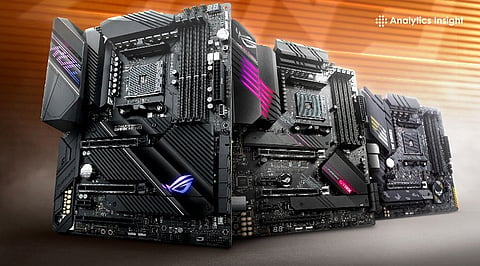
Build a future-ready PC with top AMD motherboards powered by DDR5 and PCIe 5.0.
Discover the best picks for high-FPS gaming and heavy workloads like AI & 3D rendering.
Unlock speed, stability, and upgrade potential with next-gen Ryzen-compatible boards.
Creating an efficient computer starts with selecting the right motherboard. Recent developments in the AMD Ryzen processors have been exceptional in the gaming field and in professional work as well, and motherboards that feature these processors include PCIe 5.0, DDR5 memory, and many other connections.
Whether you are aiming for high FPS gaming or heavy workstation tasks such as video editing and 3D rendering, selecting the right motherboard ensures stability, speed, and future-proof performance for your entire system.
MSI B650M motherboard is an excellent value for money for gamers as it comes with DDR5 memory compatibility and PCIe 4.0 technology for faster graphics cards and SSDs. The motherboard features Wi-Fi 6E, 2.5G LAN, and good thermal management to guarantee stability in modern Ryzen systems.
MSI B850M is a future-ready AM5 motherboard built for next-gen Ryzen processors. It supports DDR5 memory, PCIe 5.0 for GPUs and storage, and Wi-Fi 7 for ultra-fast connectivity. Its VRM design and advanced cooling deliver stable performance for high-end gaming builds.
ASUS ROG Strix X870E-E motherboard supports PCIe 5.0, DDR5 RAM, Wi-Fi 7, and two sets of USB4 ports. It also comes with a powerful AI overclocking capability, an effective VRM architecture, and a solid cooling solution, making it ideal for high-performance Ryzen systems.
Also Read: Best Motherboards from Top Brands for Gaming in 2026
MSI PRO X870-P supports DDR5 memory. It also provides support for next-generation GPUs and storage through PCIe v5.0. The 14+2+1 power phase design includes both Wi-Fi 7 and USB4 connections for the best combination of speed and performance when building high-end gaming computers.
GIGABYTE TRX50 features PCIe 5.0, quad-channel DDR5 memory, and multiple GPU support. It is suitable for AI workloads, content creation, and rendering. Its dual USB4, 10GbE LAN, and Wi-Fi 7 deliver exceptional scalability and connectivity.
ASUS Pro WS X570-ACE offers 3 PCIe 4.0 x16 slots for multi-GPU setups and ECC memory support for stability. Its robust power delivery, advanced cooling, and high-speed storage options are suitable for professional workloads and AI tasks.
ASUS ROG Strix X870E-E motherboard is equipped with support for PCIe 5.0, DDR5, Wi-Fi 7, and two pairs of USB4 ports. In addition, it has strong AI overclocking, an efficient VRM system, and decent cooling.
Choosing the right motherboard for an AMD chip largely relies on how the machine will be used. Gamers can make use of the advanced mid-tier models and still get impressive results, while those who are more professional in their operations need high-end boards that have an efficient power supply and room for expansion. Getting the appropriate motherboard will not only improve the current operation but also make future upgrades easy.
Which chipset is best for AMD Ryzen processors?
The X870E and B850 chipsets are top choices in 2026. X870E is suited for enthusiasts and professionals, while B850 offers a balance of performance and affordability for gamers.
Do I need DDR5 support in a motherboard?
Yes, DDR5 provides faster speeds, improved efficiency, and better multitasking capabilities. It is recommended for future-proofing your system, especially for gaming and workstation builds.
What is PCIe 5.0 and why is it important?
PCIe 5.0 is the latest interface for GPUs and SSDs, offering faster data transfer speeds. It improves performance for gaming, AI workloads, and high-speed storage devices.
Which motherboard is best for workstation tasks?
Workstation users should choose high-end boards like WRX80 or TRX50 platforms. These support multi-GPU setups, large memory capacity, and advanced networking for heavy workloads.
Can I use older Ryzen CPUs on new motherboards?
Compatibility depends on the chipset and socket type. AM5 motherboards support newer Ryzen CPUs, while older AM4 processors may require older compatible motherboards.
