.png)

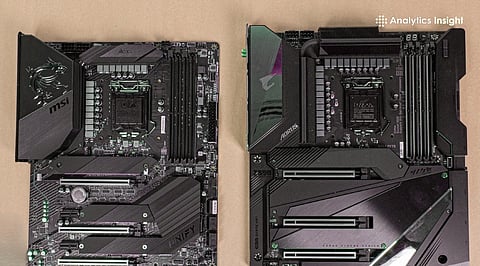
Best gaming motherboards 2025, will include support of PCIe 5.0, DDR5 RAM and a powerful power supply to accommodate the new CPUs and GPUs.
Top brands like ASUS, MSI, Gigabyte and ASRock are aimed at VRM cooling, BIOS customization and high-end connectivity to cater to both gamers and content creators.
Selecting the appropriate motherboard involves weighing cost, functionality (such as wireless internet 7, M.2 slot, RGB connectors), and compatibility with the layout of your CPU socket and case.
Building or upgrading a gaming PC in 2025 is all about futuristic readiness and component compatibility. The motherboard is the basis of the system that you select, which holds constraints of CPU, GPU, and system expansion. The finest gaming motherboards from well-known brands offer high quality power delivery, top features, and long-term reliability. An appropriate board can improve the performance and stability of your system, whether you are operating a high-end processor or assembling mid-range systems for esports.
The ASUS ROG Strix Z790-E Gaming WiFi is an advanced board designed to support Intel’s 14th/13th Gen CPU, featuring DDR5 memory and PCIe 5.0 to connect the latest GPUs. It has an 18+1 VRM power design and strong heatsinks, ensuring controlled temperatures, during intensive usage. The ASUS ROG motherboard also has Wi-Fi 7, two Thunderbolt ports, and USB-C connections, making it the ideal choice for gamers who also want to stream or host high-speed peripherals. Its BIOS is easy to use by amateur overclockers and comprehensive enough by experts.
The MSI MAG X670E Tomahawk WiFi is an excellent example of a value product for AMD platform builders with no compromise in features. It works with the Ryzen 7000/8000 series of CPUs, the DDR5 RAM, and PCIe 5.0.; the 14-phase power delivery and oversized M.2 heatsinks make it stable and long-lasting. With an inbuilt Wi-Fi 6E, 2.5 Gb LAN and excellent BIOS, the board is usable for both content creators and gamers. Moreover, the regular firmware distribution in MSI gaming motherboard has a service network in India which provides it with a certain advantage.
Also Read: Best CPUs for high FPS gaming
The Gigabyte Z790 Master is the flagship of the AORUS brand that targets advanced constructions and overclocking. Its 20+1+2 VRM design and stacked heatsinks can comfortably manage power-consuming CPUs and GPUs. It also includes DDR5-8800+ (OC), quad M.2 slots (three PCIe 5.0), and an optical S/PDIF header to support audiophiles. Combined with Q-Flash Plus to update the BIOS simply and Smart Fan 7 cooling, this model is an excellent choice for gamers creating flagship rigs.
If you desire premium features within budget, the ASRock B650E Steel Legend WiFi offers Ryzen 7000/8000 compatibility, DDR5, and PCIe 5.0 at a lower cost. It has a 12 phase power design with two M.2 slots, pre-fitted heatsink, and Wi-Fi 6E, making it an intelligent option for mid-range gaming PCs. Its smooth appearance, affordability, and extended warranty alongside decent performance makes this model a top choice for gamers.
Also Read: Best CPUs for mid range gaming PCs
Choosing the best motherboard to support gaming is based on your CPU platform, future upgrading, and feature preferences. To achieve the highest performance, boards such as ASUS ROG Strix Z790-E and Gigabyte AORUS Z790 Master provide the highest level of performance and connectivity. As for strong value, MSI MAG motherboard X670E and ASRock B650E Steel Legend possess superior features at lower price ranges.
Whatever the budget, a better brand will be associated with a higher longevity, software updates, and a higher level of confidence.
1. Does PCIe 5.0 matter to gaming?
Although the majority of GPUs offer good performance with PCIe 4.0, PCIe 5.0 offers future proofing, particularly the higher end graphics cards and SSDs.
2. Is it advisable to have Wi-Fi installed on the motherboard?
Yes, if you are using wireless internet frequently or looking to stream games, you will need it; otherwise, you can get away with a standalone Wi-Fi card or dongle.
3. Is it possible to install a DDR5 RAM into a DDR4 motherboard?
No. DDR4 and DDR5 are incompatible standards; you need a motherboard and CPU that fit your type of RAM.
4. What is the significance of VRM quality to gaming?
It is very important that high quality VRMs provide consistent power delivery during long sessions or overclocking, which minimizes thermal throttling.
5. Is the brand of the motherboard important?
Yes. The best brands have superior updates to the firmware, service, and quality of the structure, highly influencing system longevity and stability.
