.png)

Always inspect the gadget, test its features, and check its physical condition before payment.
Verify the IMEI number, original invoice, and account locks to avoid suspicious devices.
Avoid advance payments, fake QR codes, and unknown payment links during OLX deals.
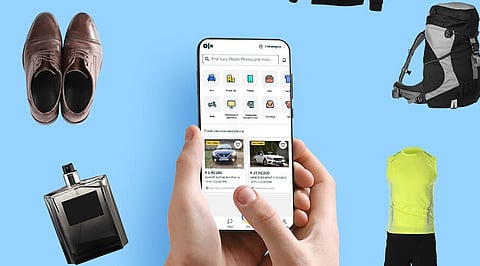
A used phone or laptop can be a real bargain, but a cheap deal can turn expensive quickly when the device has a hidden fault, a locked account, or an unreliable ownership record. OLX has several pre-owned gadgets, and every one of them deserves a proper check. A handful of simple habits can help buyers dodge scams, identify faulty products, and end up with something that actually works.
Begin with the seller’s OLX profile and the ad itself. Look at how old the account is, whether there are any reviews, and whether the photos, model name, age, and reason for sale add up. Photos of the real device count for far more than stock images.
Compare the asking price with similar used models on OLX and other resale sites, since a rock-bottom price often means a hidden problem or a scam. Asking the seller for a fresh photo or a short video of the device in use is reasonable. You can also inquire about past repairs, replaced parts, battery life, and any known faults.
A Gadget’s exterior says little about its condition. If it’s a phone, check the screen for cracks, dead pixels, marks, and lagging touch response. Then test the camera, flash, speakers, microphone, buttons, Wi-Fi, Bluetooth, and charging port. Check the body for dents, loose parts, and signs of water damage.
If it's a laptop, then test the keyboard, trackpad, webcam, hinges, screen, and every port. Additionally, checking the battery health and storage drive can also reveal details about the device’s condition. If the machine heats up quickly, shuts down by itself or refuses to charge, then you need to reconsider your decision to purchase it. The seller’s word on condition should never be the only evidence.
Also Read - How to Earn Money Selling Products on eBay: A Detailed Guide for Beginners.
The IMEI (International Mobile Equipment Identity) number identifies a phone. Dialing *#06# shows the 15-digit code, which should match the one on the box and the invoice. The Government of India’s CEIR portal at ceir.gov.in offers an IMEI check, and sending KYM followed by the 15-digit IMEI by SMS to 14422 does the same.
Avoid buying a phone with a tampered, duplicate, or suspicious IMEI. Ask for the original purchase bill, along with some sign that the seller genuinely owns the device. An invoice helps, but it cannot prove on its own that a phone has no theft record.
A used phone can look perfectly fine and still be locked to someone else’s account. On an iPhone, Find My iPhone and Activation Lock should be off, and the previous Apple Account should no longer be linked to the device. On Android, the old Google account needs to be removed, and Factory Reset Protection should not get in the way of setup.
Samsung phones can also be tied to a former Samsung account or a work management lock. Laptops bring their own set of problems: a BIOS password, Windows activation trouble or company device controls. The seller should remove old accounts and reset the device before any transaction.
Buyers and sellers on OLX frequently encounter fraudulent payment links, deceptive QR codes, fabricated payment screenshots, and requests for advance payments.
UPI PINs and QR Codes: Scanning a QR code or entering a UPI PIN is strictly for authorizing outgoing payments. It is never required to receive funds.
Confidential Credentials: One-Time Passwords (OTPs), card PINs, banking passwords, and other sensitive details must never be disclosed to anyone.
Payment Verification: Payment screenshots do not serve as valid proof of a transaction. Always verify funds directly through your official banking or UPI application's balance and transaction history.
Advance Deposits: Refrain from paying token fees, booking deposits, or courier charges prior to thoroughly inspecting the item in person.
Warning Signs: Individuals who create artificial urgency or resist standard verification procedures are rarely offering a legitimate transaction.
Meet in a busy public place during the day, and bring a friend if the item is expensive. Save your OLX chat and the sale details for later. Check if the price makes sense based on the phone's age, original price, battery health, repair history, warranty, and included accessories.
A phone priced at Rs. 12,000 looks like a great deal when similar ones cost Rs. 17,000 to Rs. 19,000, so be extra careful with prices that low. Wait until you have checked everything on the phone before paying with cash or UPI.
Why this Matters
Second-hand shopping on OLX saves money, but a careless purchase can mean lost cash, a faulty device, or outright fraud. Careful checking helps buyers find hidden defects, confirm ownership, and spot fake payment requests. A little research before the deal protects both money and personal data.
If you get tricked by a fake deal, you must act fast. Contact your bank or UPI app right away to report the payment. Call India’s cybercrime helpline at 1930 as soon as possible, and file a complaint online at cybercrime.gov.in.
Be sure to save the seller’s phone number, the OLX ad, your chat history, the payment receipt, and any screenshots. You should also report the account and the ad through the OLX Help Centre at help.olx.in. Keeping these records helps the authorities investigate your fraud complaint.
A good second-hand deal is about more than just a low price. It means getting a working device from its real owner, paying safely, and having enough time to test the item properly. By doing a few careful checks first, buying on OLX can be a smart way to save money without taking unnecessary risks.
1. Is it safe to buy second-hand gadgets on OLX?
Yes, OLX can offer good deals, but buyers should verify the seller, inspect the product, and avoid advance payments.
2. How can buyers check a used phone's IMEI number?
Dial *#06# to find the 15-digit IMEI number. Check its status through the Government of India's CEIR portal.
3. What should buyers check before purchasing a second-hand smartphone?
Check the display, battery, camera, speakers, charging port, buttons, network, account locks, and physical condition.
4. Are QR code payments safe for OLX purchases?
Never scan an unknown QR code to receive money. Never enter a UPI PIN to collect a payment.
5. What should buyers do after an OLX payment scam?
Contact the bank, call the cybercrime helpline at 1930, report the incident at cybercrime.gov.in, and inform OLX.