.png)

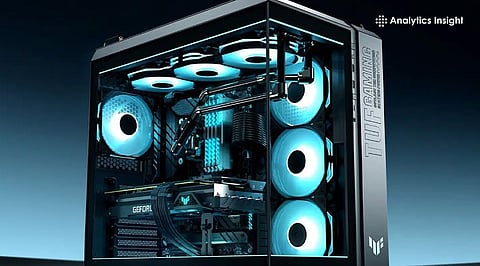
Budget PC cases in 2026 offer improved airflow, included fans, and better overall build quality.
Choosing mesh airflow designs helps maintain lower temperatures and improve long-term system performance.
Compact and full-tower options now balance space efficiency with compatibility with modern gaming components.
Building a PC no longer needs overspending on a case. Budget-friendly options have significantly improved in important ways. Manufacturers now prioritize airflow, user-friendly internal layouts, and often include fans right out of the box.
These enhancements lead to noticeable improvements in daily performance. A quality case maintains stable temperatures, minimizes noise, and facilitates a smoother building process. Ultimately, selecting the right case should focus on practicality rather than aesthetics.
The MSI MAG Forge 100R stands out as a reliable all-round option. It provides a consistent airflow and space for full-sized parts, making it a good choice for gaming rigs.
The fans provided are sufficient for general cooling. It comes with enough space to manage cables well. This is a good option for those who want a balanced build without having to upgrade right away.
For those on a tighter budget, Zebronics Zium is a no-frills option. It is more about functionality than looks. The airflow remains basic yet sufficient for entry-level builds or office systems. It does not include premium materials or extra features, though it manages to deliver where it matters. Users building their first PC or working on a limited budget will find it practical.
Also Read: Samsung Launches AI-Powered Browser for Windows PCs
The NZXT H5 Flow shifts the focus toward cooling performance. The mesh on the front panel and internal design ensure that air is moved effectively over all parts. This is beneficial for systems that require powerful graphics cards or for long gaming sessions. The build quality is more refined than that of most budget solutions, giving it long-term value.
Zebronics Iceberg is a good option for those who do not require a very basic case but also do not want a high-end one. It provides better ventilation than a standard case, and it has a more refined look. It is a good option for those who require a mid-range case.
Gamdias Talos E3 ARGB is a good option for those who value aesthetics. It has built-in RGB lighting, so there is no additional cost in this respect. Despite focusing on aesthetics, airflow remains decent. The case manages to combine style and function without pushing the cost too high.
Deepcool CG330 3F works well for compact setups. It takes up less space while still maintaining proper airflow through its included fans. The internal design looks efficient, which is a good thing for assembly. It's a good case for small desks or for those who like a clean look without sacrificing performance.
Cooler Master MasterBox Q300L is a case that emphasizes flexibility. It has a modular design that can be adjusted depending on one’s requirements. It is also lightweight and has filters to ensure easy future maintenance. It is a good case for beginners and those who will be upgrading their computers often.
Also Read: Best Free Malware Scanners to Protect Your PC in 2026
Affordable PC cases offer much more value than one might expect. Today, many options come with strong airflow, decent build quality, and included fans as standard features. When selecting the right case, it's important to consider your build size and cooling requirements. By prioritizing airflow and compatibility over purely aesthetic design, you can ensure better performance and reduce potential issues in the long run.
1. What makes a PC case good for airflow in 2026?
A good airflow case uses mesh front panels, multiple fan mounts, and proper internal spacing to ensure cool air intake and efficient heat exhaust during operation.
2. Are budget PC cases reliable for gaming builds?
Yes, many budget PC cases now support modern GPUs, provide decent airflow, and include fans, making them suitable for mid-range gaming and everyday performance needs.
3. How many fans are enough in a budget PC case?
Two to three fans are usually enough for basic builds, with one intake and one exhaust setup helping maintain stable temperatures during regular usage.
4. Should I choose RGB or airflow-focused PC cases?
Airflow should come first for performance and cooling, while RGB adds visual appeal. A balanced case offers both without compromising temperature control or build quality.
5. What size PC case should I choose for my build?
Choose based on your motherboard size and GPU length. ATX cases suit larger builds, while mATX and compact cases work well for smaller setups.
