.png)

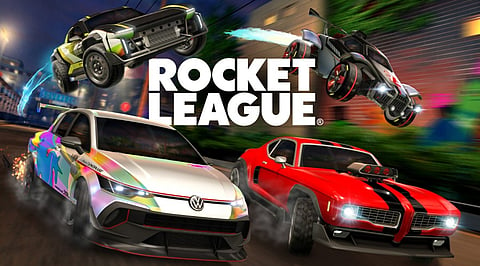
Rocket League is a vehicular soccer game developed by Psyonix.
The game wfree-to-play on September 23, 2020.
Players can compete on Windows, PlayStation, Xbox, and Nintendo Switch.
Rocket League turns soccer into a high-speed contest between rocket-powered cars. Two teams try to score more goals before the clock ends. Standard matches last five minutes and support one to four players per side.
The game launched in July 2015 on Windows and PlayStation 4. Epic Games acquired Psyonix in May 2019, which opened the door to a free model. Psyonix reported more than 75 million players before that shift. Such numbers show how a simple idea can build a lasting community.
Windows users can install the game through the Epic Games Store. Console players can find it in their platform stores.
Windows: Official Rocket League Download Page
Windows: Gizmodo Rocket League Download Page
Rocket League blends soccer rules with physics-based driving. Cars can boost, jump, flip, and fly toward the ball. Aerial shots, wall plays, and team rotations take hundreds of hours to master. Ranked matches pair players with similar skill levels, so games stay fair.
Soccar: the standard soccer match.
Hoops: a basketball-style mode with rim targets.
Rumble: matches with random power-ups.
Dropshot: players break floor tiles to score.
Snow Day: a puck replaces the ball on icy ground.
Players can change car bodies, decals, wheels, boost trails, and goal explosions. These items are cosmetic and give no competitive edge. Linking an Epic Games account carries inventory, Rocket Pass progress, and rank across systems.
Install the Epic Games Launcher and sign in with an Epic Games account.
Search for Rocket League and add it to your library.
Install the game and wait for the 20 GB download to finish.
Complete the new player tutorial and the starter challenges.
Choose a casual, ranked, or extra mode and start playing.
Also Read: WhatsApp Business | Business & Communication | App for Business Messaging & Customer Communication
Rocket League's strengths come from simple rules and deep skill growth.
Rocket League keeps its appeal through a rare mix of simple goals and deep mechanics. A new player can score within minutes, while veterans keep refining aerial control for years. Free access, low hardware needs, and cross-platform matches remove most entry barriers.
Anyone who enjoys team sports or fast racing games should try it at least once. Regular updates, cosmetic options, and the RLCS keep the community active. The game rewards practice, teamwork, and patience in equal measure.
Also Read: Remini | Photography & Editing | App for AI Photo Enhancement & Image Restoration
Is Rocket League free to play?
Yes. Psyonix made Rocket League free to play on September 23, 2020. Anyone can download it at no cost, while optional purchases cover cosmetic items such as wheels, decals, and boosts.
Which platforms support Rocket League?
Rocket League runs on Windows, PlayStation 4, PlayStation 5, Xbox One, Xbox Series X/S, and Nintendo Switch. Cross-platform play lets friends on all these systems team up in the same match.
What are the PC system requirements?
Windows needs a 64-bit OS, a 2.5 GHz dual-core processor, 4 GB RAM, and a GeForce GTX 760 or Radeon R9 270X graphics card. The game also needs 20 GB storage and DirectX 11.
Can Rocket League run on macOS or Linux?
Native macOS and Linux support ended in 2020. Players on these systems can use cloud gaming services, Wine, or virtual machines to run the game. The Steam Deck also supports it.
Does spending money give a competitive advantage?
No. Purchases in Rocket League are limited to cosmetic items, season passes, and in-game currency. These items change how a car looks, so every player competes on equal terms regardless of spending.
