.png)

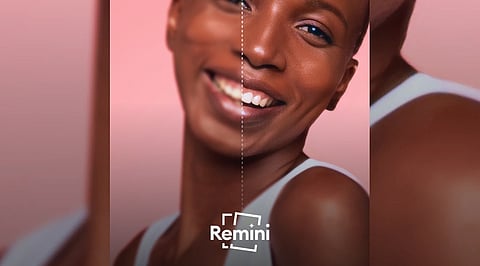
Remini uses artificial intelligence to sharpen blurry images, reduce visual noise, restore old photographs, improve colors, and enhance facial details with minimal effort.
The app supports iPhone, iPad, Android, and web browsers, offering photo and video enhancement alongside AI-generated portraits and image enlargement tools.
Remini is free to download, but ads, usage limits, possible watermarks, and paid subscriptions may affect the experience. Results can also distort facial details.
Remini is an app that makes blurry, old, or low-quality photos look sharper and clearer. You upload a picture, tap a button, and the AI cleans it up for you. It can also enhance videos and create AI-generated portraits. It works on iPhone, iPad, and Android, and there is a web version too.
Remini is made by Bending Spoons, and it is free to download on Android and iOS. At the time of writing, the latest iPhone and iPad version is 2.10.221 and the Android version is 3.7.1447. Both were updated in early October 2026. The iPhone app needs iOS 15.0 or later. You can also use Remini in your browser at app.remini.ai, but the mobile app is where most people use it.
iPhone and iPad: Official Apple App Store page
Android: Official Google Play Store page
Web: Official Remini web app
It's best to download the app from the App Store or Google Play, or use the official Remini website. Copies from random download sites may be outdated or unsafe.
Also Read: NoxPlayer: Features, Download Guide, Pros, Cons, Specifications
Remini was built for one job: improving photos and videos that already exist. It isn't a full editing app like Photoshop. You don't move sliders or draw masks. Instead, the AI looks at your picture, adds detail, removes noise, and gives you a cleaner version. The Remini team has kept the app simple on purpose, so the only real choice is which photo or video to enhance.
Over time the app has grown beyond old-photo repair. Here is what it can do now:
Unblur and sharpen soft or out-of-focus photos
Remove grain and noise from dark or grainy shots
Restore old photos, including faded or scratched family pictures
Enlarge images to a higher resolution
Fix colors and bring back color in black-and-white photos
Enhance faces, which is what Remini is best known for
Improve backgrounds and low-quality images
Enhance videos, with the official site saying quality and size can be boosted by up to 2x
Create AI photos, such as new portraits and alternate-style versions of yourself
The app page says it has revived over 100 million photos. It is rated 4.6 out of 5 on the App Store from about 356,000 ratings, and 4.3 on Google Play from several million votes.
Download and open the app. Get it from the App Store or Google Play, or visit the Remini website to use the browser version.
Let it see your photos. Remini needs permission to open your gallery so you can pick a picture.
Pick a photo or video. An old family photo, a blurry selfie, or a low-quality clip all work. The clearer the original is, the better the result usually looks.
Choose an enhancement. Tap the tool you need, such as enhance, unblur, or color fix.
Wait a few seconds. The AI does the work. On the free version, you may see an ad before the result appears.
Compare before and after. Check the new version against the original, especially the faces.
Save or share. If you like the result, save it to your phone or send it to family and friends.
One tip: if the first result looks too smooth or the face looks a little different, try a different photo or a cleaner scan of the original.
The free plan has ads and a daily limit on how many photos you can enhance. Free results may also be watermarked, and deleting the app does not cancel a subscription. You need to cancel through the App Store, Google Play, or your web account. Read the plan details carefully before you subscribe.
Prices change by country and plan. On the web, third-party reviews list a Personal plan at about USD 6.99 per week and a Business plan at about USD 9.99 per week. Always check the price inside the app before you confirm.
A quick note on privacy, Remini needs your photos to work, since it uploads them for processing. The App Store listing says the app may collect things like your email address, device ID, and the photos or videos you submit. Avoid uploading very private pictures.
Also Read: OBS Studio | Video & Streaming | Open-Source Screen Recording, Streaming Software
For most people, yes, especially if you have old family photos or blurry pictures you want to rescue. It's fast and simple, and it often gives results that would take hours in an editor like Photoshop. Reviewers say it works best on modern photos with decent detail, such as dark selfies or slightly soft portraits. It can also do a lot for faded vintage photos, as long as you don't expect miracles.
Very old or very blurry photos can come back with faces that look ‘rebuilt’ and not quite like the person. The face may also look sharper than the body or the background. Free users deal with ads and daily limits, and the weekly subscription prices can add up. If you want full manual control, or you don't want a subscription, a desktop editor or another enhancer may suit you better.
If you want a quick, easy way to bring old and blurry photos back to life, Remini is one of the simplest tools to try. Start with the free version on one or two photos, check the results, and decide from there.
1. What is Remini, and how does it work?
Remini is an AI-powered photo enhancer that sharpens blurry images, restores old photographs, reduces visual noise, and improves facial details. Its mobile app also supports AI-generated photos, with features and limits depending on the plan.
2. Is Remini free to use in 2026?
Yes, Remini is free to download on iOS and Android, but free access comes with restrictions. Ads, usage limits, and premium features may affect your experience. Check the current subscription options before paying.
3. How much does a Remini subscription cost?
Remini subscription prices vary by country, platform, and plan. The Indian App Store currently lists several options, including weekly subscriptions at different price points. Check the price displayed in your account before confirming payment.
4. Is Remini safe for private photos?
Remini’s Apple App Store privacy disclosure identifies photos or videos, user identifiers, and diagnostic information among data that may be handled. Review the official privacy policy before uploading sensitive images, and avoid submitting photographs you are uncomfortable sharing.
5. Can Remini restore very old or blurry photographs?
Remini can improve faded, grainy, damaged, or blurry photographs, especially portraits with some recoverable detail. However, AI may generate facial features that were not clear in the original, so compare enhanced results carefully before saving or sharing them.
