.png)

Public Wi-Fi networks can expose users to data theft and cyberattacks.
Fake hotspots and unsecured connections pose serious risks to personal information.
VPNs, mobile data, and basic precautions can significantly improve online security.
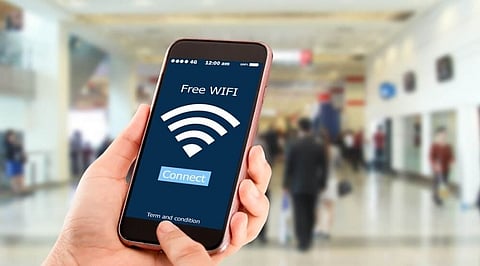
Free public Wi-Fi is convenient, whether you are waiting at an airport, working from a cafe, or traveling by train. Connecting to an open network can save mobile data and keep you online when a reliable internet connection is unavailable. However, these networks can also expose users to cybersecurity risks, particularly when they handle sensitive information without taking basic precautions.
Public Wi-Fi networks are not necessarily unsafe, but users should understand that they may not offer the same level of protection as a private home or office connection. Poorly secured networks can give cybercriminals opportunities to intercept data, monitor online activity, or trick unsuspecting users into connecting to fraudulent hotspots.
The risks are particularly concerning when people access banking services, enter passwords, or share personal information while connected to an unfamiliar network.
Unlike private networks, public Wi-Fi connections are often accessible to many people. Some networks may have weak security settings or no password protection.
One common threat is a man-in-the-middle attack. In such cases, an attacker positions themselves between a user and the website or service they are accessing. This can potentially allow them to intercept information exchanged over an unsecured connection.
Another risk involves fake Wi-Fi hotspots. Cybercriminals can create networks with names similar to those of legitimate establishments. Users who connect without checking the network's authenticity may unknowingly expose their online activity to attackers.
Malicious users may also exploit vulnerabilities in devices connected to the same network.
Also Read: Top 10 Internet Service Providers in India: Best Broadband and Wi-Fi Providers in 2026
Accessing banking applications, making payments, or entering card details on an unfamiliar public network can increase the risk of exposing sensitive financial information. Whenever possible, use mobile data for transactions involving money.
Avoid logging into accounts containing personal, financial, or confidential information while connected to an unsecured hotspot. If you must access an account, ensure the website uses HTTPS and enable two-factor authentication.
Do not assume that a network is legitimate simply because its name matches the airport, hotel, or cafe you are visiting. Confirm the correct network name with the establishment's staff before connecting.
Keep file sharing and network discovery features switched off when using public Wi-Fi. These settings can make your device more visible to other users connected to the same network.
Automatic connection features can cause smartphones and laptops to join unfamiliar networks without the user's knowledge. Disable auto-connect for public hotspots and remove networks you no longer use.
Public networks may not be suitable for handling sensitive office documents, business communications, or confidential files. If remote work requires access to such information, use your organization's approved security tools.
Users do not necessarily have to avoid public Wi-Fi altogether. A few precautions can reduce the chances of falling victim to common network-based attacks.
Using a reputable virtual private network (VPN) can encrypt internet traffic between a device and the VPN server, making it harder for others on the same network to monitor that traffic. However, a VPN does not protect against every online threat, including phishing websites and malware.
Keep your smartphone, laptop, and security software updated to address known vulnerabilities. Enable your device's firewall, use strong and unique passwords, and activate two-factor authentication wherever possible.
It is also advisable to disconnect from public Wi-Fi when you no longer need it. For sensitive activities, a personal mobile hotspot or mobile data connection is generally a better option.
Also Read: Best Wi-Fi Dongle Deals on Amazon India: 4G and 5G Hotspots Under Rs. 3,000
Public Wi-Fi remains useful for everyday browsing, checking directions, and reading news. The key is knowing what information you are accessing and whether you can trust the network.
Avoid financial transactions, protect login credentials, and verify network names when privacy and security matter; using mobile data or a trusted connection is safer.
1. Is public Wi-Fi safe to use?
You can use public Wi-Fi for basic browsing, but unsecured networks may expose personal information to cybercriminals and data interception.
2. Can hackers steal passwords through public Wi-Fi?
Yes, attackers can exploit poorly secured networks to intercept information, potentially exposing login credentials and other sensitive personal details.
3. Should you use online banking on public Wi-Fi?
Avoid banking transactions on unfamiliar public networks. Use mobile data or a trusted connection when accessing financial accounts or making payments.
4. Does a VPN protect you on public Wi-Fi?
A VPN encrypts internet traffic, making interception harder, but it cannot completely protect against phishing, malware, or fraudulent websites.
5. How can you stay safe on public Wi-Fi?
Verify network names, turn off automatic connections, avoid sensitive transactions, update devices, use strong passwords, and enable two-factor authentication wherever possible.