.png)

Always check the sender's full email address and domain before trusting an unfamiliar message.
SPF, DKIM, and DMARC checks help identify suspicious email activity and domain spoofing.
Never share passwords, OTPs, or banking details through unexpected email links or requests.
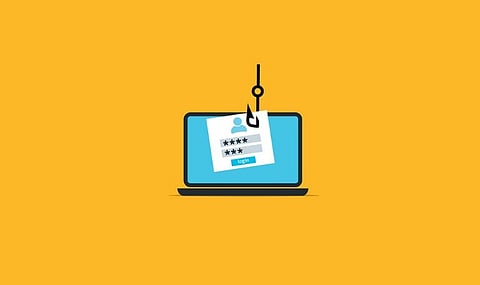
An email from a bank, an online store or a company can look completely genuine and still be a scam. A familiar logo, a polished message and a trusted sender name prove nothing about where it really came from. Looking closely at the sender address, the domain and the email security details can head off fraud, data theft and lost accounts.
A sender’s display name is easy to fake. Scammers borrow the name of a real bank or company and send from an address that has nothing to do with it, so the full address is what matters.
Take support@paypaI.com. It looks like PayPal, but the last letter is a capital ‘I’ where a lowercase ‘l’ should be. Or take amazon-support@gmail.com, which uses Amazon’s name but comes from a free Gmail account instead of an official company domain.
Real businesses normally have an official website and their own email domain. Lookup tools can show registration details, and DNS tools can show whether a domain is set up to send email at all.
ICANN Lookup (lookup.icann.org) gives domain registration details. Google Admin Toolbox Dig checks DNS records, and MXToolbox reviews mail server, SPF and DMARC settings. A new domain is not automatically fraudulent, but a recently registered one deserves extra suspicion when the message requests for money or private details.
Three email security checks help show whether a message is truly linked to the domain it claims. Sender Policy Framework (SPF) confirms that a mail server is allowed to send for a domain. DomainKeys Identified Mail (DKIM) adds a digital signature that verifies the source and confirms the content was not altered.
Domain-based Message Authentication, Reporting, and Conformance (DMARC) checks that the domains line up and tells receiving systems what to do when authentication fails.
PASS on all three is the result to look for. In Gmail, opening the message, clicking the three-dot menu and choosing Show original displays them. A pass is not a guarantee, though. Criminals sometimes send harmful messages from a hacked company account or through an approved email service.
Also Read - AI-Powered Crypto Scams: 7 Ways Investors Can Protect Their Assets
Fear and pressure are the usual tools. A message might say an account will be closed within 24 hours, demand an invoice be paid right now, or ask for a password to restore access. Surprise prize notices and unexpected account alerts belong in the same suspicious pile.
Unexpected ZIP, HTML, SVG and PDF attachments can carry malware or point to unsafe websites. Bad grammar used to be a giveaway, but clean writing no longer proves anything, since AI tools now help criminals produce clear, convincing emails.
The scale of the problem is large. Microsoft’s Q3 2026 threat report, published on November 5, counted roughly 7.3 billion email-based phishing threats in the quarter. September alone brought nearly 3 billion, up 41% from August, and about 129 million malicious messages imitated business-service domains.
Verification services can judge whether an address looks valid and deliverable. Hunter, NeverBounce and ZeroBounce check professional addresses and mailing lists. MXToolbox reviews a domain’s email settings, VirusTotal scans suspicious links and files against many security services, and Google Safe Browsing flags dangerous websites.
None of them is perfect. A valid address says nothing about the owner’s intentions. A catch-all domain may accept mail without confirming each mailbox, and an ‘unknown’ result simply means the tool lacked enough data. Private emails and business messages should also not be pasted into third-party services before their privacy rules have been read.
Any bank email asking for a password or one-time password (OTP) should raise an immediate red flag. The link should stay unclicked and the sender unanswered. Opening the bank’s official app, or typing its known web address into a browser, is the safer route, and a phone number taken from the official website can confirm whether the alert is real.
The same goes for payment requests that appear to come from managers, clients or suppliers. A sudden change of bank details or a rushed transfer request should be confirmed directly, using a phone number or contact already known to be genuine.
Clicking a suspicious link does not always end in a stolen account, but acting fast limits the damage. Close the page and do not enter any personal details. If a password was typed into a fake site, change it through the official service and review recent account activity. Turn on multifactor authentication too, preferably with a passkey or an authenticator app where possible.
Anyone who has given away bank details or an OTP should call the bank straight away. In India, the National Cyber Crime Helpline is 1930, and you can file a report online at the National Cyber Crime Reporting Portal, cybercrime.gov.in. Reporting quickly can reduce the financial loss.
Why this Matters
Email scams can end in lost money, identity theft, stolen passwords and unauthorized access to personal or business accounts. One careless click can expose private data or put bank funds at risk. Checking an email properly helps catch fake senders, suspicious links and false payment requests before the real harm is done.
The basic rule is simple: An email should never be trusted on visuals alone. Going through the sender, the domain, the security results, the links and the request itself can expose plenty of scams early.
Even a message from a genuine company address deserves a second look when it asks for money, passwords or private records. That small extra step protects personal accounts and business funds alike.
1. How can an email address be verified?
Check the complete sender address, inspect its domain, review email authentication results, and use trusted email verification tools to assess whether the address appears valid.
2. What are the signs of a fake email?
Unusual sender addresses, urgent payment requests, suspicious links, unexpected attachments, password requests, and false account alerts can signal an email scam.
3. What do SPF, DKIM, and DMARC mean?
SPF checks authorized sending servers, DKIM verifies a digital email signature, and DMARC checks domain alignment and sets rules for failed authentication.
4. Which tools can help verify an email address?
Hunter, NeverBounce, ZeroBounce, MXToolbox, and VirusTotal offer useful checks for email validity, domain records, suspicious links, and security risks.
5. What should happen after a phishing link gets clicked?
Close the suspicious page, change any exposed passwords through official websites, enable multifactor authentication, and contact the bank immediately if financial details were shared.
Join our WhatsApp Channel to get the latest news, exclusives and videos on WhatsApp
_____________
Disclaimer: Analytics Insight does not provide financial advice or guidance on cryptocurrencies and stocks. Also note that the cryptocurrencies mentioned/listed on the website could potentially be risky, i.e. designed to induce you to invest financial resources that may be lost forever and not be recoverable once investments are made. This article is provided for informational purposes and does not constitute investment advice. You are responsible for conducting your own research (DYOR) before making any investments. Read more about the financial risks involved here.