.png)

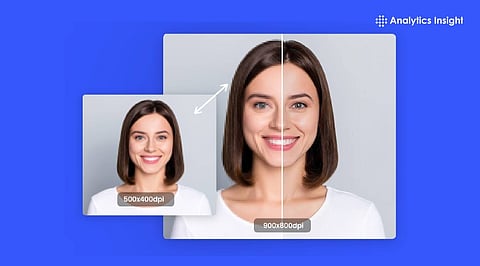
AI tools today not only resize photos but also add missing details and make images look clear and sharp in 4K.
Not all tools work the same way. Some give more natural results, while others are faster or more creative. Choosing the right tool depends on what each user needs.
Anyone can improve photo quality easily. Even beginners can turn blurry images into clear 4K photos in just a few clicks.
AI-powered image tools can quickly enhance blurry or low-resolution photos. They use deep learning algorithms to analyze pixels and predict or fill in missing details, transforming old images into sharp 4K quality.
These tools have gained popularity in the fields of design, marketing, and photography for their ability to produce high-quality results instantly. In 2026, six standout AI tools each exhibit their own unique strengths in this area.
Magnific AI is a premium tool that uses advanced technology to rebuild textures and details from scratch. Instead of just sharpening edges, it uses a massive collection of high-quality images to add realistic features.
For example, it can create lifelike hair and skin in portraits or detailed leaves and skies in landscapes. It easily scales images to 4K resolution or higher. The premium version comes at a high price as it is intended for professional creative work. However, it offers the best realism, thus standing out among the other options.
Also Read: Best AI Tools for Filmmakers to Create Stunning Movies
Nano Banana Pro quickly improves images by sharpening edges, fixing lighting, and adding realistic textures. It works fast on both real photos and AI-generated art to create high-quality files.
Features like bulk processing and an easy-to-use control panel make it great for repetitive tasks, such as creating product photos for e-commerce platforms. It is a reliable choice for professional workflows that need to get work done efficiently.
Crystal AI Upscaler focuses on sharpening fine lines and small details. It is perfect for product photos, illustrations, and vector designs. It makes fabric look real and metal look shiny without making the image look fake or over-processed.
The tool is ideal for projects that prioritize accuracy over the hype it can generate, since it delivers balanced, high-precision results.
Topaz Gigapixel AI can increase image resolution up to 8 times without losing quality. It is excellent at restoring faces, eyes, and old features in vintage photos. It also brings out clear details in buildings, animal fur, and complex designs. It is the perfect choice for large gallery prints.
Since the software runs directly on the computer, it does not require an internet connection and helps keep private files secure.
Firefly Upscaler is integrated into Adobe Photoshop, allowing users to enlarge images without leaving their workspace. It handles everything from wide landscapes to close-up shots and works perfectly with other tools like inpainting to fill in missing parts.
Users can easily adjust the strength of the upscale, improve details, or remove flaws to get the exact look they want. This makes it easy to test different settings and maintain full control of the creative process.
Also Read: Best AI Tools for Animation and Video Creation in 2026
Krea AI is a creative tool that can work with images, videos, and 3D art. It can generate visuals from simple text prompts or sketches and instantly upscale low-quality photos. It comes with a clean dashboard that lets users make live edits and experiment with different styles.
The tool emphasizes speed and is ideal for branding and media projects that require fast, high-quality results.
AI photo tools are rapidly advancing in both intelligence and speed. These tools not only enhance image size to improve resolution but also correct colors and restore missing details, making images appear more vibrant. Magnific AI and Topaz Gigapixel AI are the top choices for precise and professional work. In contrast, Krea AI and Nano Banana Pro are excellent options for those seeking speed and ease of use.
When choosing the best tool, it is important to consider your specific workflow, the required image size, and your budget. Nevertheless, all of these tools can produce high-quality 4K results for any project.
How does AI upscaling to 4K work?
AI upscaling does not just stretch an image. It analyzes patterns and fills in missing details, making the image look clearer and more natural at higher resolution.
Can AI really turn low-quality images into 4K?
Yes, but results depend on the tool and the original image. Good AI tools can significantly improve clarity, but extremely low-quality images may still have limits.
Are AI image upscalers free to use?
Some tools offer free versions with limits. Advanced features like high-resolution exports or batch processing often require a paid plan.
Do AI enhancers work on old photos?
Yes, many tools are designed for photo restoration. They can fix blur, improve sharpness, and even recover facial details in old images.
Will upscaling reduce image quality?
Good AI tools maintain or improve quality. Poor tools may cause artifacts, so choosing a reliable enhancer is important.
