.png)

Gemini Nano Banana Pro rebuilds photos in 3D, adding depth, shading, and lifelike lighting effects.
Users can create playful, Pixar-style caricatures quickly without needing 3D modeling or artistic skills.
Clear portraits and detailed prompts produce the most expressive, polished, and visually striking 3D results.
Gemini Nano Banana Pro is the latest image generation model from Google Gemini. It is built on the foundation of Gemini 3 Pro and can transform ordinary photos into high-quality, stylized 3D caricatures.
This version is an upgrade from the original Nano Banana model, offering increased realism, improved textures, and greater flexibility for both image editing and generation. Instead of merely applying a filter to your selfie, Nano Banana Pro reconstructs the subject from scratch, using your photo as a reference.
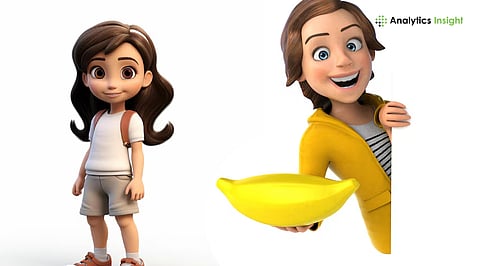
The outcome is a shiny, cartoon-like 3D image with a big head, lively eyes, a clay-like skin texture, and very soft lighting, almost like a character from Pixar-style animation.
Traditional caricature or cartoon filters distort or overlay your existing photo in 2D. With Nano Banana Pro, though, its AI generates a stylized 3D model based on the features it identifies in the picture you upload.
The result tends to have depth, shading, realistic lighting effects, and an impression of volume, giving it a 3D-rendered feel rather than a flat one. This is representative of advances in generative AI and of 3D face-reconstruction research more generally.
While you do not actually have to tinker with 3D meshes yourself, Nano Banana Pro handles this behind the scenes and creates a polished output for you automatically.
Launch the Gemini app on iOS or Android, or open Gemini via web/desktop using Google AI Studio.
Log in with your Google account. For the best access, a Google AI Pro subscription may help, though free-tier users can typically try the feature as well.
Locate the image generation tool. Change the model selection to Nano Banana Pro.
Upload a clear, well-lit portrait photo. For best results: good lighting, front-facing, simple background, and facial features clearly visible.
Also Read: Upload, Transform: Gemini’s Nano Banana Pro Makes You Cartoon-Ready
Use the below prompt to help AI.
‘A highly stylized 3D caricature of the person in the uploaded image, with expressive facial features and playful exaggeration.
Rendered in smooth, polished style with clean materials and soft ambient lighting. Bold color background to emphasize the character's charm and presence.’
Note: You can tailor a prompt by adding modifiers, such as clothing items, hats or accessories, background color, or pose.
Hit the prompt, and AI will render your 3D caricature. If you're not satisfied, refine your prompt by adjusting exaggeration, pose, or lighting, then generate again.
Once satisfied, the image created can be downloaded. It can be used as avatars, social networking profile pictures, digital greetings, or simply shared for amusement.
How to Get the Best Results?
Use photos with smiles, open eyes, or raised eyebrows for more characterful caricatures.
Use simple backgrounds to make your subject stand out.
Refine prompt details, such as lighting, color, or mood, for a more polished, specific result.
Keep in mind this is a stylized and exaggerated final output, not a photorealistic portrait.
Also Read: How to Convert Old Black & White Photos to High-Quality Colour Shots With Nano Banana Pro
The massive hype surrounding Nano Banana Pro shows how far AI-driven image generation has come. What earlier required 3D modeling, lighting, and art skills can now be done in minutes by uploading a photo and writing a good prompt.
This opens up creative possibilities for avatars, social media content, branding, or digital gifts. The model rebuilds a full 3D render, delivering polished, versatile images for a wide range of tasks.
The trend also reflects further developments in AI, computer graphics, and human-computer interaction in making high-quality digital art accessible to non-artists.
What is Gemini Nano Banana Pro?
Gemini Nano Banana Pro is Google’s advanced AI model that transforms ordinary photos into stylized, expressive 3D caricatures with smooth textures and realistic lighting effects.
How do I create a 3D caricature?
Upload a clear portrait to Gemini, select Nano Banana Pro, enter a descriptive prompt, generate the image, and refine until achieving the desired stylized 3D result.
Do I need 3D modeling skills to use it?
No. Gemini Nano Banana Pro automatically rebuilds your subject in 3D, handling depth, shading, and lighting without requiring any prior 3D modeling experience.
What types of photos work best?
Front-facing, well-lit portraits with simple backgrounds, expressive faces, and visible features produce the most polished, detailed, and characterful 3D caricatures.
Can I customize the caricature style?
Yes. You can adjust prompts for pose, accessories, clothing, background, lighting, and mood to create unique, playful, and visually appealing 3D caricatures.
