.png)

The best AI presentation generators combine speed with true live collaboration.
Native integration with Google Slides or PowerPoint prevents version chaos.
Choosing the right tool depends on workflow, brand control, and team size.
Modern AI presentation tools can build a five-slide draft in under a minute. Speed is no longer a concern. The real issue shows up later, when teammates start emailing attachments titled “Final_v3_Updated_RealFinal.”
That is why the Best AI presentation generators focus on one core question: can your team generate slides with AI and edit the same deck live, without version chaos?
AI presentation generators are everywhere, but only a handful combine strong AI output with true real-time collaboration inside tools teams already use.
We tested platforms using one shared workflow: generate a short market-update deck, invite two collaborators, and refine it together.
Each tool was evaluated on:
Live co-editing capability
AI draft quality
Brand and template control
Integration with Google Slides or PowerPoint
Ease of use
Pricing
Security and enterprise readiness
Collaboration and AI quality carried the most weight. A fast draft is useless if teamwork slows down.
Strength: Native AI inside Google Slides and PowerPoint
Collaboration: Full simultaneous editing
Best for: Teams already working in Slides or PPT
Plus AI works directly inside your existing deck. Type a prompt, and slides appear within your company template. Because it runs natively, teammates can jump in instantly. No exporting, no format shifts. For many teams, this is the cleanest workflow.
Strength: Visually polished drafts
Collaboration: Real-time editing within Canva
Best for: Marketing and design-focused teams
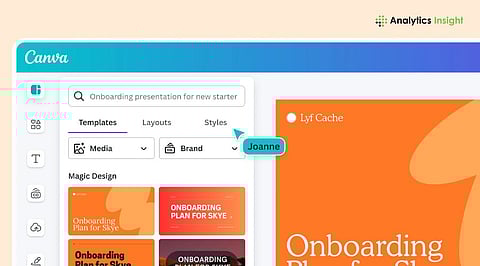
Canva Magic Design turns a short brief into a visually rich presentation with layouts, icons, and imagery. Collaboration works smoothly inside Canva’s ecosystem. If brand aesthetics matter as much as speed, this is a strong choice.
Strength: Data-driven slide generation
Collaboration: Real-time editing in Microsoft 365
Best for: Enterprise environments
Microsoft PowerPoint + Copilot pulls from Word documents, Excel sheets, and meeting notes. It feels like having an analyst build your first draft. Since it lives inside Microsoft 365, collaboration is seamless for organizations already standardized on that stack.
Strength: Cloud-native collaboration
Collaboration: True simultaneous editing
Best for: Google Workspace teams
The AI writing and image generation capabilities of Gemini complete Google Slides as its main enhancement. The experience feels natural because it builds on Google’s existing live-editing strengths. The system provides teams who work remotely and already use Drive with an easy transition to better functionality.
Strength: Extremely fast web-based drafts
Collaboration: Shared links with light co-editing
Best for: Quick pitch decks
Gamma is fast and flexible, especially for early brainstorming. Collaboration exists, but it is not as deeply integrated as Slides or PowerPoint-native solutions.
Strength: Team-first storytelling
Collaboration: Strong real-time editing
Best for: Startup and investor updates
Pitch balances AI drafting with collaborative workflows. Multiple teammates can refine slides at once, making it useful for fast-moving teams preparing investor or client decks.
Strength: Auto-styled, consistent layouts
Collaboration: Team sharing and editing
Best for: Non-designers needing polished output
Beautiful.ai maintains design consistency throughout its entire platform. The platform enables effective collaboration, but its design template system restricts users from creating their own content.
Strength: Brand-controlled enterprise decks
Collaboration: Managed workflows
Best for: Global corporations
Prezent.ai emphasizes governance. Templates and brand assets are centrally managed, which ensures consistency across offices and regions.
Strength: Lightweight Google Slides add-on
Collaboration: Native Slides editing
Best for: Educators and consultants
MagicSlides converts text, PDFs, or videos into slides inside Google Slides. Because it stays in Drive, collaboration remains simple and familiar.
Strength: One-click decks with speaker notes
Collaboration: Limited simultaneous editing
Best for: Solo presenters and trainers
Decktopus creates complete presentations that contain both visual elements and comprehensive speaker notes. The system provides fast performance for teams who need to export their work to PowerPoint or Slides for more effective collaboration.
Strength: Dynamic, visually engaging presentations built with AI
Collaboration: Real-time editing with built-in audience engagement features
Best for: Educators and trainers focused on audience engagement
Prezi AI generates a complete, visually dynamic presentation in under 8 seconds, moving beyond static slide-by-slide formats to designs that better hold audience attention. With a dataset built from 500M+ presentations and a user base of 170M+ people across 195 countries, Prezi's AI draws on what actually works in real presentations rather than generic layouts. Live polls, quizzes, Q&A, word clouds, viewer analytics, Newscaster mode, and a live pointer let presenters engage their audience in the moment, not just after the fact. Teams report a 91% improvement in presentation outcomes, and Prezi holds a 4.2/5 rating on G2 across more than 5,200 reviews, with 9 out of 10 users saying they'd recommend it.
True simultaneous editing: Multiple users change slides at the same time.
Comment-based workflows: Teammates leave notes but edit sequentially.
Export-and-edit: AI generates the deck, but teamwork happens elsewhere.
If your team builds presentations together in real time, native integration with Google Slides or PowerPoint is the safest path.
Google Workspace teams start with Plus AI or Gemini. Microsoft-first enterprises' subscription to Copilot inside PowerPoint is the logical choice. Design-driven marketers have considered Canva Magic Design or Beautiful.ai.
Speed-focused solo creators can choose Gamma or Decktopus. Brand-controlled global teams will prefer Prezent.ai or Pitch. The best tool is not just the fastest AI. It is the one that lets your entire team build, edit, and finalize the same deck together without friction.
1. What makes the Best AI Presentation Generators 2026 different from older tools?
The system generates slides through AI technology while users work together in Google Slides and PowerPoint, which helps teams by eliminating version conflicts while they create and review documents.
2. Do AI Presentation Generators replace PowerPoint or Google Slides?
Not necessarily. Many leading tools like Plus AI and Microsoft PowerPoint + Copilot work directly inside existing slide platforms, enhancing them instead of replacing them.
3. Which AI tool is best for real-time team collaboration?
The Google Slides and Microsoft 365 native tools provide users with the best experience for simultaneous document editing, especially when their teams operate from different locations or work remotely.
4. Are these AI presentation tools secure for enterprise use?
Enterprise-ready options such as Microsoft PowerPoint + Copilot and Prezent.ai include security controls and compliance features designed to meet corporate IT requirements.
5. How do I choose the right AI presentation generator for my team?
Begin your assessment process by examining your current operational procedures. If your team operates primarily within Google Workspace or Microsoft 365, choose an AI tool that offers direct integration with those platforms.
