.png)

Gmail recovery in 2026 checks several ownership signals, not one fixed sequence of steps.
Google Prompt, passkeys, signed-in devices, recovery info, and 2-Step Verification all help confirm access.
Security holds can delay a request, and outdated recovery details make regaining access harder.
Losing access to Gmail is never just a password problem. It can cut off email, photos, documents, payments, and other services tied to the same Google account. The recovery process has changed too.
Google now checks several signals to confirm account ownership. These include signed-in devices, recovery information, Google Prompt, passkeys, and 2-Step Verification backups. An older recovery guide may not match what shows up on screen today. An updated approach matters more than ever.
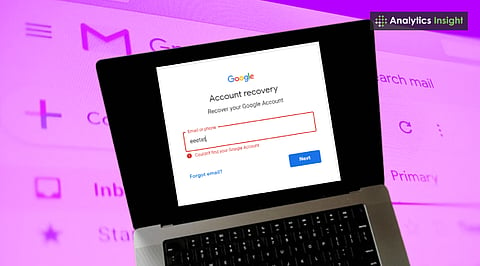
Every attempt begins at the same place. Google's recovery flow sits behind 'Forgot password' on the sign-in screen, or directly at accounts.google.com/signin/recovery. Entering the Gmail address and answering Google's questions as closely as possible is the first move, regardless of what caused the lockout.
Google does not set a limit on the number of times an account can be recovered, although individual recovery methods may become temporarily unavailable. That removes some pressure to get every answer right on the first try.
Also Read: How to Recover Your Hacked Email Account: Step-by-Step Guide
Older guides describe recovery as a strict ladder: password, then phone, then email, then a form. Google's documentation does not describe anything that rigid. The questions and options shown depend on the account and the circumstances of the recovery request, so two people recovering two different accounts can land on different screens in a different order.
A device already signed into the account can help verify account ownership. Where it is available, Google can send a prompt to that device instead of a text message, and Google's own guidance recommends Google Prompts instead of SMS codes because they provide a more secure verification experience.
A Google Prompt confirms that the account holder has access to a signed-in device. A passkey, where one is set up, works differently: it checks the device's screen lock or a fingerprint or face scan, offering a separate verification path.
Security questions are not the standard recovery method in Google's current guidance, so older guides that present them as a normal fallback are outdated.
Also Read: How to Recover a Deleted Gmail Account Easily: Quick Guide
A recovery request can trigger a security hold when Google detects circumstances that could put the account at risk. The hold can last from a few hours to several days, and accounts protected by 2-Step Verification may face a longer delay
Google recommends attempting recovery from the device, browser, and location normally used to sign in. Changes to recovery information can take up to seven days to take effect, so updating a phone number or email right before a lockout may not open an instant route back in.
Google cannot be reached by phone for sign-in help, and it works with no outside service that claims to offer account or password support. A site or caller promising guaranteed, paid Gmail recovery sits outside Google entirely and should be treated as a scam. No real recovery step asks for a password or a verification code read aloud or typed into a third-party site.
Getting back into Gmail is only the first step. Once access returns, the account's security settings deserve a close look right away. Check the recovery phone and email. Review recent security activity. Remove any devices or sessions that look unfamiliar.
Confirm that 2-Step Verification backups still sit under the account holder's control. Keeping these details current opens up more verification options later. It also lowers the chance of facing the same problem again.
Gmail recovery in 2026 rests less on remembering a secret and more on proving control of an account's trusted authentication methods. A familiar device, current recovery information, Google Prompt, passkeys, and 2-Step Verification backups can all come into play when access slips away. Setting up those safeguards ahead of time beats trying to rebuild account access once the problem has already started.