.png)

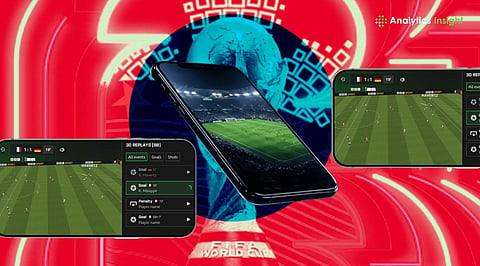
FIFA World Cup 2026 will feature 48 teams and 104 matches, with fans able to stream games on mobile devices.
Popular apps like Fubo, Sling TV, FOX, Peacock, and FIFA’s official app will offer live matches, highlights, and updates.
Viewers can choose streaming platforms based on their country, language preference, budget, and need for live coverage.
The FIFA World Cup 2026 is set to bring football action to millions of fans as the expanded 48-team tournament begins across the US, Canada, and Mexico. The tournament will witness a total of 104 matches between June 11 and July 19. Fans are increasingly turning to their mobile phones to follow every moment of the action. The right streaming application can make a significant difference by providing easy access to live matches, highlights, scores, and other tournament-related updates.
Fubo is among the most useful apps for fans looking for a full tournament experience. It brings major US broadcasters together in one place, including FOX, FS1, Telemundo, and Universo. The app also offers cloud DVR support, allowing users to record matches and watch them later. This can help fans who miss games during work hours or travel. Fubo is available on both Android and iPhone devices and is designed for sports streaming with smooth playback.
Also Read: Your Weekend Gaming List: Top PC Simulation Games You Should Try
Sling TV is aimed at viewers who want live television without a long-term commitment. Its Blue package provides access to FOX and FS1 in selected markets. The service also offers shorter passes, making it useful for fans who only want to watch important matches such as knockout games or major group-stage clashes. It is a practical choice for people who do not want a full monthly subscription.
FOX will provide English-language coverage in the US through FOX One and FOX Sports apps. The mobile apps focus on live matches, match statistics, and quick updates. The platform is expected to include features such as live data and interactive content for smartphone users. For fans who prefer English commentary, FOX services will be one of the main options.
Peacock will serve viewers who prefer Spanish-language coverage through Telemundo Deportes and Universo. The app offers live World Cup matches along with features designed for mobile viewers. Fans who join late can use catch-up tools to quickly view important moments before returning to live action.
The official FIFA World Cup 2026 app will not replace live streaming services, but it will be useful for following the tournament. Fans can use it to check:
Live scores
Fixtures
Team information
Player updates
Tournament brackets
Fan event details
The app will work as a companion for viewers watching matches elsewhere.
For fans who do not want paid subscriptions, platforms like Tubi and YouTube can help with highlights and selected content. These services can provide:
Match clips
Goal videos
Short recaps
Tournament updates
They are useful for catching up after matches finish.
Watching football on mobile data can quickly use a large amount of data. A single high-quality match may consume around 1.5GB to 3GB of data. Fans watching away from Wi-Fi can reduce data use by changing video settings from 1080p to 720p. The match will still look clear while saving battery and mobile data. Using Wi-Fi whenever possible and downloading highlights after matches can also help avoid high data usage.
The 2026 World Cup will certainly be one of the major sporting competitions broadcast via the mobile platform. From paid platforms that offer complete match broadcasts to free platforms that provide scores and highlights, fans have multiple ways to stay connected with the game. The choice of an app depends on factors such as the country, language, and the viewer’s requirements, whether they want to watch live matches or only receive updates and news.
Also Read: Forza Horizon 6 Leakers Face Hardware Bans: Play it Early, Lose Your Xbox
1. Which apps can I use to watch the FIFA World Cup 2026 on mobile
Fans can watch FIFA World Cup 2026 on apps like Fubo, Sling TV, FOX apps, Peacock, and official broadcaster platforms, depending on location and streaming rights.
2. Can I watch FIFA World Cup 2026 matches for free on my phone
Some platforms may offer free highlights, updates, and selected content. Live match availability depends on your country’s official broadcasters and their streaming services.
3. Which app is best for live FIFA World Cup 2026 streaming?
The best app depends on your region and needs. Fubo offers broad coverage in the US, while other countries have different official streaming options.
4. Does the FIFA World Cup 2026 official app show live matches?
The official FIFA World Cup 2026 app mainly provides scores, fixtures, statistics, updates, and tournament information. Live streaming depends on licensed broadcasters.
5. How much mobile data does World Cup streaming use?
Streaming FIFA World Cup matches on mobile data can use around 1.5GB to 3GB per game. Lowering video quality can help save data and battery.
